

What to do if the MIUI system can't be updated on the Redmi Note 12 Pro+ 5G?
If you're facing issues with updating the MIUI system on your Redmi Note 12 Pro+ 5G, you can try the following steps to troubleshoot and resolve the issue:
1. Ensure that your phone is connected to a stable and reliable Wi-Fi network. If you're using mobile data, ensure sufficient data and a stable connection;
2. Ensure your phone has sufficient battery level or connect it to a power source while updating to prevent interruptions;
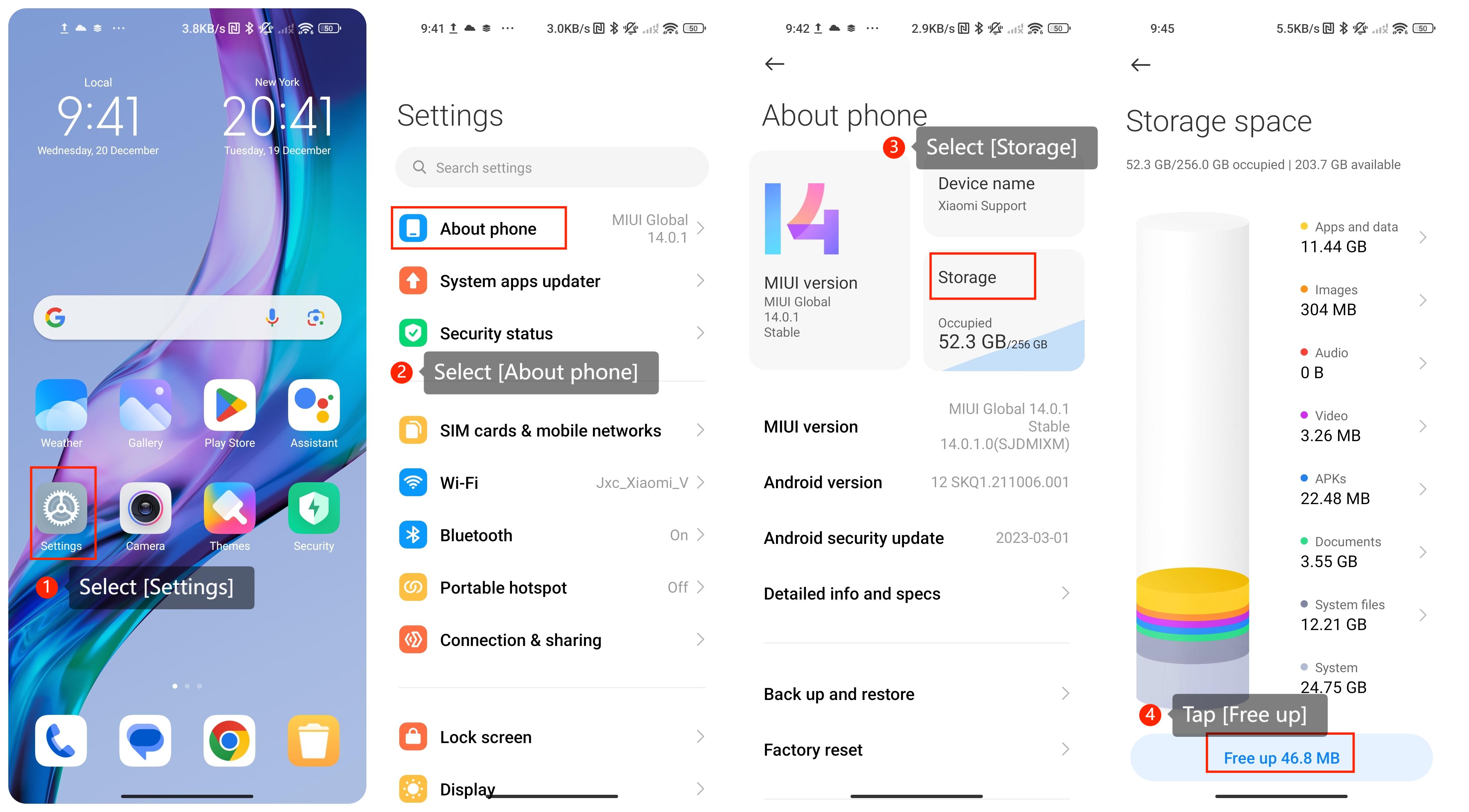
3. Updates often require a certain amount of free space. Go to [Settings] >> [About phone] >> [Storage] >> [Free up]. Ensure your phone has enough free storage space for the update;
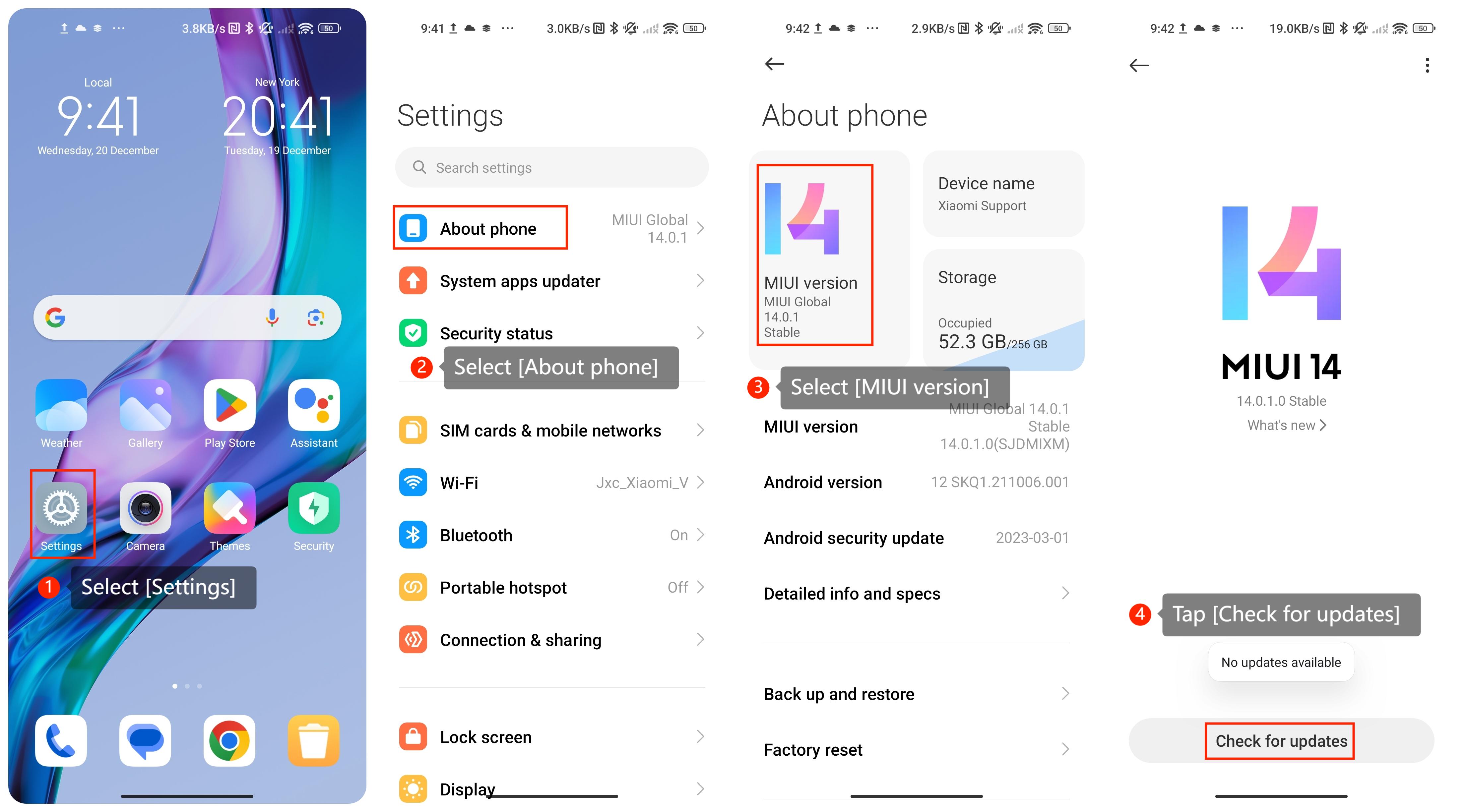
4. Go to [Settings] >> [About phone] >> [MIUI version] >> [Check for updates]. Sometimes, the automatic update process may not work correctly;
5. Sometimes, a simple reboot can resolve software glitches. Restart your phone and try updating again;
6. If none of the above solutions work, you can consider performing a factory reset. Before doing this, ensure you have a backup of your important data. Perform a factory reset by navigating to [Settings] >> [About phone] >> [Factory reset].
We hope the above information is helpful. If the issue still occurs, we hope you could submit your request or suggestions by going to [Settings] >> [Services & feedback], and wait for future updates.
1. Ensure that your phone is connected to a stable and reliable Wi-Fi network. If you're using mobile data, ensure sufficient data and a stable connection;
2. Ensure your phone has sufficient battery level or connect it to a power source while updating to prevent interruptions;
3. Updates often require a certain amount of free space. Go to [Settings] >> [About phone] >> [Storage] >> [Free up]. Ensure your phone has enough free storage space for the update;
4. Go to [Settings] >> [About phone] >> [MIUI version] >> [Check for updates]. Sometimes, the automatic update process may not work correctly;
5. Sometimes, a simple reboot can resolve software glitches. Restart your phone and try updating again;
6. If none of the above solutions work, you can consider performing a factory reset. Before doing this, ensure you have a backup of your important data. Perform a factory reset by navigating to [Settings] >> [About phone] >> [Factory reset].
We hope the above information is helpful. If the issue still occurs, we hope you could submit your request or suggestions by going to [Settings] >> [Services & feedback], and wait for future updates.
Does it help?
Yes
No