

What to do if unable to access the internet after connecting to the Xiaomi Router BE19000 Pro?
If unable to access the internet after connecting to the Xiaomi Router BE19000 Pro, please refer to the following steps:
1. Make sure the router’s Ethernet port is properly connected to the upstream optical modem.
2. Power off the optical modem, wait for 5 minutes, then power it back on and try again.
3. Connect a phone, tablet, or computer directly to the optical modem to check whether the internet works properly. If it does not, please contact your ISP.
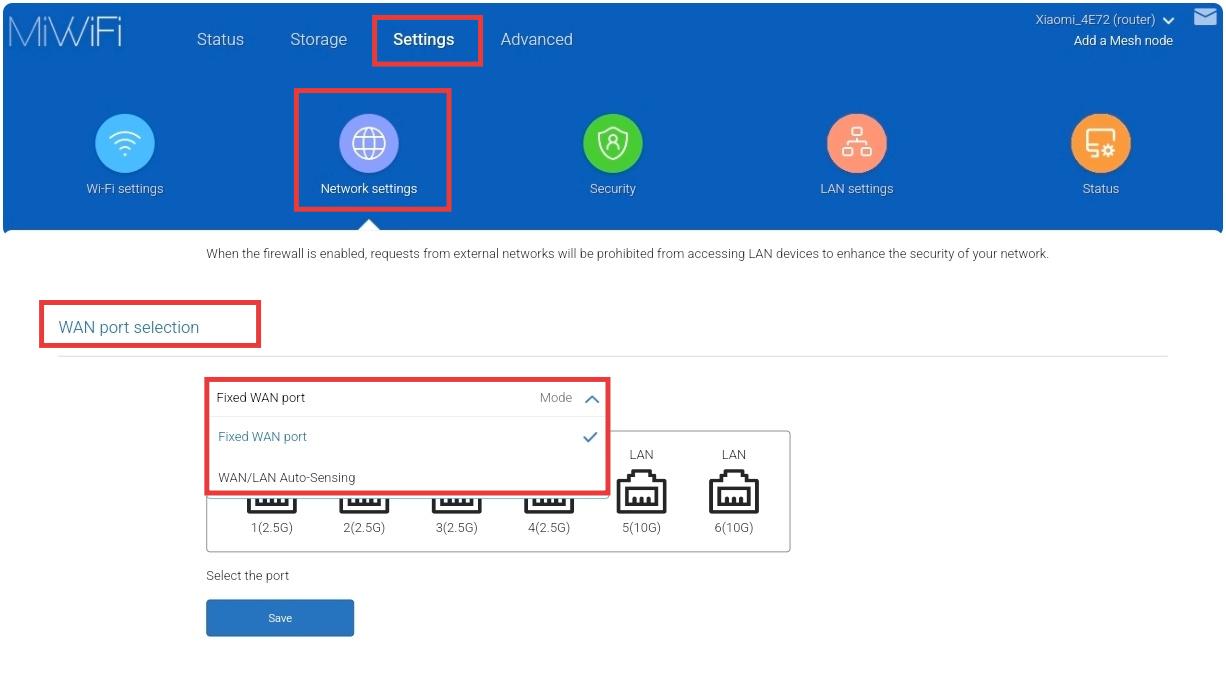
4. Try changing the WAN/LAN auto-sensing setting to a fixed WAN port. Ensure the Ethernet cable is connected to that designated WAN port, then restart the optical modem first, followed by the router.
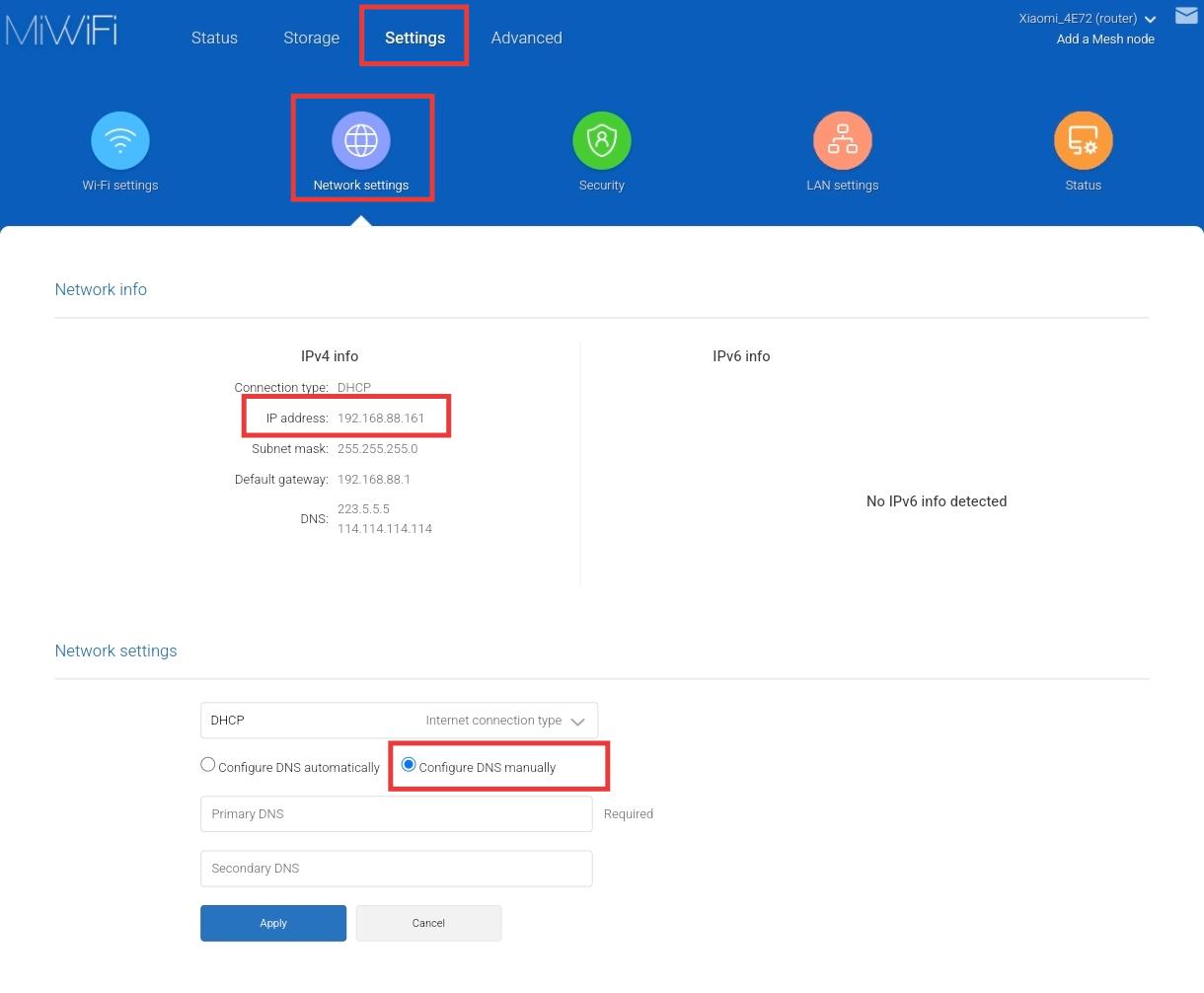
5. Log in to the router’s web management interface to check whether it has obtained a valid IP address. If a valid IP is assigned, try setting the DNS to 8.8.8.8 and the secondary DNS to 8.8.4.4.
6. If the problem persists, please contact the after-sales service for further assistance.
Does it help?
Yes
No