

Why does the Xiaomi Pad Mini screen appear dark around the edges?
The Xiaomi Pad Mini features a high color gamut and high refresh rate LCD screen. Our engineers have carefully tuned the screen for optimal performance, which can cause the edges to appear slightly darker under certain lighting conditions.
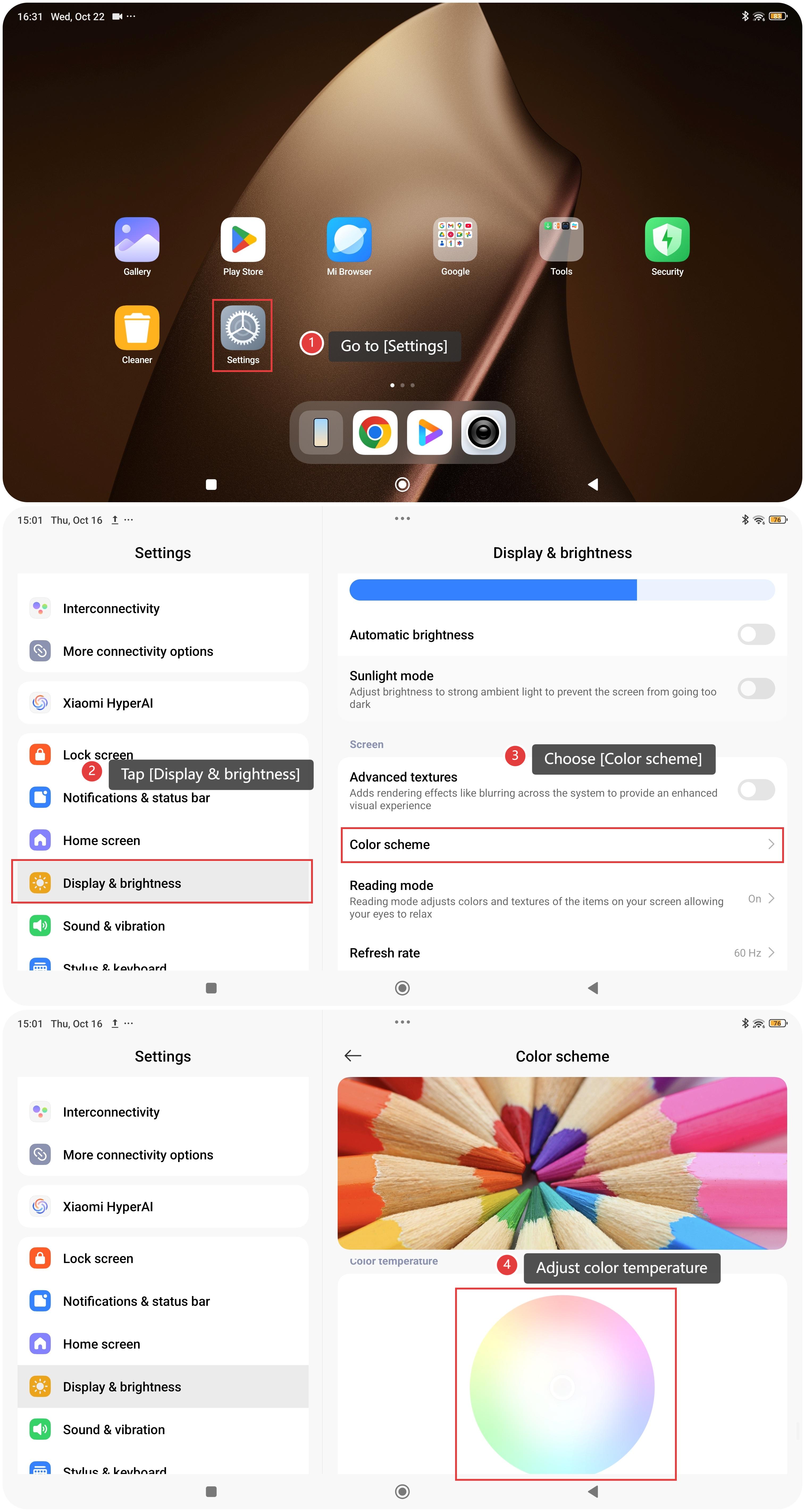
You can adjust the screen color temperature by referring to the following steps:
- Go to [Settings].
- Tap [Display & brightness].
- Choose [Color scheme].
- Swipe down to reveal the circular color temperature dial and adjust the color.
We hope to give you the best experience.
Does it help?
Yes
No