

What to do if the pan-tilt-zoom of the Xiaomi Smart Camera C701 is stuck and not rotating?
If the pan-tilt-zoom of the Xiaomi Smart Camera C701 is stuck and not rotating, please refer to the following steps to troubleshoot:
- Power off the device and then restart it.
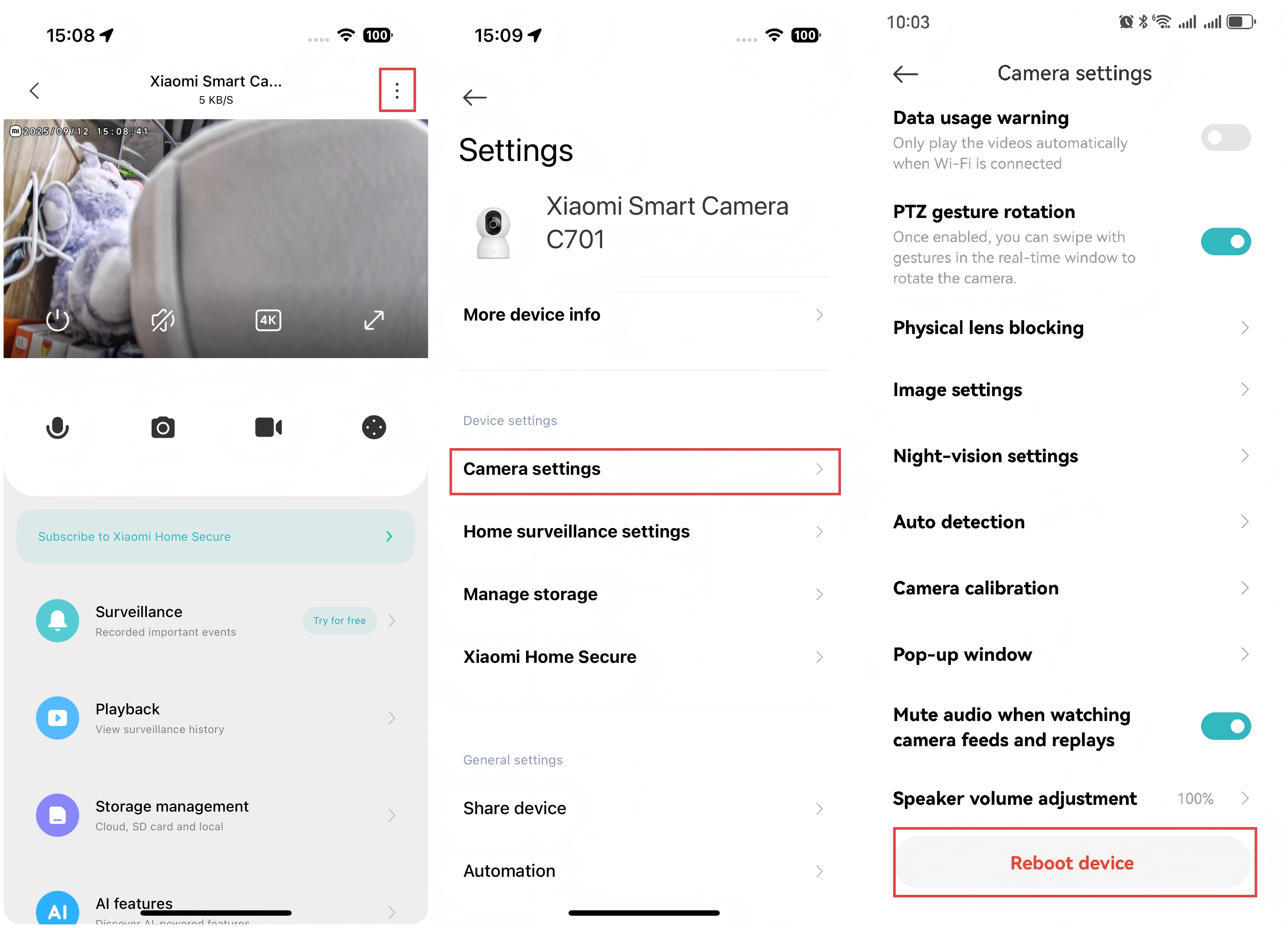
- Open the Xiaomi Home App >> select the [Xiaomi Smart Camera C701] card >> tap the three-dot at the upper right corner >> go to [Camera settings] >> tap [Reboot device].
If the camera's gimbal still does not rotate, please contact the local after-sales service center for assistance.
Does it help?
Yes
No