

What to do if there's a square face icon and a Menu icon shown on the top of the Xiaomi smartphone?
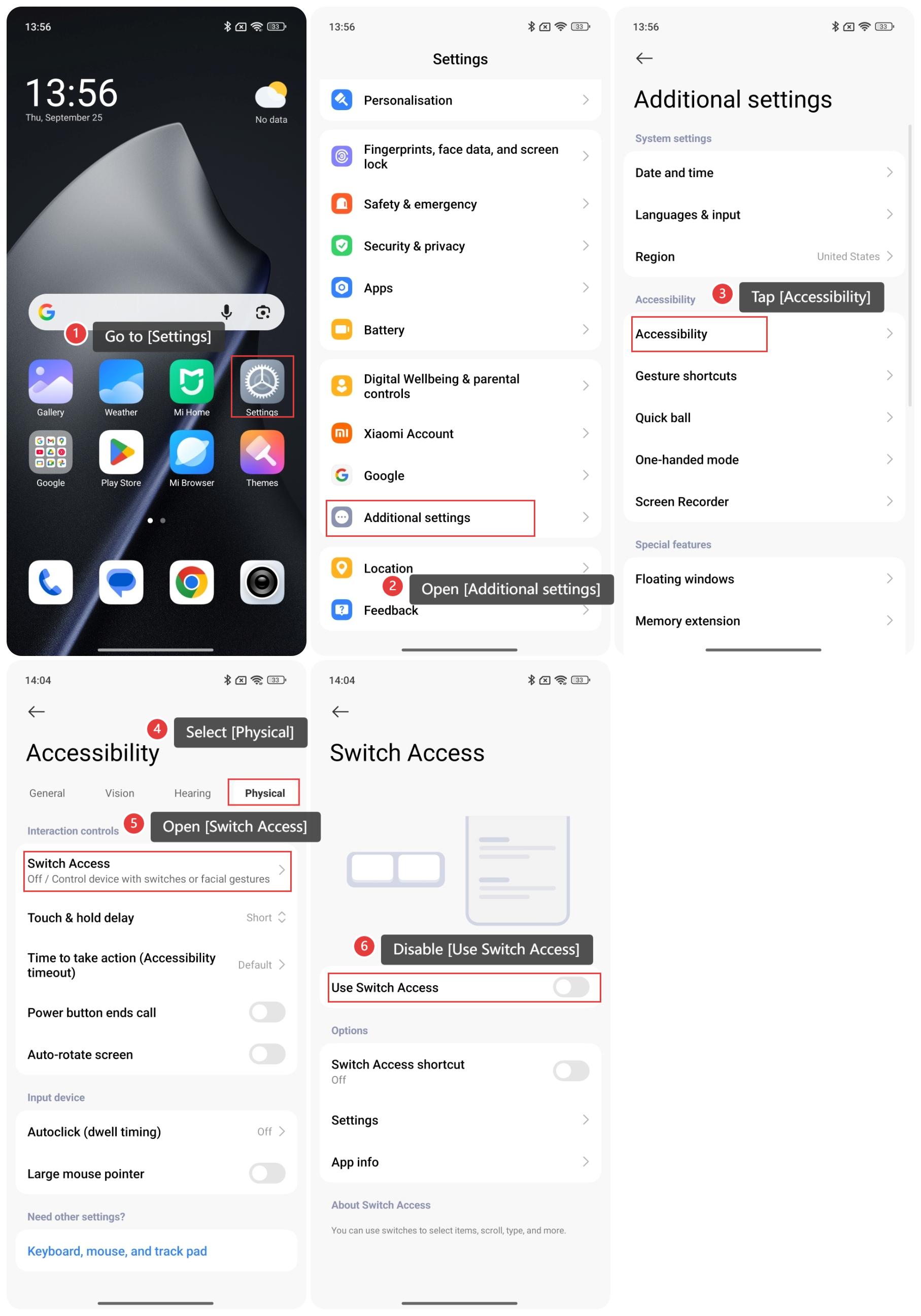
If you see a square face icon and a Menu icon at the top of your phone, please refer to the following steps to troubleshoot:
- Go to [Settings].
- Open [Additional settings].
- Tap [Accessibility].
- Select [Physical].
- Open [Switch Access].
- Disable [Use Switch Access].
Does it help?
Yes
No