

How to clean the filter of the Mijia Air Conditioner Pro Eco 3.5 kW?
To clean the filter of the Mijia Air Conditioner Pro Eco 3.5 kW, please refer to the following steps:
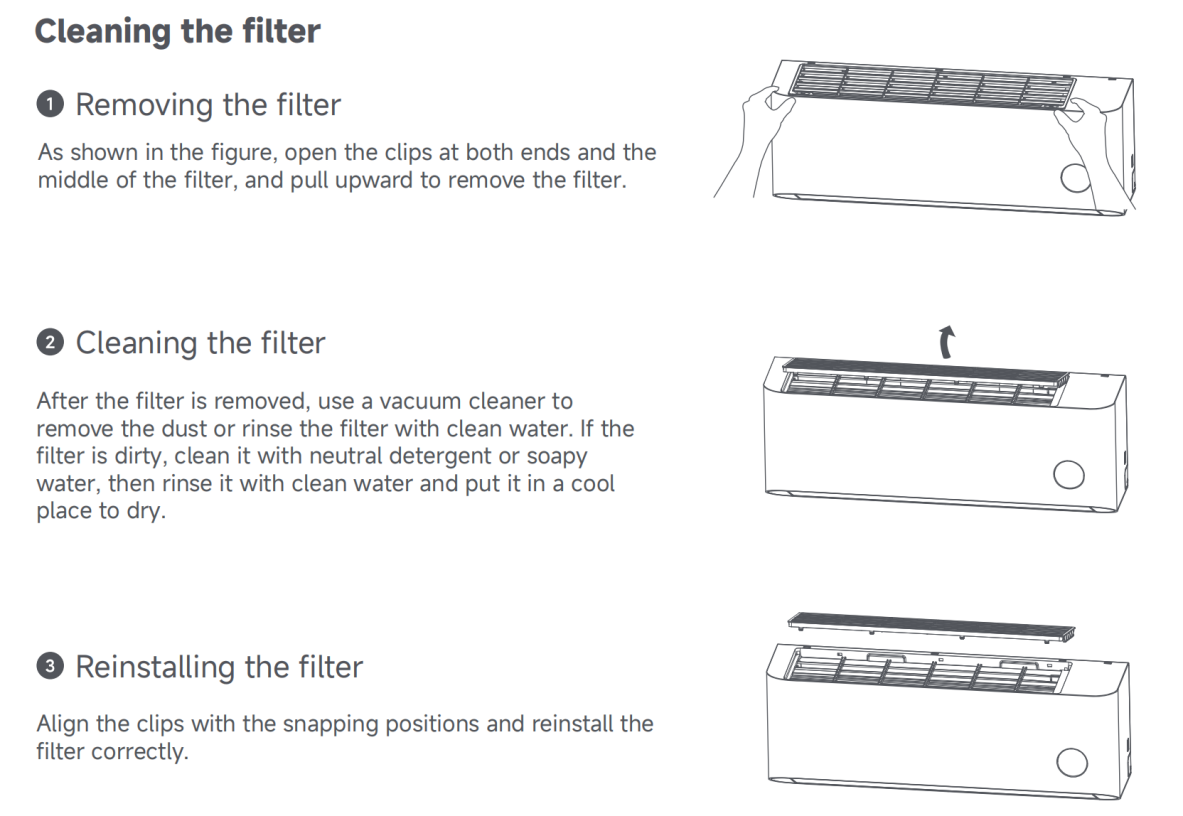
1. To remove the filter, open the clips at both ends and the middle of the filter, and pull upward to remove the filter;
2. After the filter is removed, use a vacuum cleaner to remove the dust or rinse the filter with clean water. If the filter is dirty, clean it with neutral detergent or soapy water, then rinse it with clean water and put it in a cool place to dry;
3. To reinstall the filter, align the clips with the snapping positions and reinstall the filter correctly.
1. To remove the filter, open the clips at both ends and the middle of the filter, and pull upward to remove the filter;
2. After the filter is removed, use a vacuum cleaner to remove the dust or rinse the filter with clean water. If the filter is dirty, clean it with neutral detergent or soapy water, then rinse it with clean water and put it in a cool place to dry;
3. To reinstall the filter, align the clips with the snapping positions and reinstall the filter correctly.
Does it help?
Yes
No