

Why does the screen of the Xiaomi Mini LED Gaming Monitor G Pro 27i appear warm in color?
This Xiaomi Mini LED Gaming Monitor G Pro 27i adopts QD (Quantum Dot) display technology, which enhances the backlight color gamut and delivers more vivid visuals compared to standard models. This is a normal optical display phenomenon. If you feel the colors appear overly warm, you can try adjusting the image settings in the menu.
To adjust the screen color manually, please refer to the following steps:
1. Press the function button to the right to enter the main menu;
2. Select the [Picture mode];
3. Then enter the [Color space] settings and change it from [DCI-P3] to [Native]. This adjustment can significantly reduce the warm color temperature effect;
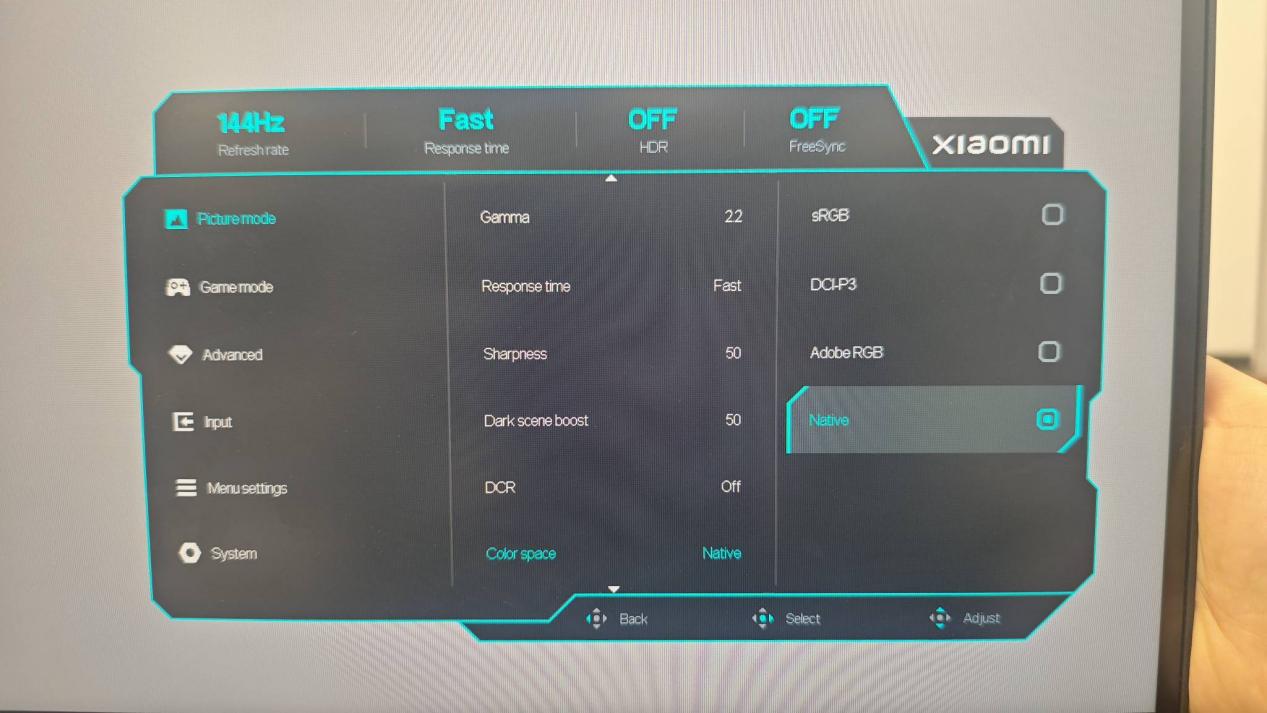
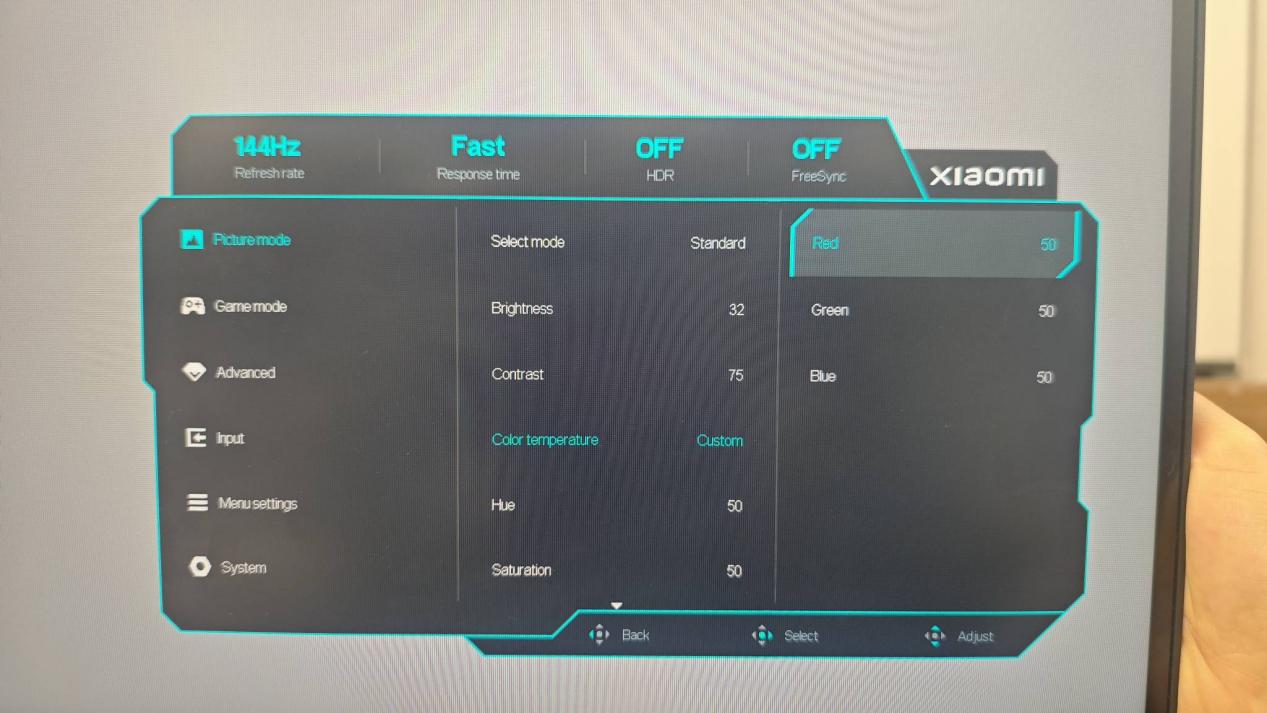
4. After setting the color space to [Native], you can further fine-tune the picture by adjusting [Color temperature], [Hue], and [Saturation] to decrease or increase the color warmth and achieve the display effect that suits you best.
To adjust the screen color manually, please refer to the following steps:
1. Press the function button to the right to enter the main menu;
2. Select the [Picture mode];
3. Then enter the [Color space] settings and change it from [DCI-P3] to [Native]. This adjustment can significantly reduce the warm color temperature effect;
4. After setting the color space to [Native], you can further fine-tune the picture by adjusting [Color temperature], [Hue], and [Saturation] to decrease or increase the color warmth and achieve the display effect that suits you best.
Does it help?
Yes
No