

How to rename the Mijia Air Conditioner Pro Eco 5-Star 1.5 HP Inverter in the Xiaomi Home APP?
To change the name of the air conditioner, please refer to the following details:
1. Go to the [Xiaomi Home] APP;
2. Select the air conditioner;
3. Tap the three-dot icon at the upper right corner;
4. Tap [Device name];
5. Input the desired name and tap [OK].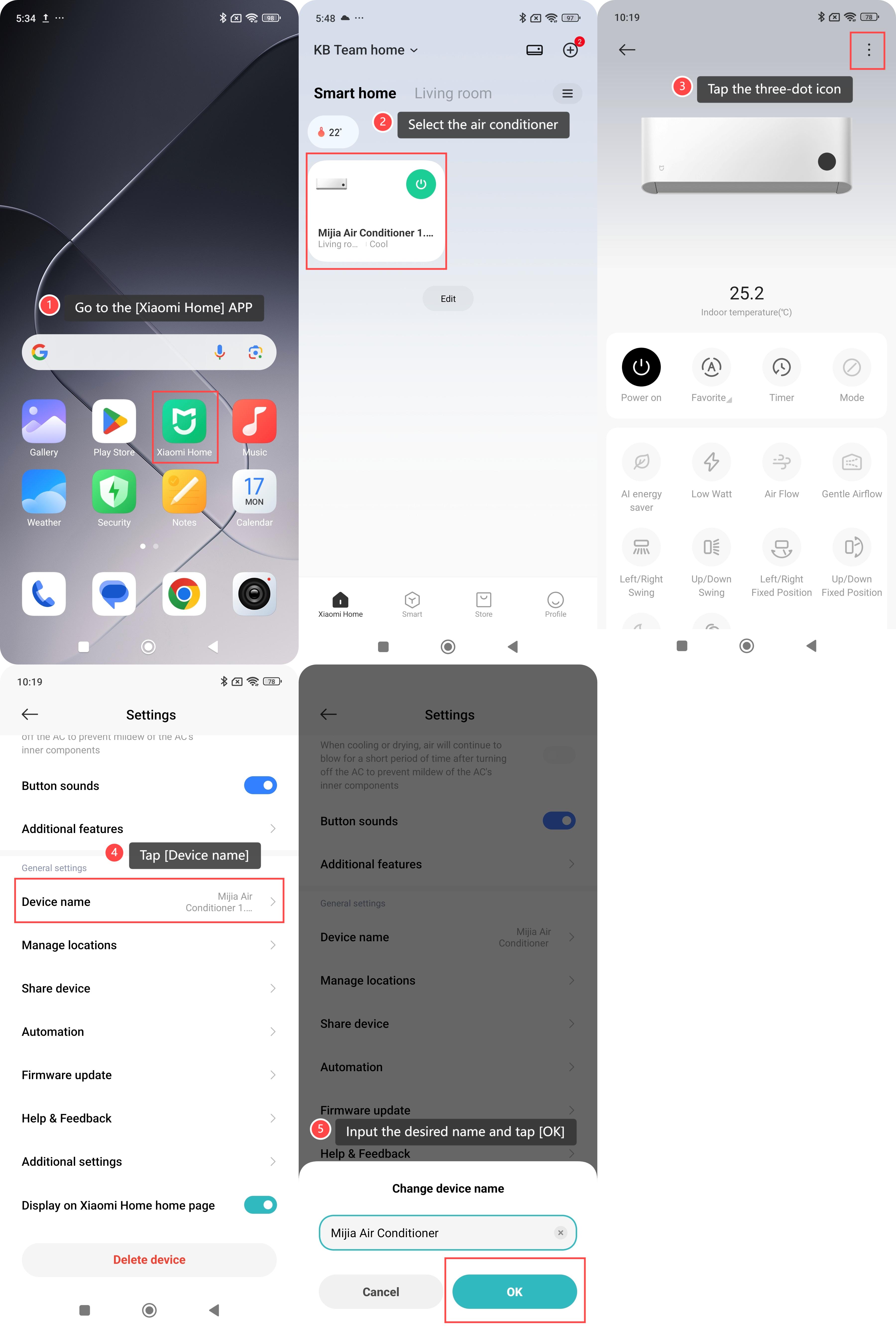
Note:
If you have multiple air conditioners at home, changing the names can help you distinguish different devices more easily and avoid confusion during operation.
Does it help?
Yes
No