

How to adjust the fan speed on the Mijia Air Conditioner Pro Eco 5-Star 1.0 HP Inverter?
The air conditioner supports adjusting the fan speed on the Xiaomi Home APP or through pressing the button on the remote control, which can help you easily adjust the fan speed to the desired level.
To adjust the fan speed on the air conditioner, please refer to the following methods:
Method 1:
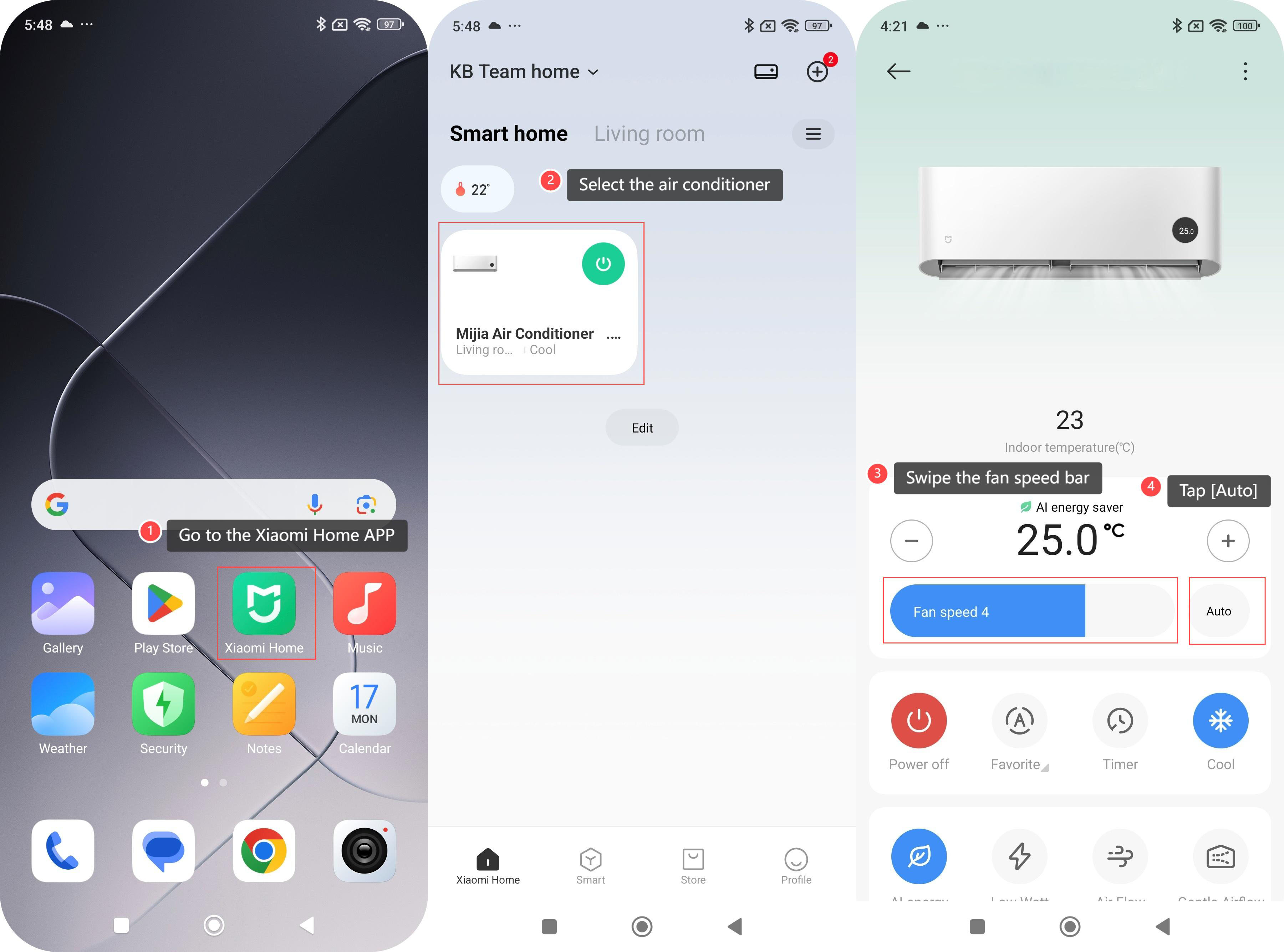
1. Go to the Xiaomi Home APP;
2. Select the air conditioner;
3. Swipe the fan speed bar left or right to adjust the fan speed;
4. You can also tap [Auto] and the fan speed will be adjusted automatically.
Method 2:
Press the Fan Speed Button on the remote control to adjust the speed: automatic, quite (level 1), low (level 2), low-medium (level 3), medium (level 4), medium-high (level 5), high (level 6), super-high (level 7).
Note:
The fan speed is not adjustable in Dry mode.
To adjust the fan speed on the air conditioner, please refer to the following methods:
Method 1:
1. Go to the Xiaomi Home APP;
2. Select the air conditioner;
3. Swipe the fan speed bar left or right to adjust the fan speed;
4. You can also tap [Auto] and the fan speed will be adjusted automatically.
Method 2:
Press the Fan Speed Button on the remote control to adjust the speed: automatic, quite (level 1), low (level 2), low-medium (level 3), medium (level 4), medium-high (level 5), high (level 6), super-high (level 7).
Note:
The fan speed is not adjustable in Dry mode.
Does it help?
Yes
No