

How to use Gentle airflow on the Mijia Air Conditioner Pro Eco 5-Star 1 PK Inverter?
The air conditioner features gentle breeze technology. The air conditioner has a gentle air guide blade, which softens airflow to prevent direct cold drafts and enhance comfort. When the gentle airflow feeling function is on, the left and right oscillating motors move the deflector to a perpendicular angle to the airflow. By dispersing the airflow through multiple small holes, the air conditioner ensures a more even distribution of cool air, reducing temperature fluctuations and creating a more natural and pleasant indoor environment.
To use Gentle airflow on the air conditioner, please refer to the following methods:
Method 1:
Press the Air Flow button to cycle through different airflow modes, including gentle airflow, upward airflow, downward airflow, circulating air, and off. When the wind feeling stays at "gentle airflow", it is the gentle airflow feeling.
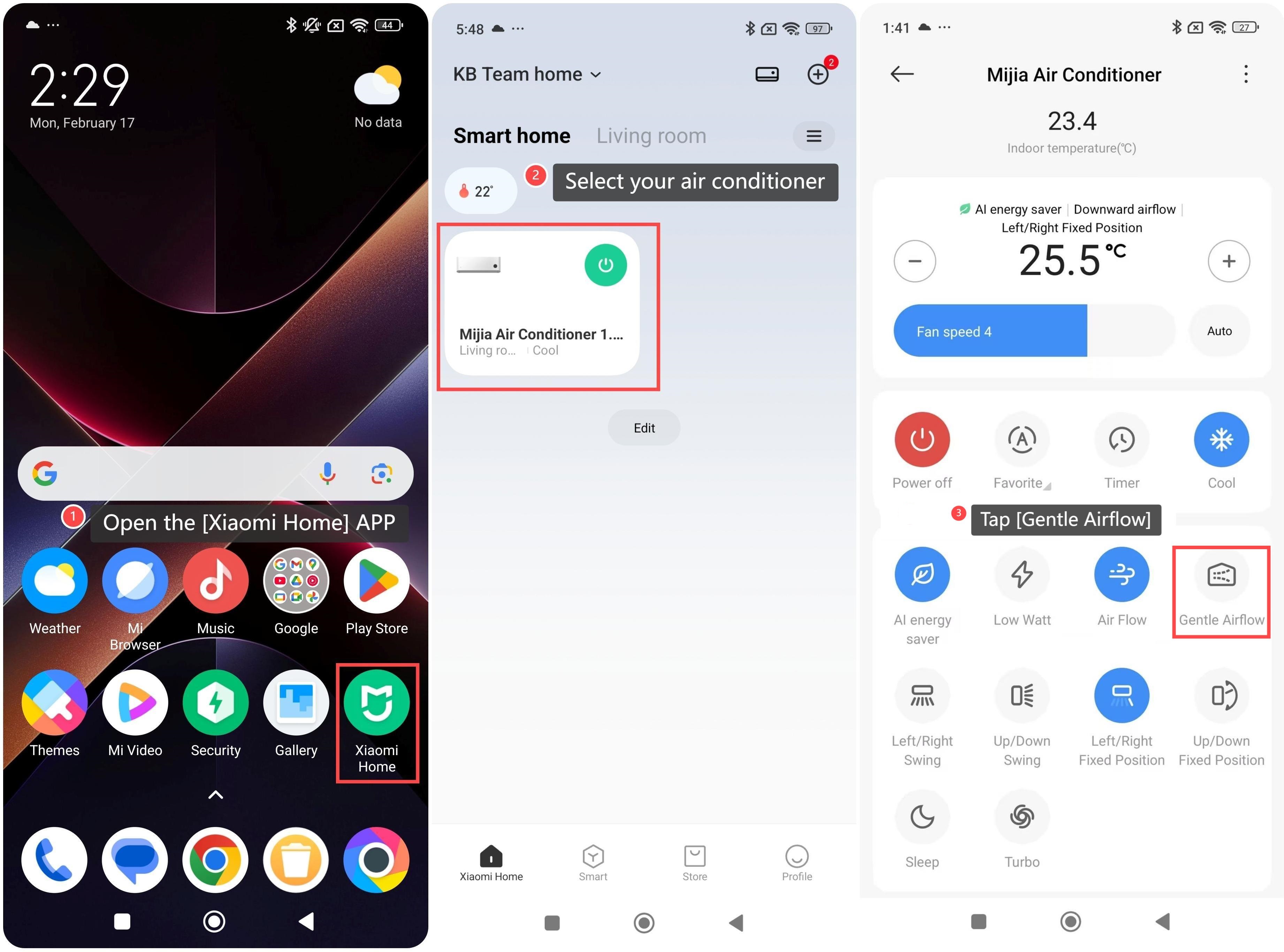
Method 2:
1. Open the [Xiaomi Home] APP;
2. Select the device card of your air conditioner and enter the control interface;
3. Tap [Gentle Airflow].
To use Gentle airflow on the air conditioner, please refer to the following methods:
Method 1:
Press the Air Flow button to cycle through different airflow modes, including gentle airflow, upward airflow, downward airflow, circulating air, and off. When the wind feeling stays at "gentle airflow", it is the gentle airflow feeling.
Method 2:
1. Open the [Xiaomi Home] APP;
2. Select the device card of your air conditioner and enter the control interface;
3. Tap [Gentle Airflow].
Does it help?
Yes
No