

How to connect the Mijia Air Conditioner Pro Eco LABEL EGAT NO.5 (3 Star) 12000BTU Inverter to the Xiaomi Home APP?
To connect the air conditioner to the Xiaomi Home APP, please refer to the following steps:
1. Open the [Xiaomi Home] APP;
2. Tap the [+] icon in the upper right corner;
3. Choose [Add device];
4. Select the [Air conditioner] to enter the Wi-Fi configuration interface;
5. Follow the instructions for the next step until the icon of successful adding of the device displays.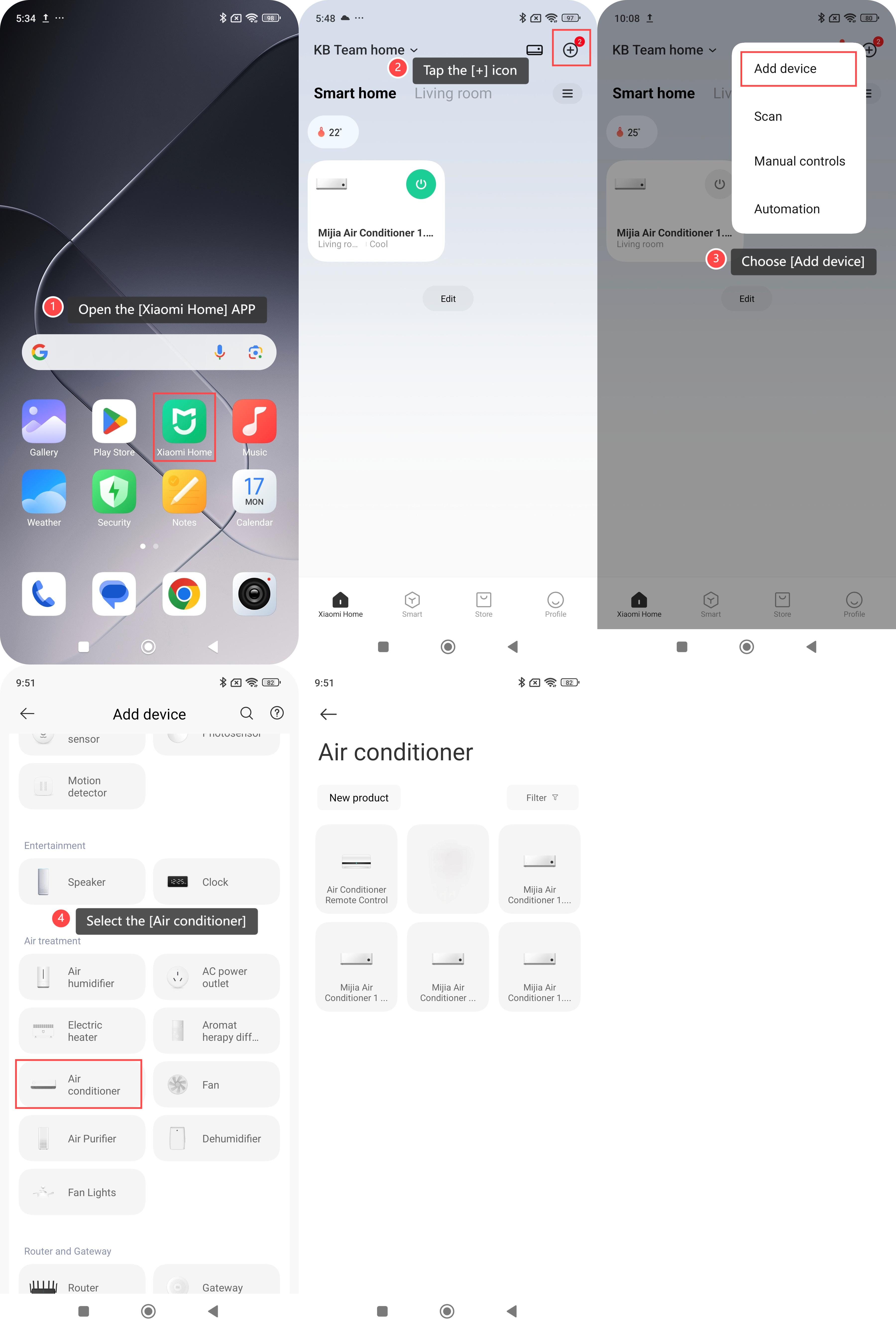
Note:
You can select [Discover nearby devices] or [Add devices manually] in the Xiaomi Home APP on the Android phones to add device. On the iOS phones, you can tap the [+] icon in the upper right corner to manually add device or turn on Bluetooth and select the new device you scanned to add.
Does it help?
Yes
No