

What are the functions of the Xiaomi Outdoor Camera AW300 monitoring interface?
The real-time monitoring interface of the Xiaomi Outdoor Camera AW300 features many icons for different functions. The icons on the monitoring interface appear only when you tap on the live screen, otherwise, they remain hidden.
For your reference, the meanings of the functional icons are listed below:
1. White light: When turned on, the device will keep the white light on for 30 seconds before automatically turning it off;

2. Mute/Unmute function: The default is muted. Tap the icon to unmute and turn on sound. Tap again to restore mute;

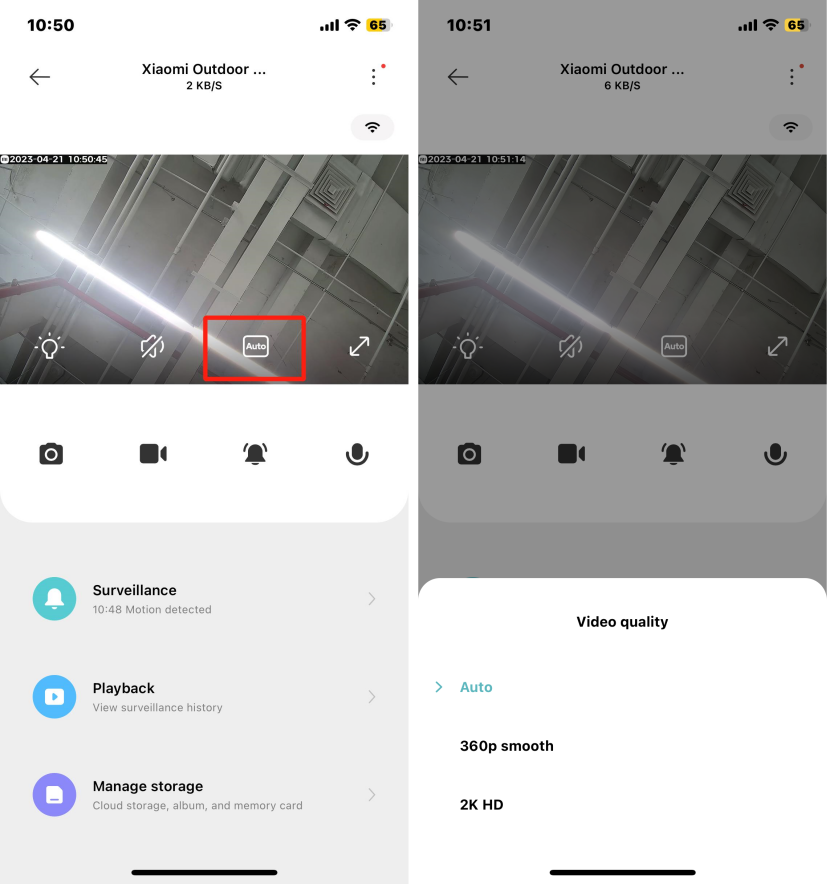
3. Video quality switch: Tap the [Auto] icon to switch between [360p smooth], [2K HD], and [Auto] (quality switches based on network environment);
4. Fullscreen icon: Tap to enter fullscreen mode on the monitoring interface.
For your reference, the meanings of the functional icons are listed below:
1. White light: When turned on, the device will keep the white light on for 30 seconds before automatically turning it off;
2. Mute/Unmute function: The default is muted. Tap the icon to unmute and turn on sound. Tap again to restore mute;
3. Video quality switch: Tap the [Auto] icon to switch between [360p smooth], [2K HD], and [Auto] (quality switches based on network environment);
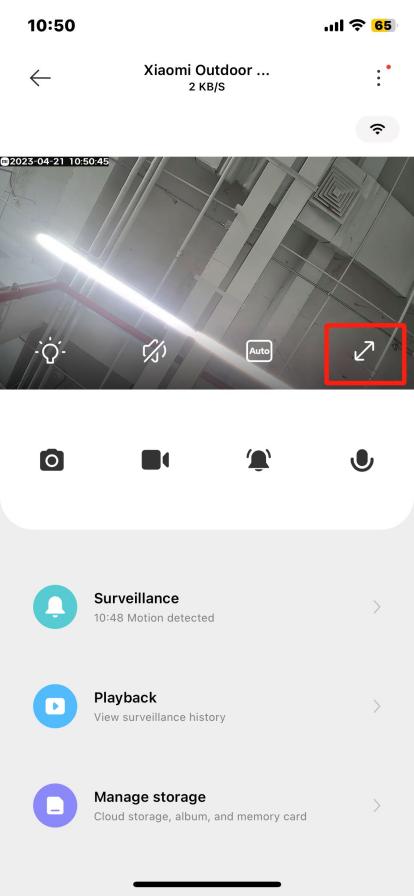
4. Fullscreen icon: Tap to enter fullscreen mode on the monitoring interface.
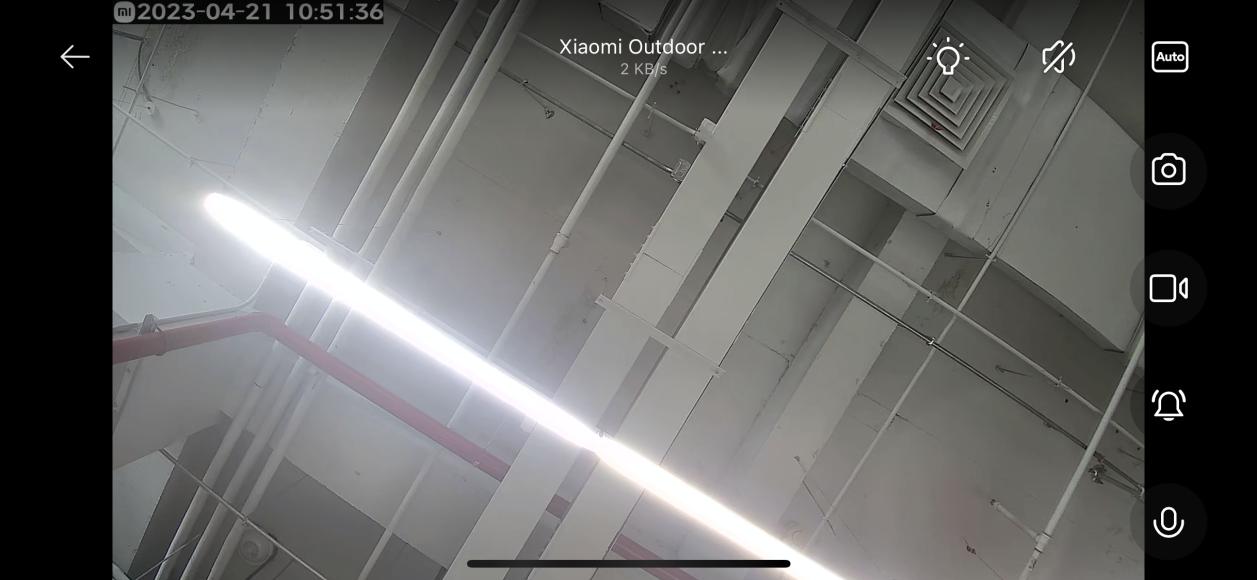
5. Voice call: Tap the microphone icon on the camera's live screen to start a remote call via the Mi Home/Xiaomi Home APP;

6. Alarm sound: Tap the bell icon to play a 30-second alarm sound. Tap again to stop;

7. Wi-Fi signal icon: Tap the Wi-Fi signal icon to check the Wi-Fi information of the device.

Does it help?
Yes
No