

How to open the FreeSync function on the Xiaomi TV S Mini LED 65 2025?
If you want to use the FreeSync function, please refer to the following steps:
1. Within the HDMI source, use the remote control to enter the HDMI menu;
Note:
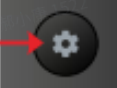
1. For Europe/East Asia/Southeast Asia/Indonesia/Middle East & Africa/Latin America regions, press and hold on the [Settings] button to enter the menu;
2. For CIS region, press and hold on the [Patchwall] button to enter the menu.

2. Enable the [FreeSync Premium].
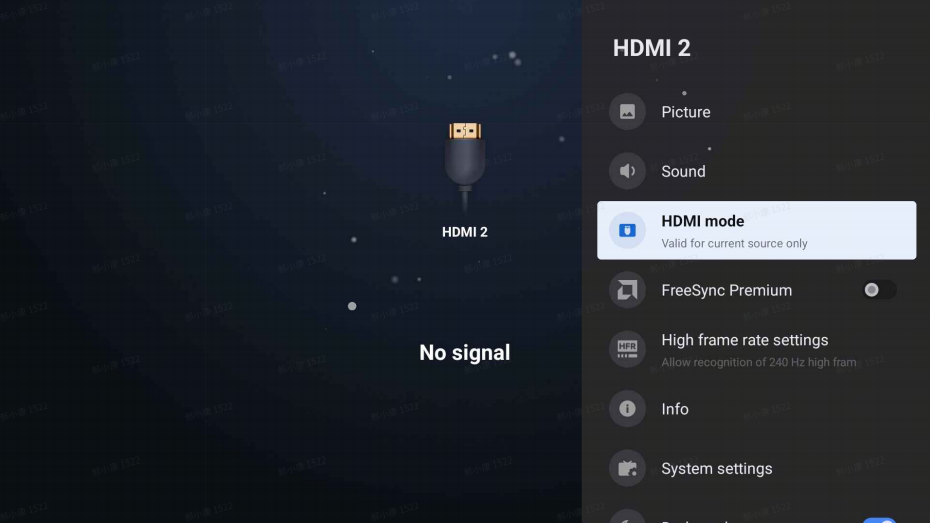
Note:
There are 3 HDMI ports, but only HDMI ports 1 and 2 support true HDMI 2.1 mode.
• HDMI 1 - Support 4K - 120Hz (Enhanced) / 4K - 144Hz (freesync) /1080p - 240Hz(DLG)
• HDMI 2 - Support 4K - 120Hz (Enhanced) / 4K - 144Hz (freesync) / 1080p - 240Hz(DLG)
• HDMI 3 - Support 2K - 120Hz (Enhanced) / 1080p - 240Hz(DLG)
1. Within the HDMI source, use the remote control to enter the HDMI menu;
Note:
1. For Europe/East Asia/Southeast Asia/Indonesia/Middle East & Africa/Latin America regions, press and hold on the [Settings] button to enter the menu;
2. For CIS region, press and hold on the [Patchwall] button to enter the menu.
2. Enable the [FreeSync Premium].
Note:
There are 3 HDMI ports, but only HDMI ports 1 and 2 support true HDMI 2.1 mode.
• HDMI 1 - Support 4K - 120Hz (Enhanced) / 4K - 144Hz (freesync) /1080p - 240Hz(DLG)
• HDMI 2 - Support 4K - 120Hz (Enhanced) / 4K - 144Hz (freesync) / 1080p - 240Hz(DLG)
• HDMI 3 - Support 2K - 120Hz (Enhanced) / 1080p - 240Hz(DLG)
Does it help?
Yes
No