

How to make and check the private photos on the Redmi Pad Pro 5G?
The private photos on the Redmi Pad Pro 5G keep personal or sensitive photos hidden from the main gallery, and make them accessible only with a privacy-protected password, ensuring unauthorized users cannot view them.
To make the private photos, please refer to the following steps:
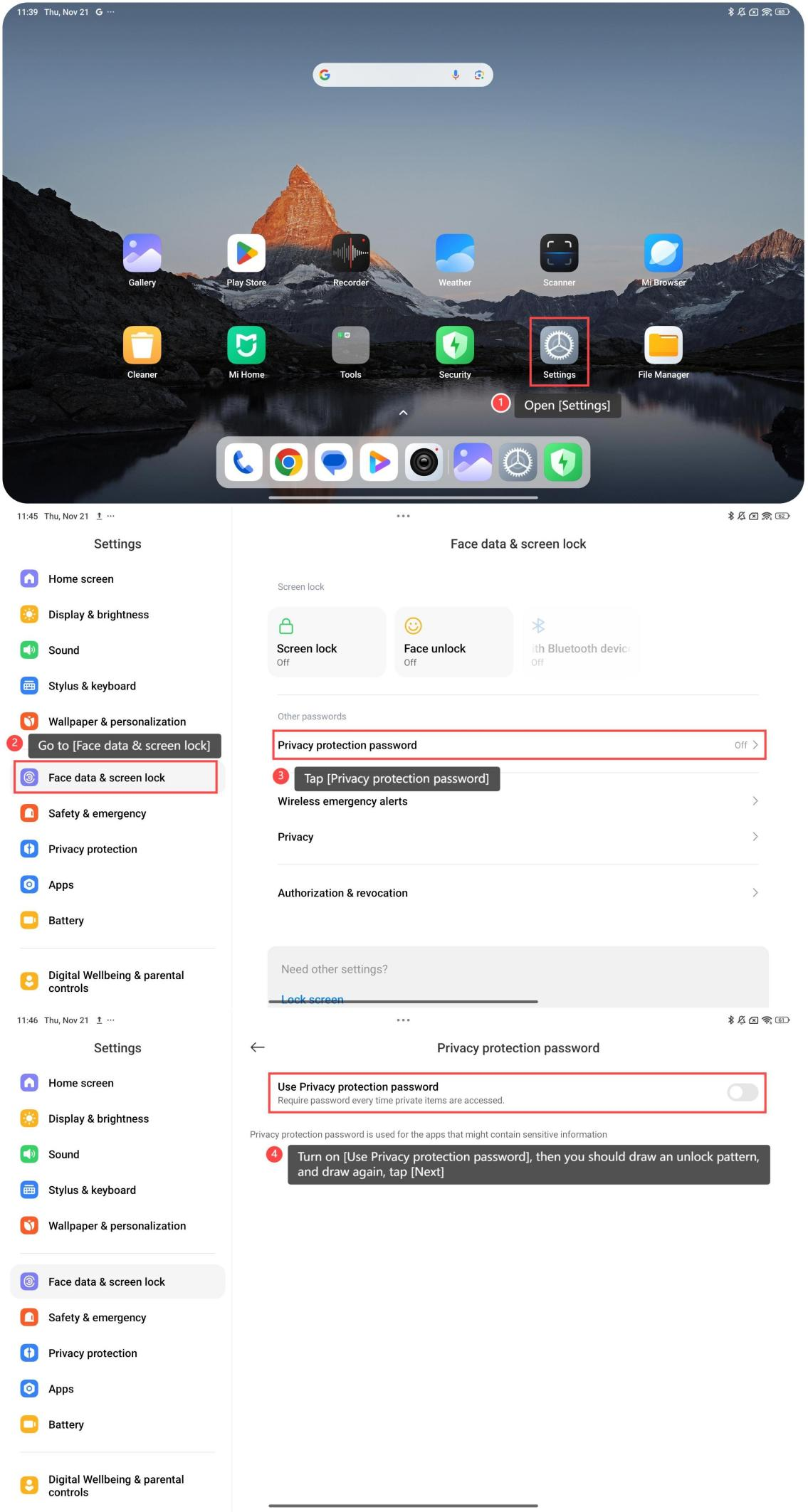
1. Open [Settings];
2. Go to [Face data & screen lock];
3. Tap [Privacy protection password];
4. Turn on [Use Privacy protection password], then you should draw an unlock pattern, and draw again, tap [Next];
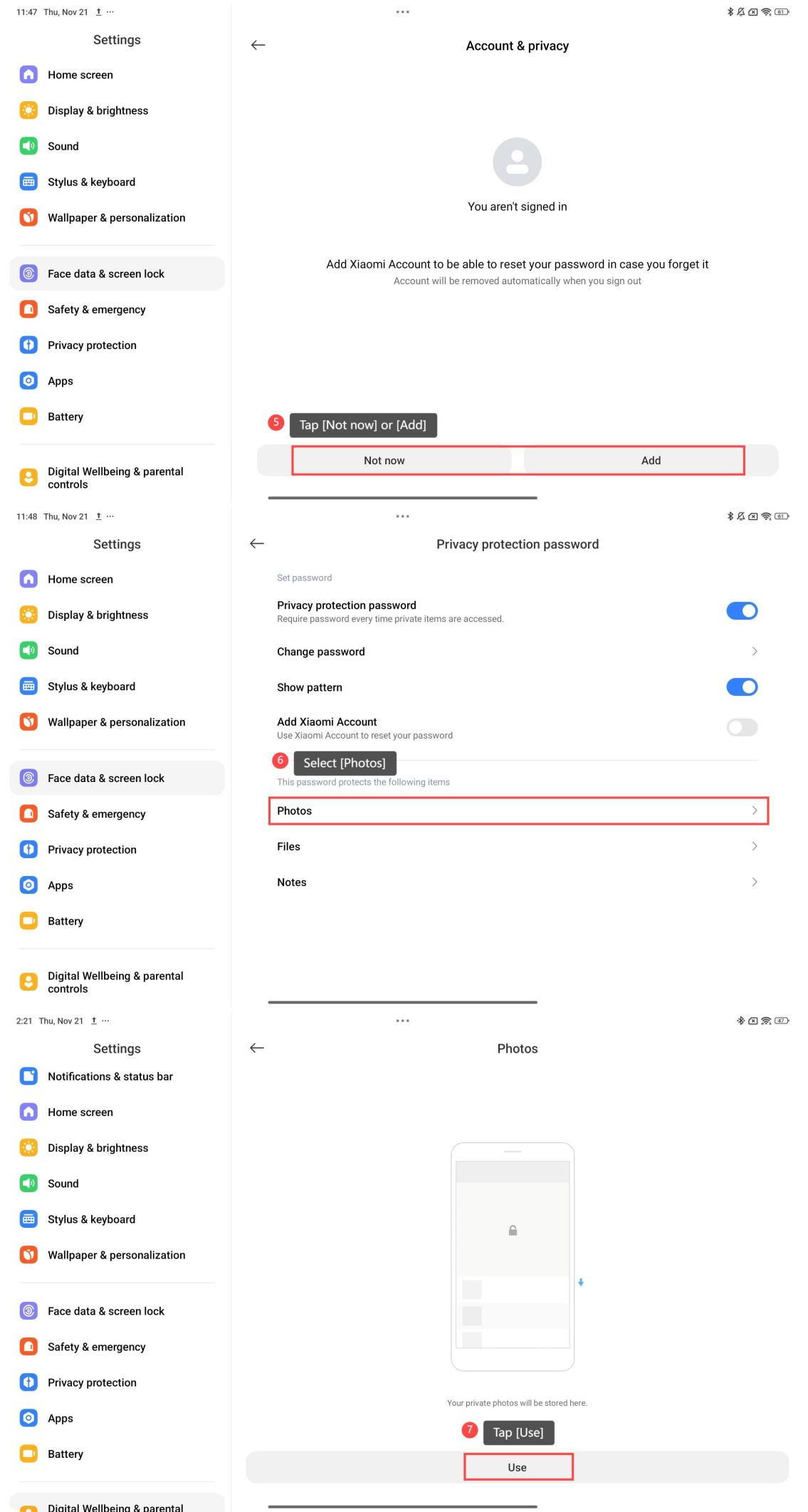
5. Tap [Not now] or [Add], if you add a Xiaomi Account, you just need to enter the password for the Xiaomi Account you added to reset the password;
6. Select [Photos];
7. Tap [Use], and you have made the private album.
To check the private photos, please refer to the following steps:
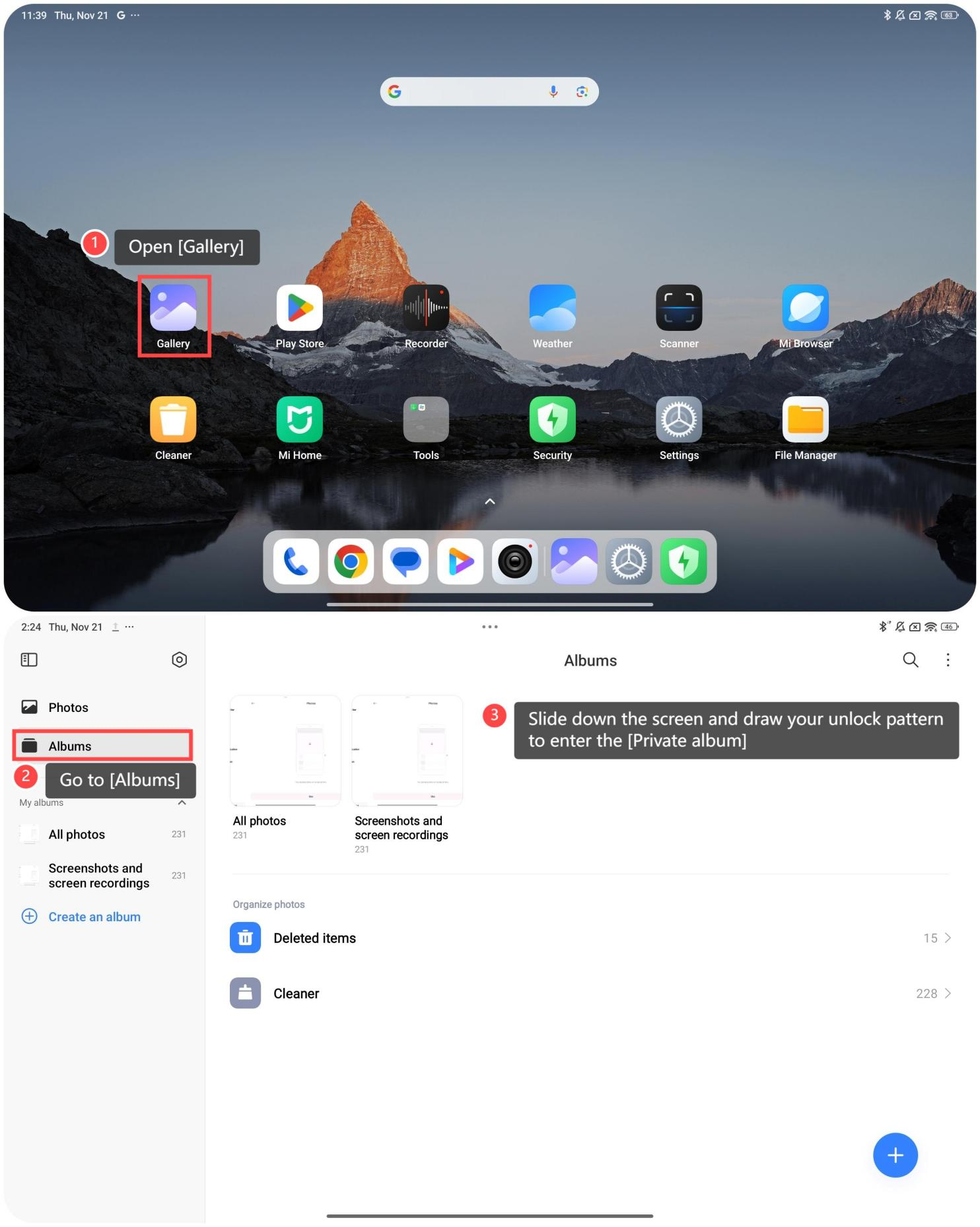
1. Open [Gallery];
2. Go to [Albums];
3. Slide down the screen and draw your unlock pattern to enter the private album;
4. Check your private photos here.
Friendly tips:
If you want to make photos public again, go to the private album, select the photos, and move them back to a standard album.
To make the private photos, please refer to the following steps:
1. Open [Settings];
2. Go to [Face data & screen lock];
3. Tap [Privacy protection password];
4. Turn on [Use Privacy protection password], then you should draw an unlock pattern, and draw again, tap [Next];
5. Tap [Not now] or [Add], if you add a Xiaomi Account, you just need to enter the password for the Xiaomi Account you added to reset the password;
6. Select [Photos];
7. Tap [Use], and you have made the private album.
To check the private photos, please refer to the following steps:
1. Open [Gallery];
2. Go to [Albums];
3. Slide down the screen and draw your unlock pattern to enter the private album;
4. Check your private photos here.
Friendly tips:
If you want to make photos public again, go to the private album, select the photos, and move them back to a standard album.
Does it help?
Yes
No