

How to set the Privacy protection password on the Redmi Pad Pro 5G?
The Privacy protection password on the Redmi Pad Pro 5G enables locking specific apps and ensures that only the password holder can access the hidden content, protecting sensitive content like photos, files, and notes in a private folder.
To set the Privacy protection password, please refer to the following steps:
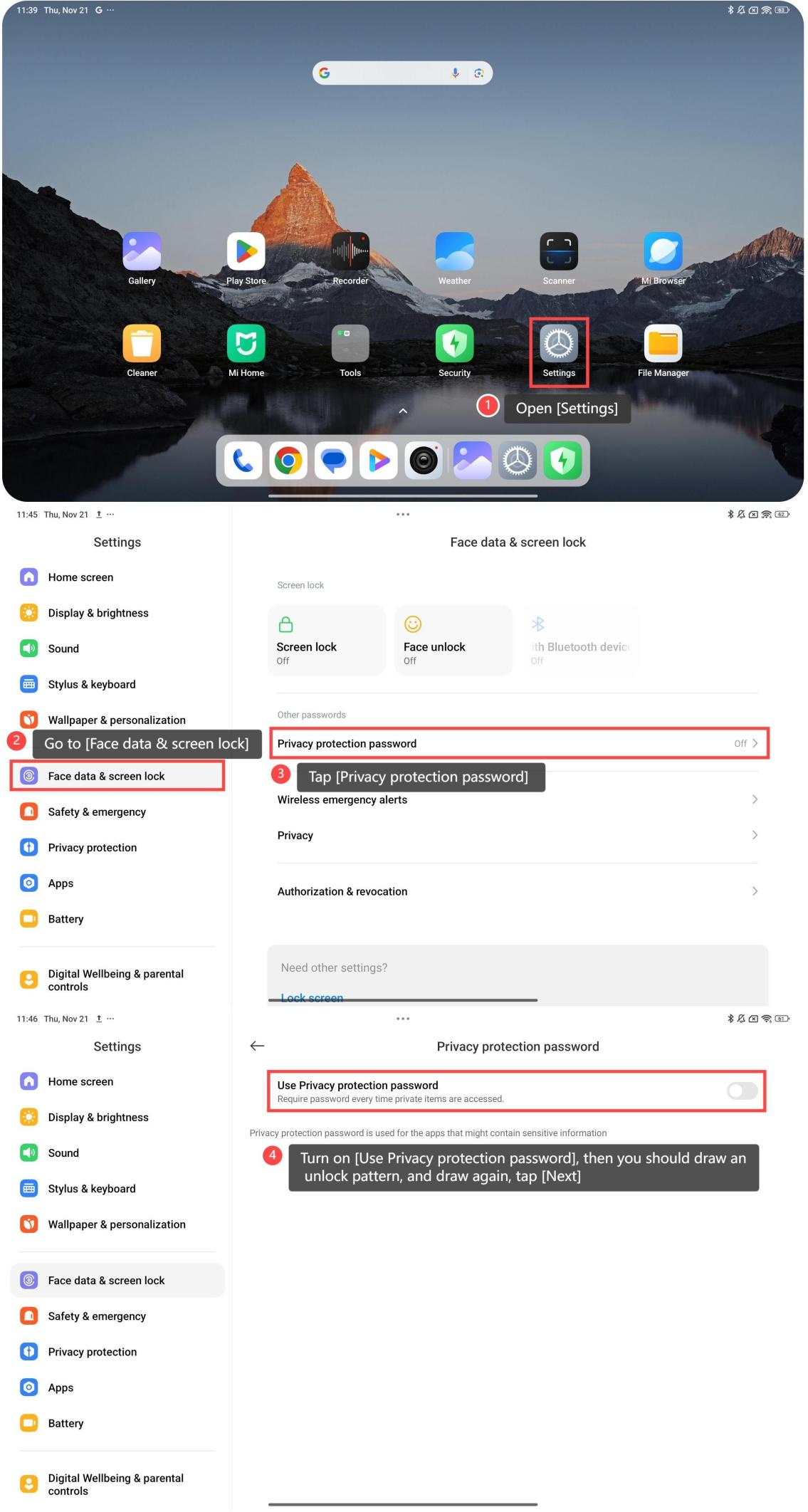
1. Open [Settings];
2. Go to [Face data & screen lock];
3. Tap [Privacy protection password];
4. Turn on [Use Privacy protection password], then you should draw an unlock pattern, and draw again, tap [Next];
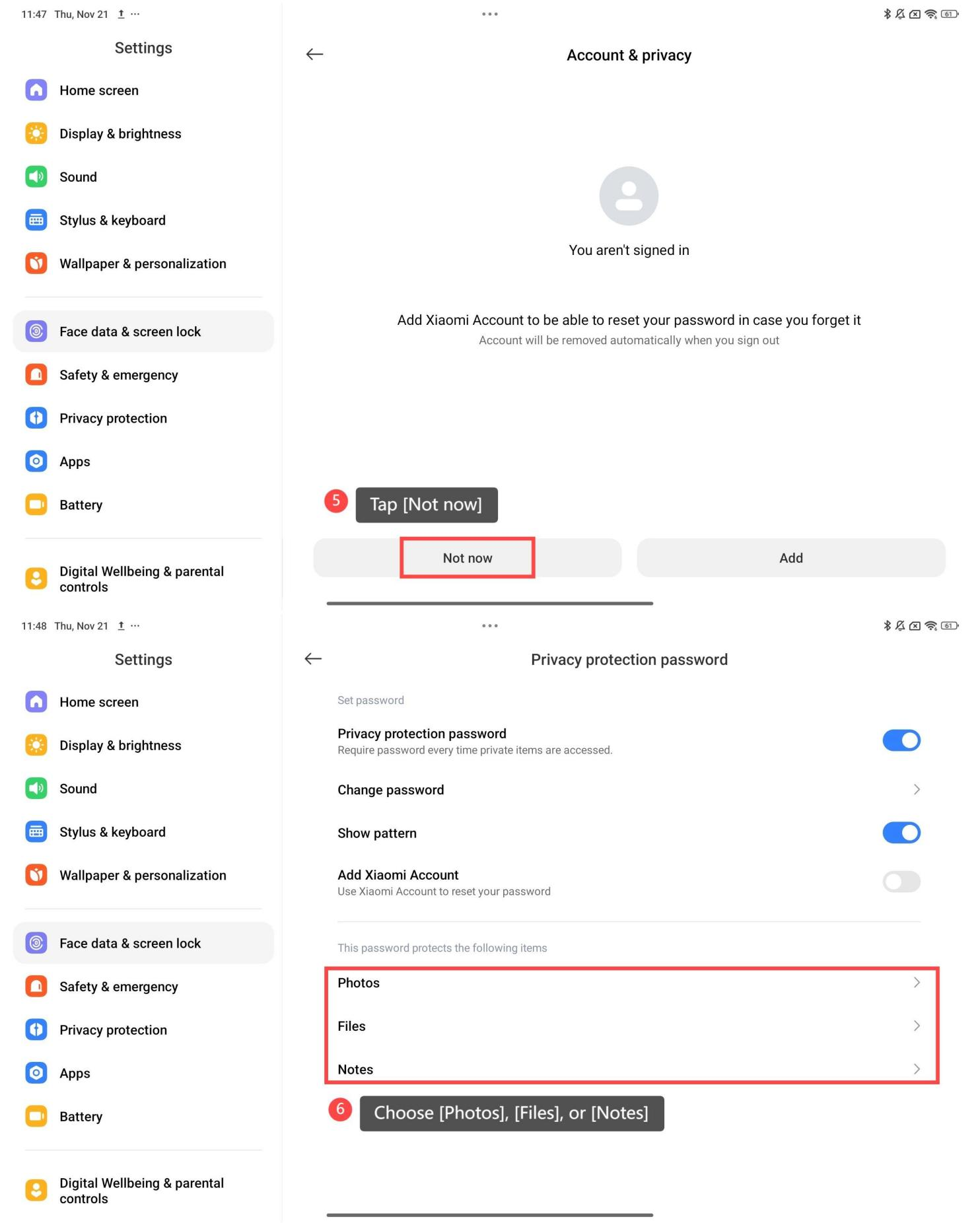
5. Tap [Not now];
6. You can choose the specific items as your preference, including [Photos], [Files], or [Notes].
Friendly tips:
1. After setting a Privacy protection password, you will be required the password every time private items are accessed;
2. Add Xiaomi Account to be able to reset your password in case you forget it, and the Account will be removed automatically when you sign out.
To set the Privacy protection password, please refer to the following steps:
1. Open [Settings];
2. Go to [Face data & screen lock];
3. Tap [Privacy protection password];
4. Turn on [Use Privacy protection password], then you should draw an unlock pattern, and draw again, tap [Next];
5. Tap [Not now];
6. You can choose the specific items as your preference, including [Photos], [Files], or [Notes].
Friendly tips:
1. After setting a Privacy protection password, you will be required the password every time private items are accessed;
2. Add Xiaomi Account to be able to reset your password in case you forget it, and the Account will be removed automatically when you sign out.
Does it help?
Yes
No