

How to pair the Xiaomi Smart Projector L1 with the remote control?
To pair the projector with the remote control, please refer to the following details:
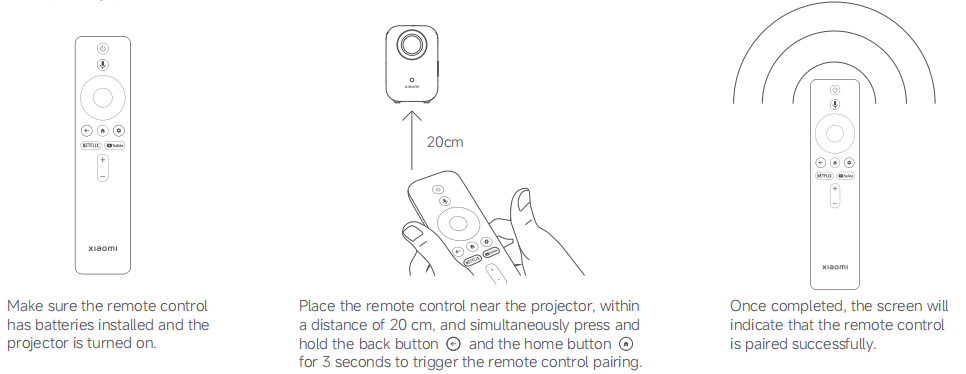
1. Make sure the remote control has batteries installed and the projector is turned on;
2. Place the remote control near the projector, within a distance of 20cm, and simultaneously press and hold the back button and the home button for 3 seconds to trigger the remote control pairing;
3. Once completed, the screen will indicate that the remote control
is paired successfully.
Note:
If you use more than one projector, the remote control is paired with the original projector and more than one remote control is used, you need to delete the Bluetooth pairing information of the projector with an external keyword to re-pair the remote control. Please go to [Settings] >> [Remotes & Accessories] >> select the paired device >> [Forget].
1. Make sure the remote control has batteries installed and the projector is turned on;
2. Place the remote control near the projector, within a distance of 20cm, and simultaneously press and hold the back button and the home button for 3 seconds to trigger the remote control pairing;
3. Once completed, the screen will indicate that the remote control
is paired successfully.
Note:
If you use more than one projector, the remote control is paired with the original projector and more than one remote control is used, you need to delete the Bluetooth pairing information of the projector with an external keyword to re-pair the remote control. Please go to [Settings] >> [Remotes & Accessories] >> select the paired device >> [Forget].
Does it help?
Yes
No