

How to show Bluetooth devices without names on the Redmi Pad Pro?
The Redmi Pad Pro supports the built-in feature of showing Bluetooth devices without names, which allows you to view and connect to nearby devices without a recognizable name.
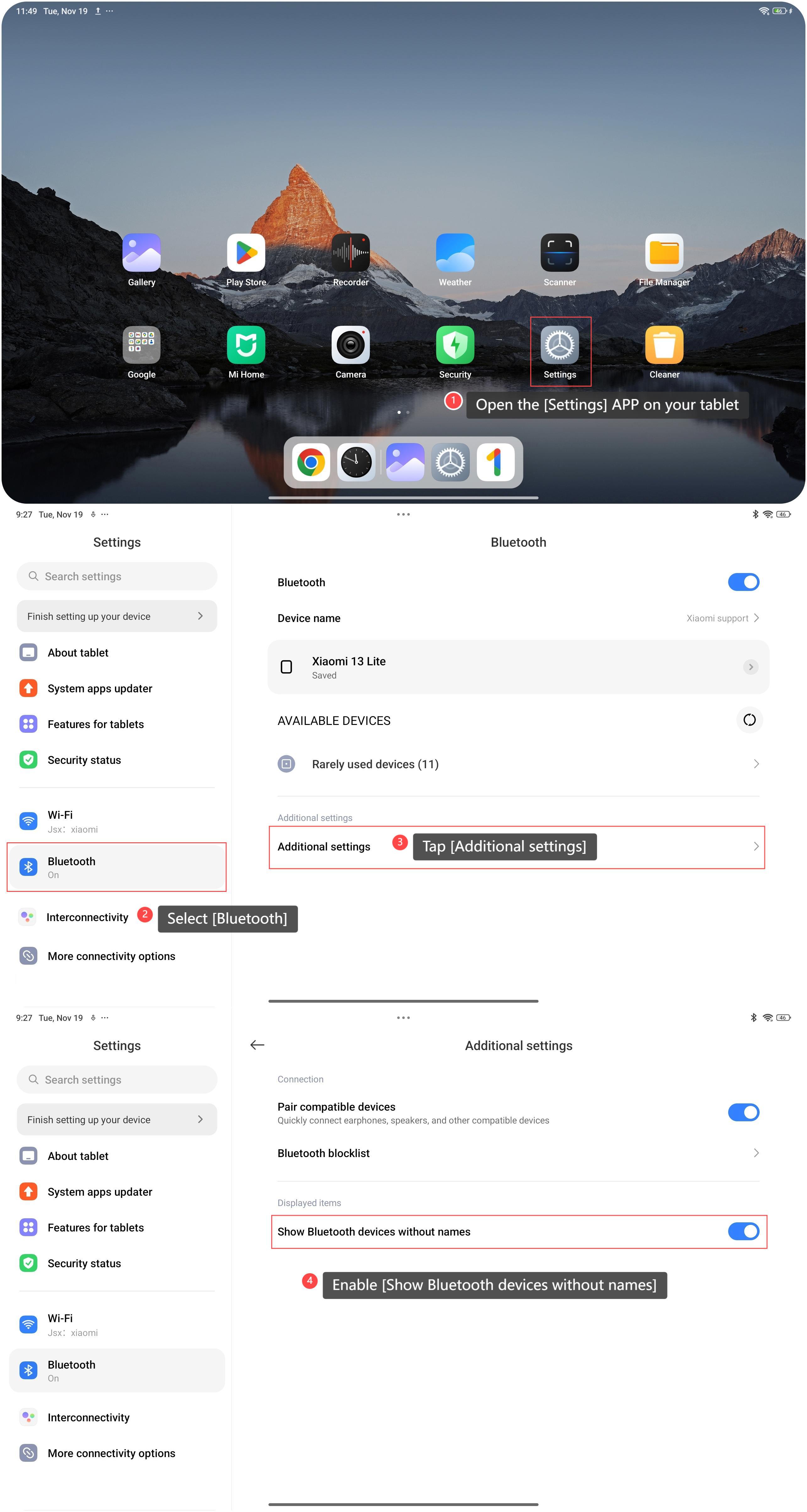
To show Bluetooth devices without names on your tablet, please refer to the following steps:
1. Open the [Settings] APP on your tablet;
2. Select [Bluetooth];
3. Tap [Additional settings];
4. Enable [Show Bluetooth devices without names].
To show Bluetooth devices without names on your tablet, please refer to the following steps:
1. Open the [Settings] APP on your tablet;
2. Select [Bluetooth];
3. Tap [Additional settings];
4. Enable [Show Bluetooth devices without names].
Note:
1. Changes in Bluetooth settings require a restart to take effect. You can toggle Bluetooth off and then on again or restart your device;
2. Unnamed Bluetooth devices indicate unconfigured or unknown devices. Ensure you trust the source before connecting to avoid security risks;
3. You will see multiple unnamed Bluetooth devices, especially in crowded areas. If this happens, try moving to a quieter place to reduce interference and re-scan.
1. Changes in Bluetooth settings require a restart to take effect. You can toggle Bluetooth off and then on again or restart your device;
2. Unnamed Bluetooth devices indicate unconfigured or unknown devices. Ensure you trust the source before connecting to avoid security risks;
3. You will see multiple unnamed Bluetooth devices, especially in crowded areas. If this happens, try moving to a quieter place to reduce interference and re-scan.
Does it help?
Yes
No