

How to set up a portable hotspot on the Redmi Pad Pro?
The Redmi Pad Pro supports the built-in portable hotspot feature that allows you to turn your tablet into a mobile Wi-Fi hotspot, enabling other devices to connect to the internet.
To set up a portable hotspot on your tablet, please refer to the following methods:
Method 1:
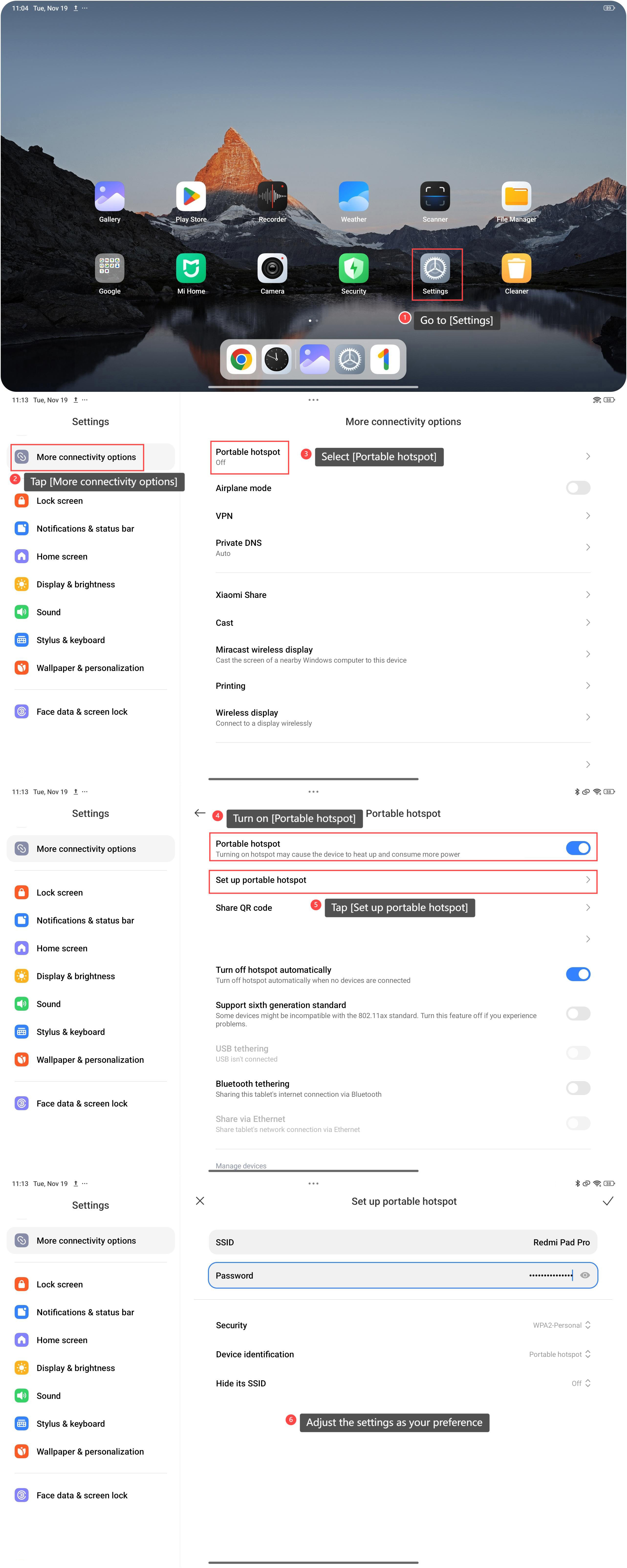
1. Go to [Settings];
2. Scroll down and tap [More connectivity options];
3. Select [Portable hotspot];
4. Turn on [Portable hotspot];
5. Tap [Set up portable hotspot];
6. Check and adjust the settings as your preference. You can change the SSID and Password, adjust the [Security], [Device identification], and [Hide its SSID] options.
Method 2:
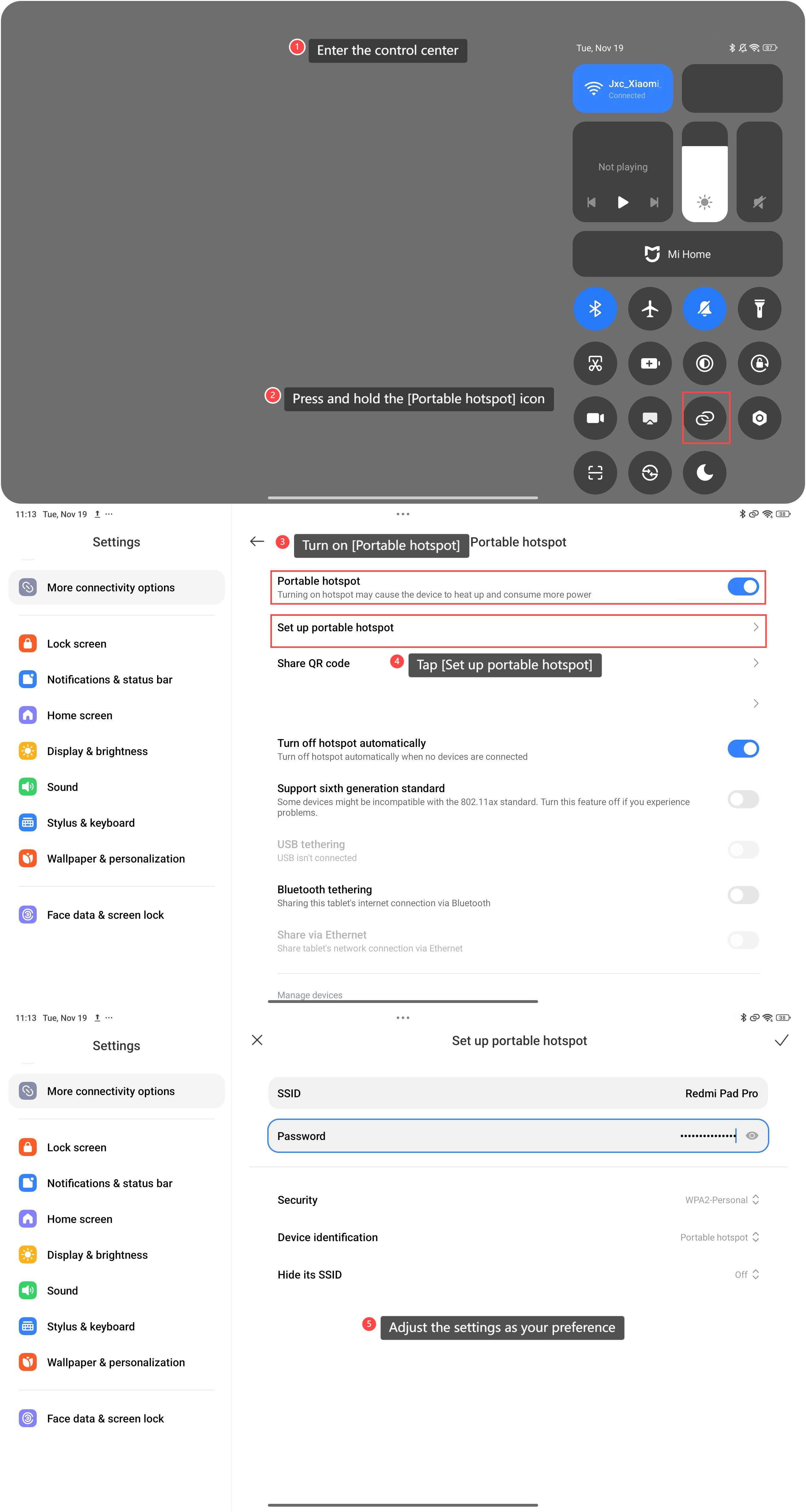
1. Swipe down from the right top of the screen to enter the control center;
2. Scroll down and press and hold the [Portable hotspot] icon;
3. Turn on [Portable hotspot];
4. Tap [Set up portable hotspot];
5. Check and adjust the settings as your preference. You can change the SSID and Password, adjust the [Security], [Device identification], and [Hide its SSID] options.
Note:
It is advised for you to set up the network name and a strong password to protect your network and improve the security.
To set up a portable hotspot on your tablet, please refer to the following methods:
Method 1:
1. Go to [Settings];
2. Scroll down and tap [More connectivity options];
3. Select [Portable hotspot];
4. Turn on [Portable hotspot];
5. Tap [Set up portable hotspot];
6. Check and adjust the settings as your preference. You can change the SSID and Password, adjust the [Security], [Device identification], and [Hide its SSID] options.
Method 2:
1. Swipe down from the right top of the screen to enter the control center;
2. Scroll down and press and hold the [Portable hotspot] icon;
3. Turn on [Portable hotspot];
4. Tap [Set up portable hotspot];
5. Check and adjust the settings as your preference. You can change the SSID and Password, adjust the [Security], [Device identification], and [Hide its SSID] options.
Note:
It is advised for you to set up the network name and a strong password to protect your network and improve the security.
Does it help?
Yes
No