

How to quickly pair the Redmi Pad Pro 5G to other Bluetooth devices?
Quick pairing with Bluetooth devices allows the Redmi Pad Pro 5G to connect quickly and effortlessly with other Bluetooth-enabled devices, ensuring a seamless and hassle-free experience when syncing with headphones, speakers, or other accessories for enhanced functionality and convenience.
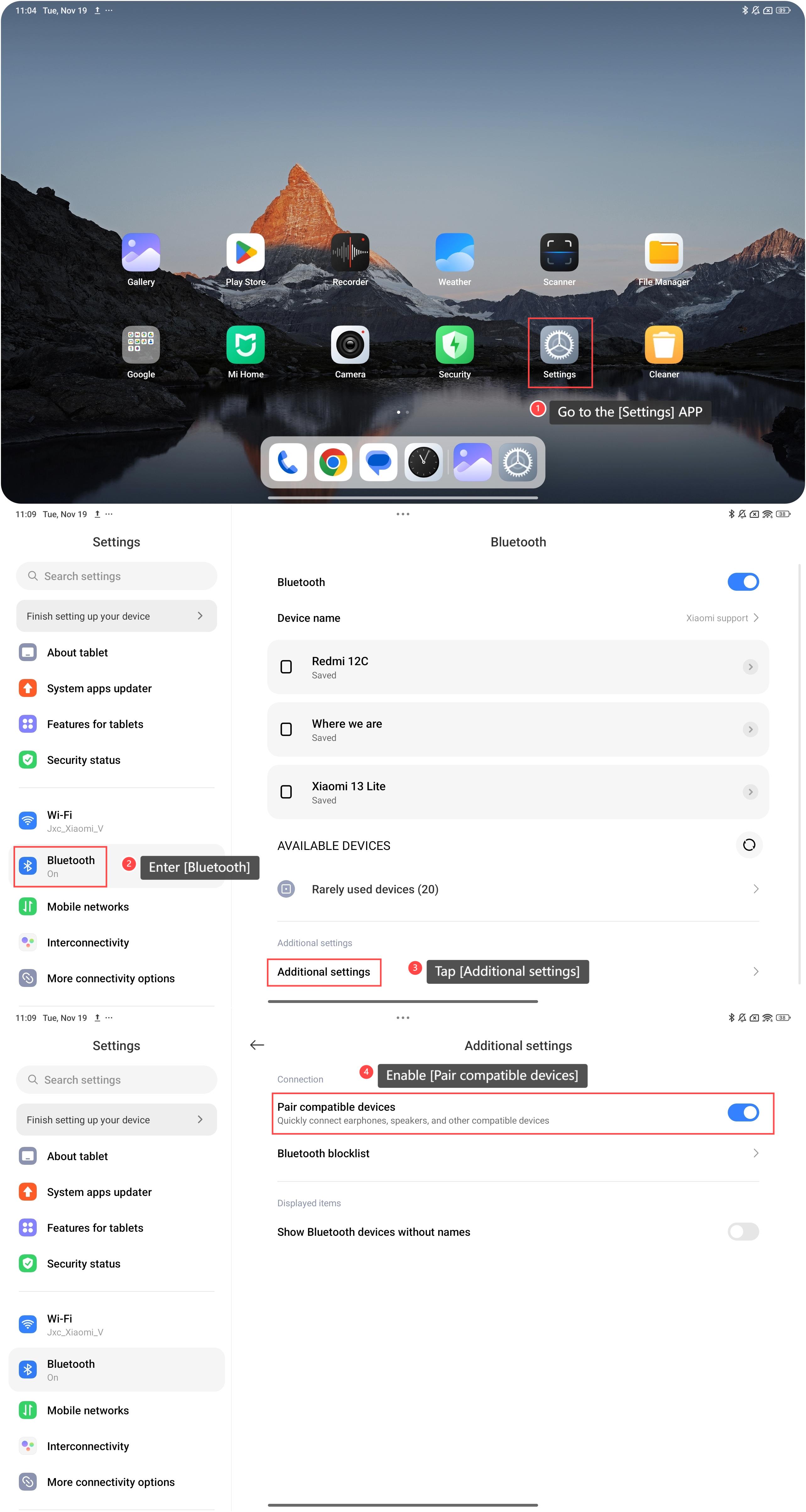
To quickly pair your tablet to other Bluetooth devices, please refer to the following steps:
1. Go to the [Settings] APP on your tablet;
2. Enter [Bluetooth];
3. Tap [Additional settings];
4. Enable [Pair compatible devices] and then you can quickly connect earphones, speakers, and other compatible devices.
Note:
This function’s main purpose is to save time by eliminating the need for manual searches and entering pairing codes, making it easier to connect and use devices. For instance, headphones and speakers can quickly link to the tablet for seamless audio experiences.
To quickly pair your tablet to other Bluetooth devices, please refer to the following steps:
1. Go to the [Settings] APP on your tablet;
2. Enter [Bluetooth];
3. Tap [Additional settings];
4. Enable [Pair compatible devices] and then you can quickly connect earphones, speakers, and other compatible devices.
Note:
This function’s main purpose is to save time by eliminating the need for manual searches and entering pairing codes, making it easier to connect and use devices. For instance, headphones and speakers can quickly link to the tablet for seamless audio experiences.
Does it help?
Yes
No