

How to adjust the video encoder on the Xiaomi 14T?
The video encoder on the Xiaomi 14T is a software component responsible for compressing and converting video files during recording. It plays a crucial role in determining the quality and file size of the captured video. You can choose the best encoding settings based on your specific needs, such as available storage or desired video quality.
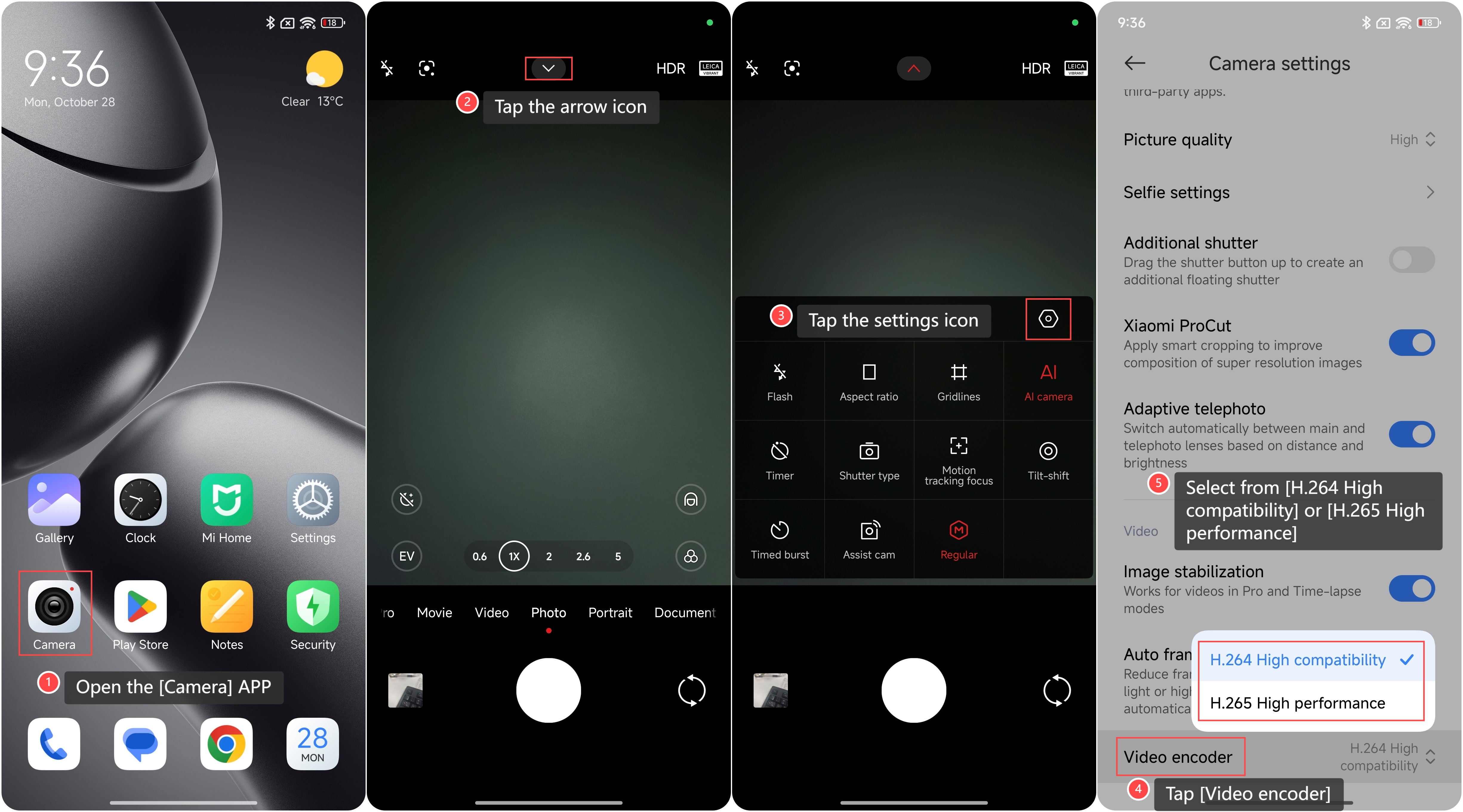
To adjust the video encoder on your phone, please refer to the following steps:
1. Open the [Camera] APP on your phone;
2. Tap the arrow icon on the top of the screen;
3. Tap the settings icon;
5. Tap [Video encoder];
6. Select from [H.264 High compatibility] or [H.265 High performance].
To adjust the video encoder on your phone, please refer to the following steps:
1. Open the [Camera] APP on your phone;
2. Tap the arrow icon on the top of the screen;
3. Tap the settings icon;
5. Tap [Video encoder];
6. Select from [H.264 High compatibility] or [H.265 High performance].
Friendly tips:
1. A more efficient encoder can reduce file sizes without compromising visual quality, making it easier to store and share videos;
2. A higher-quality encoder can enhance detail and clarity, which is ideal for professional or high-resolution content.
1. A more efficient encoder can reduce file sizes without compromising visual quality, making it easier to store and share videos;
2. A higher-quality encoder can enhance detail and clarity, which is ideal for professional or high-resolution content.
Does it help?
Yes
No