

How to send photos in Gallery on the Xiaomi 14T Pro to other device?
The built-in Gallery APP on your Xiaomi 14T Pro allows you to directly send photos to another device through Bluetooth or other third-party APPs. Using Gallery to send photos makes loading, selecting, and sending faster. This provides you with a more convenient and efficient way to send photos.
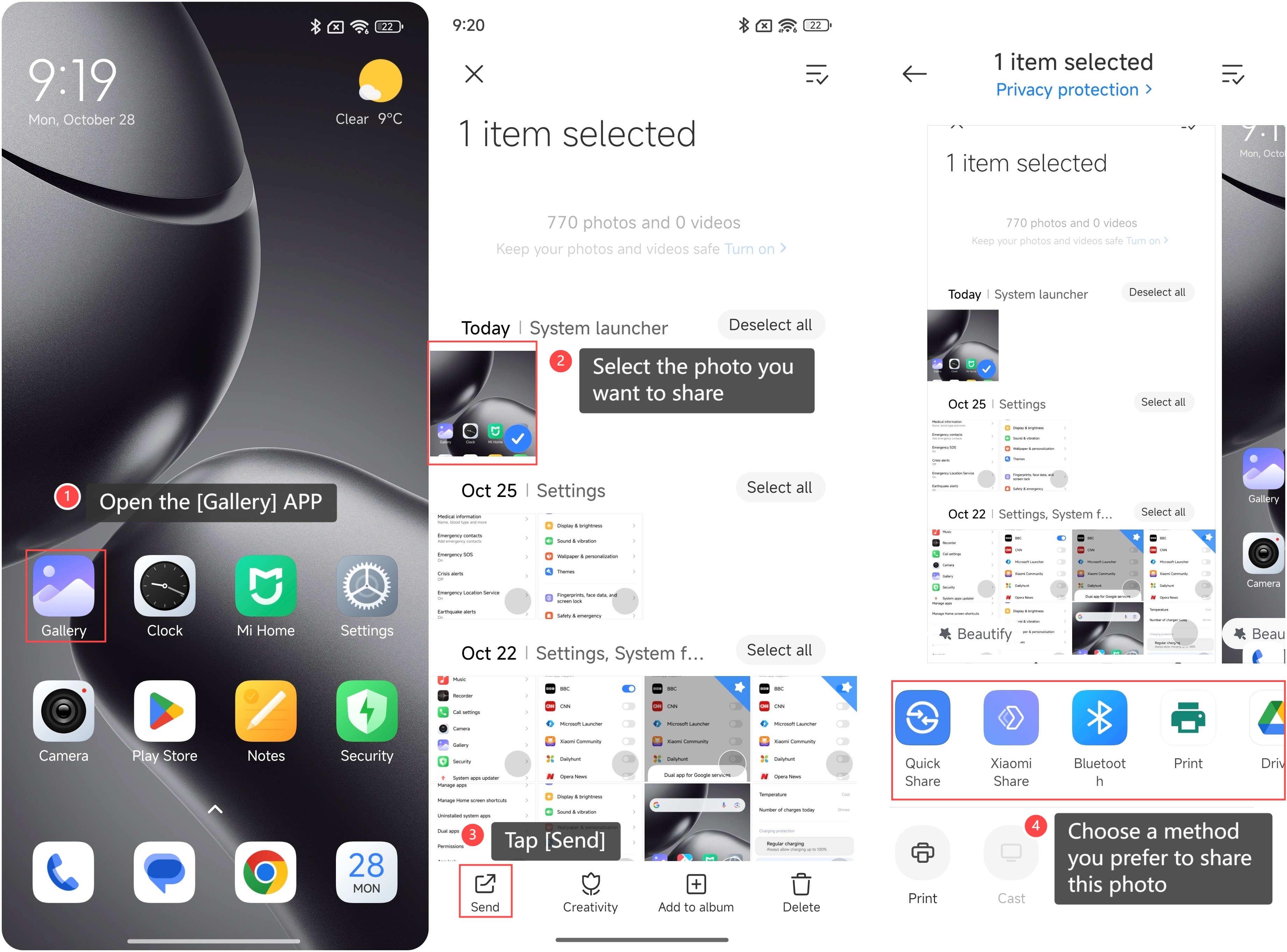
To send photos from the Gallery on your phone to another device, please refer to the following steps:
1. Open the [Gallery] APP on your phone;
2. Select the photo you want to share;
3. Tap [Send];
4. Choose a method you prefer to share this photo, such as [Bluetooth], [Gmail], and so on.
To send photos from the Gallery on your phone to another device, please refer to the following steps:
1. Open the [Gallery] APP on your phone;
2. Select the photo you want to share;
3. Tap [Send];
4. Choose a method you prefer to share this photo, such as [Bluetooth], [Gmail], and so on.
Note:
1. Be aware of file sizes, as larger photos can take longer to send and could exceed attachment limits;
2. Make sure that the APPs you are using for sharing have the necessary permissions enabled to access photos.
1. Be aware of file sizes, as larger photos can take longer to send and could exceed attachment limits;
2. Make sure that the APPs you are using for sharing have the necessary permissions enabled to access photos.
Does it help?
Yes
No