

How to enable Xiaomi ProCut on the Xiaomi 14T Pro?
The Xiaomi ProCut function on the Xiaomi 14T Pro offers an advanced editing feature in the Gallery. It allows you to crop and recompose photos automatically to enhance composition by analyzing the image elements and suggesting optimized cuts. ProCut can suggest different framing options and is particularly useful for portrait and group shots where you want to highlight individuals or focus on specific details, ensuring a more balanced and visually appealing outcome.
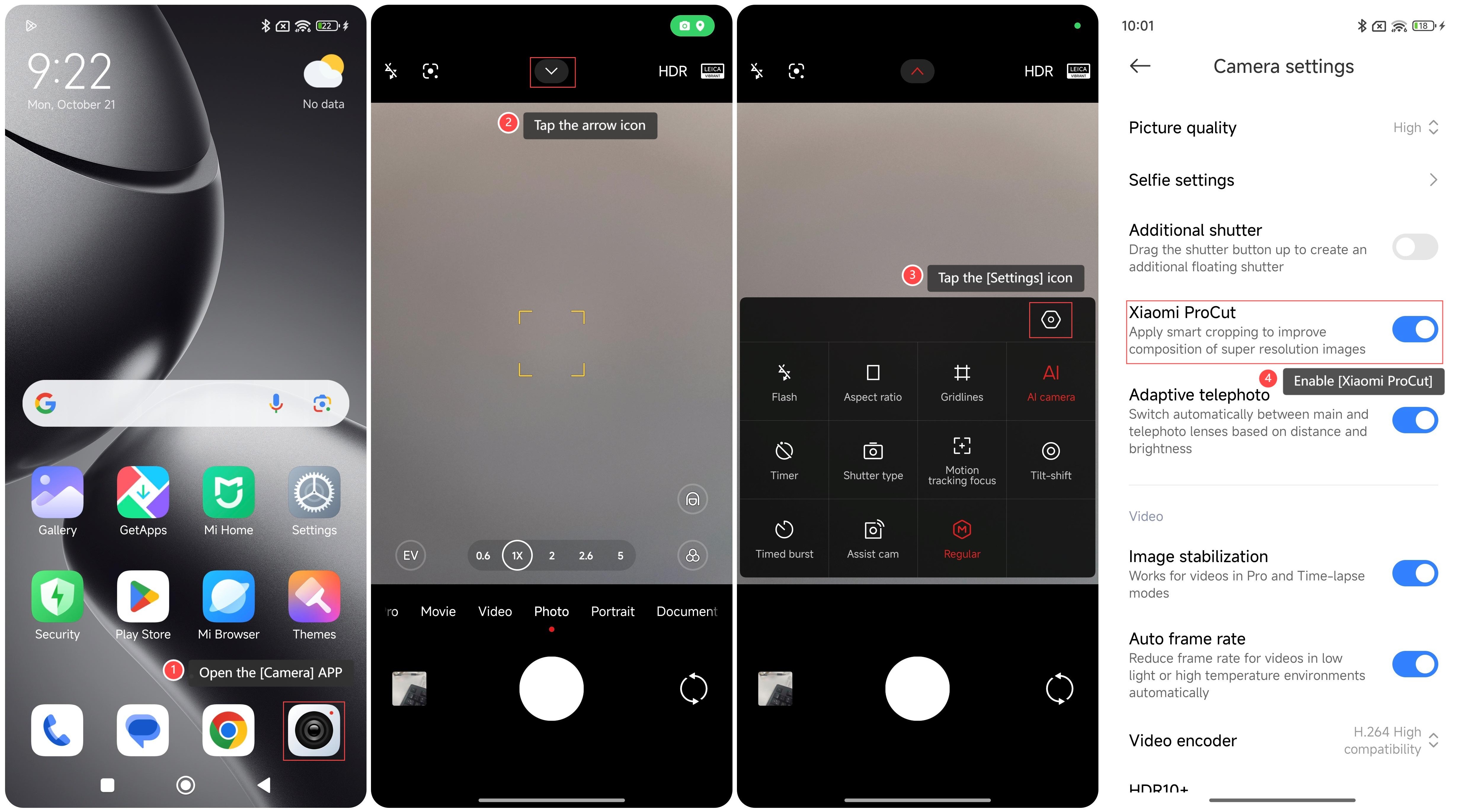
To enable Xiaomi ProCut on your phone, please refer to the following steps:
1. Open the [Camera] APP on your phone;
2. Tap the arrow icon on the top of the screen;
3. Tap the [Settings] icon;
4. Enable [Xiaomi ProCut];
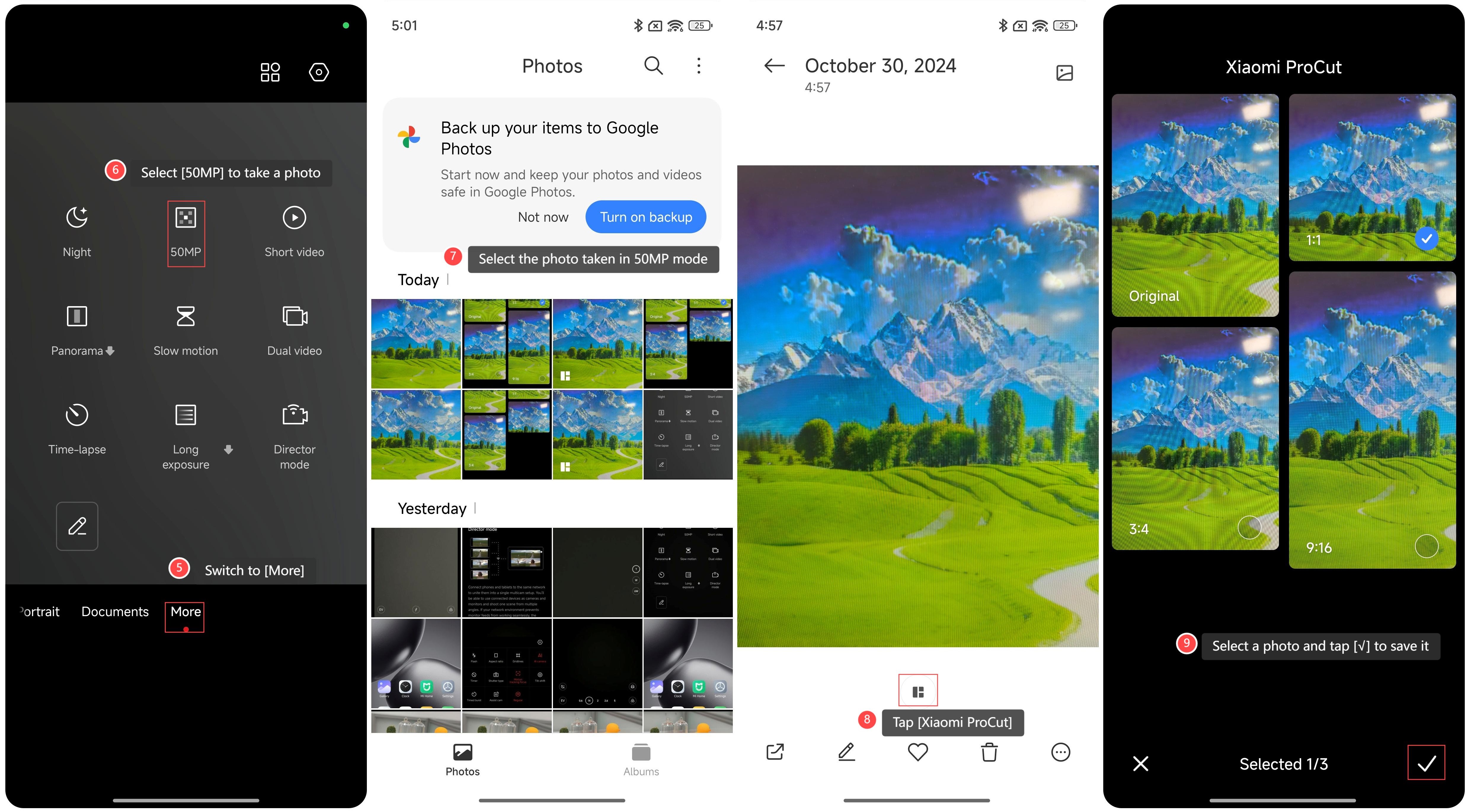
5. Switch to [More];
6. Select [50MP] to take a photo;
7. Enter the [Gallery] APP and select the photo taken in 50MP mode;
8. Tap [Xiaomi ProCut];
9. Select a photo and tap [√] to save it.
Note:
The ProCut feature works best with photos that have high image quality. Blurry or low-resolution photos will result in unsatisfactory cropping results.
To enable Xiaomi ProCut on your phone, please refer to the following steps:
1. Open the [Camera] APP on your phone;
2. Tap the arrow icon on the top of the screen;
3. Tap the [Settings] icon;
4. Enable [Xiaomi ProCut];
5. Switch to [More];
6. Select [50MP] to take a photo;
7. Enter the [Gallery] APP and select the photo taken in 50MP mode;
8. Tap [Xiaomi ProCut];
9. Select a photo and tap [√] to save it.
Note:
The ProCut feature works best with photos that have high image quality. Blurry or low-resolution photos will result in unsatisfactory cropping results.
Does it help?
Yes
No