

How to use the camera on the Xiaomi 14T to scan a document?
The Xiaomi 14T supports scanning a document using the camera, which creates digital copies of physical documents, making it easy to store, search, and access important papers anywhere. Scanned documents can be instantly shared via email, messaging APPs, or cloud storage, streamlining the process of sending documents to others.
To use the camera on your phone to scan a document, please refer to the following methods:
Method 1:
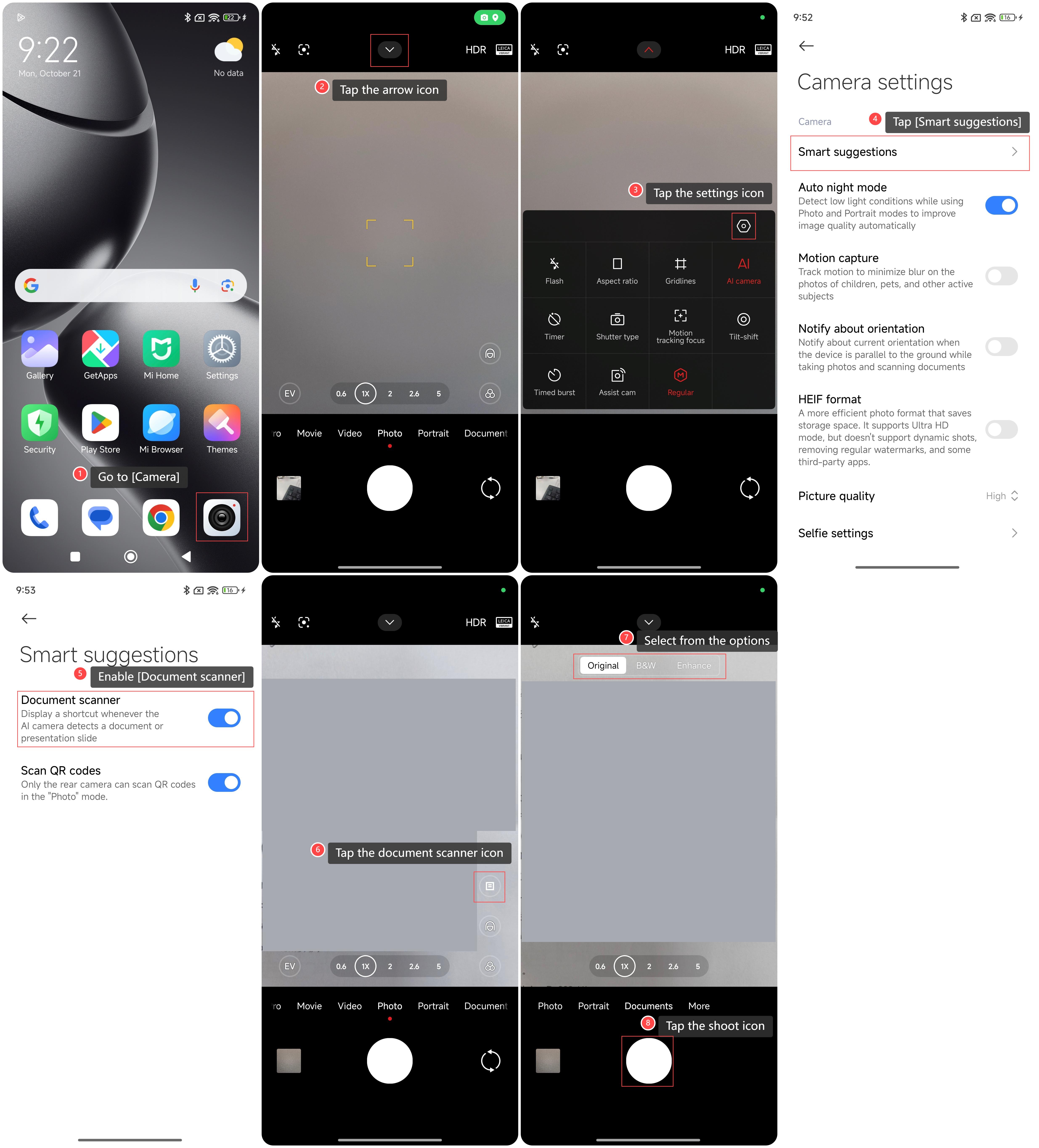
1. Go to [Camera];
2. Tap the arrow icon;
3. Tap the settings icon;
4. Tap [Smart suggestions];
5. Enable [Document scanner];
6. Keep the phone camera above the document photo and tap the document scanner icon;
7. Select from the options according to your needs;
8. Tap the shoot icon.
Method 2:
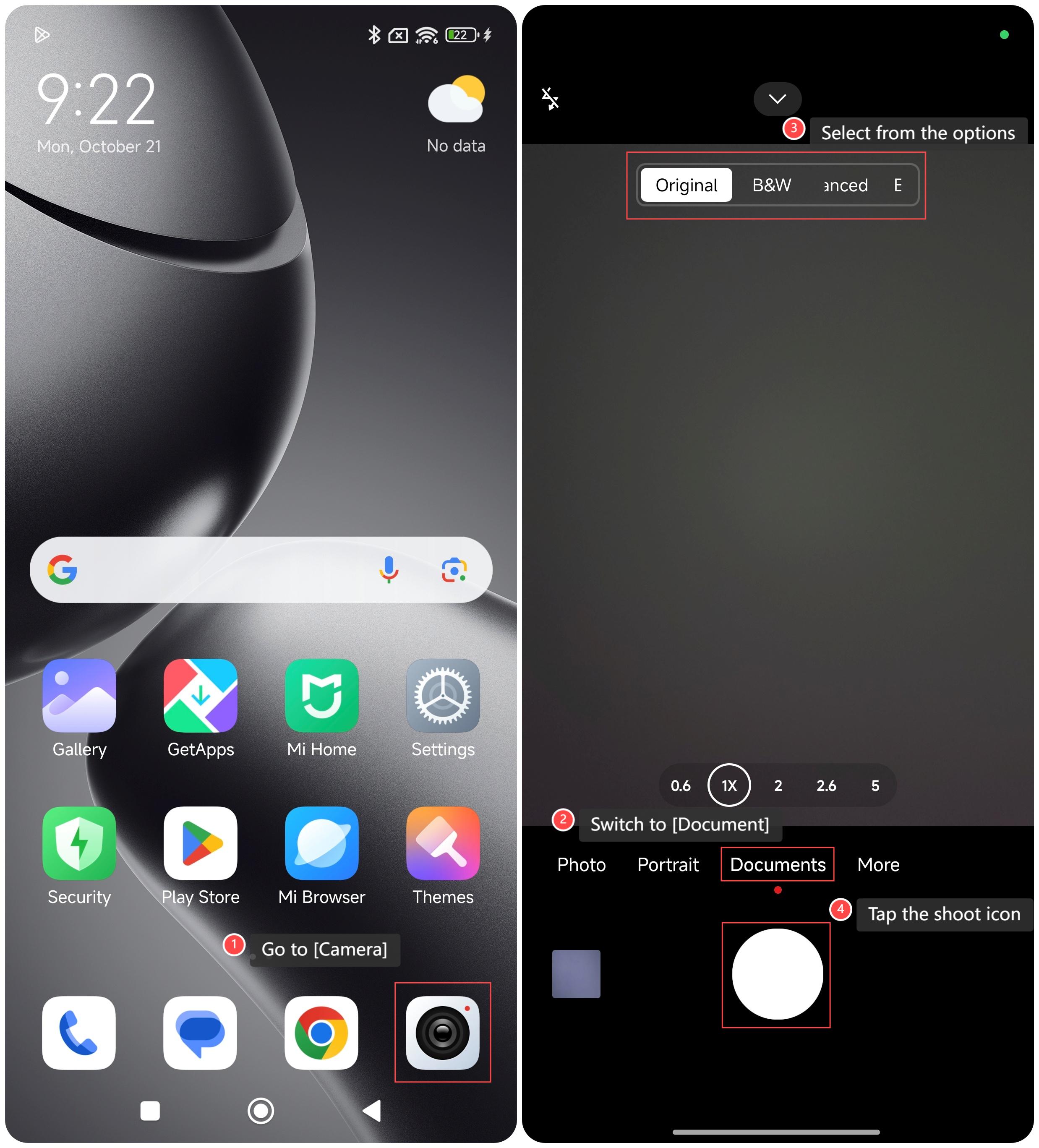
1. Go to [Camera];
2. Switch to [Document];
3. Keep the phone camera above the document photo and select from the options according to your needs;
4. Tap the shoot icon.
To use the camera on your phone to scan a document, please refer to the following methods:
Method 1:
1. Go to [Camera];
2. Tap the arrow icon;
3. Tap the settings icon;
4. Tap [Smart suggestions];
5. Enable [Document scanner];
6. Keep the phone camera above the document photo and tap the document scanner icon;
7. Select from the options according to your needs;
8. Tap the shoot icon.
Method 2:
1. Go to [Camera];
2. Switch to [Document];
3. Keep the phone camera above the document photo and select from the options according to your needs;
4. Tap the shoot icon.
Does it help?
Yes
No