

How to turn on flashlight on the Xiaomi 14T?
Turning on the flashlight on the Xiaomi 14T provides a quick, reliable light source for low-light situations. It is useful for finding objects in low light, assisting with navigation at night, and offering added convenience without the need for an additional flashlight.
To turn on flashlight on the phone, please refer to the following methods:
Method 1:
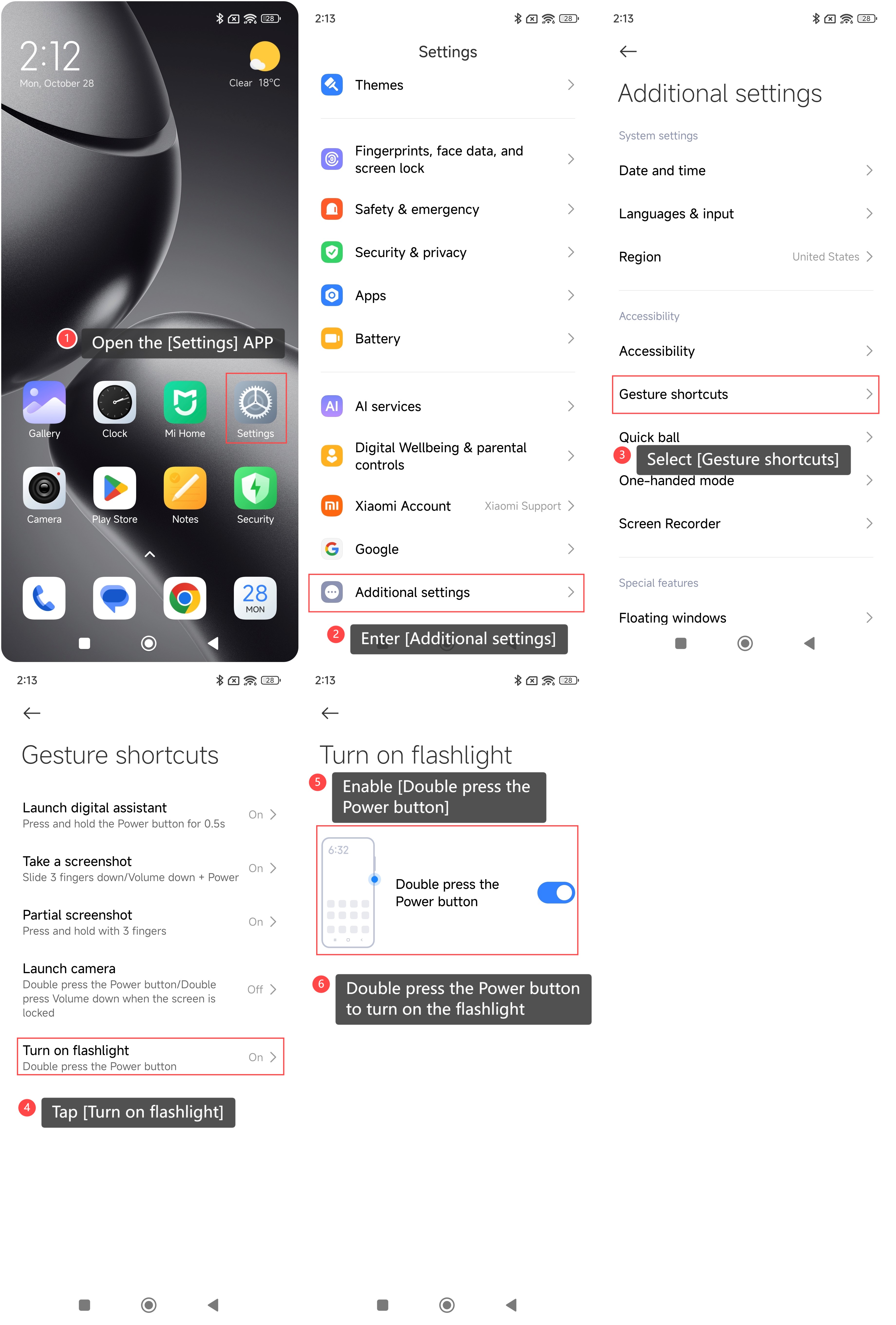
1. Open the [Settings] APP on your phone;
2. Enter [Additional settings];
3. Select [Gesture shortcuts];
4. Tap [Turn on flashlight];
5. Enable [Double press the Power button];
6. Double press the Power button to turn on the flashlight.
Method 2:
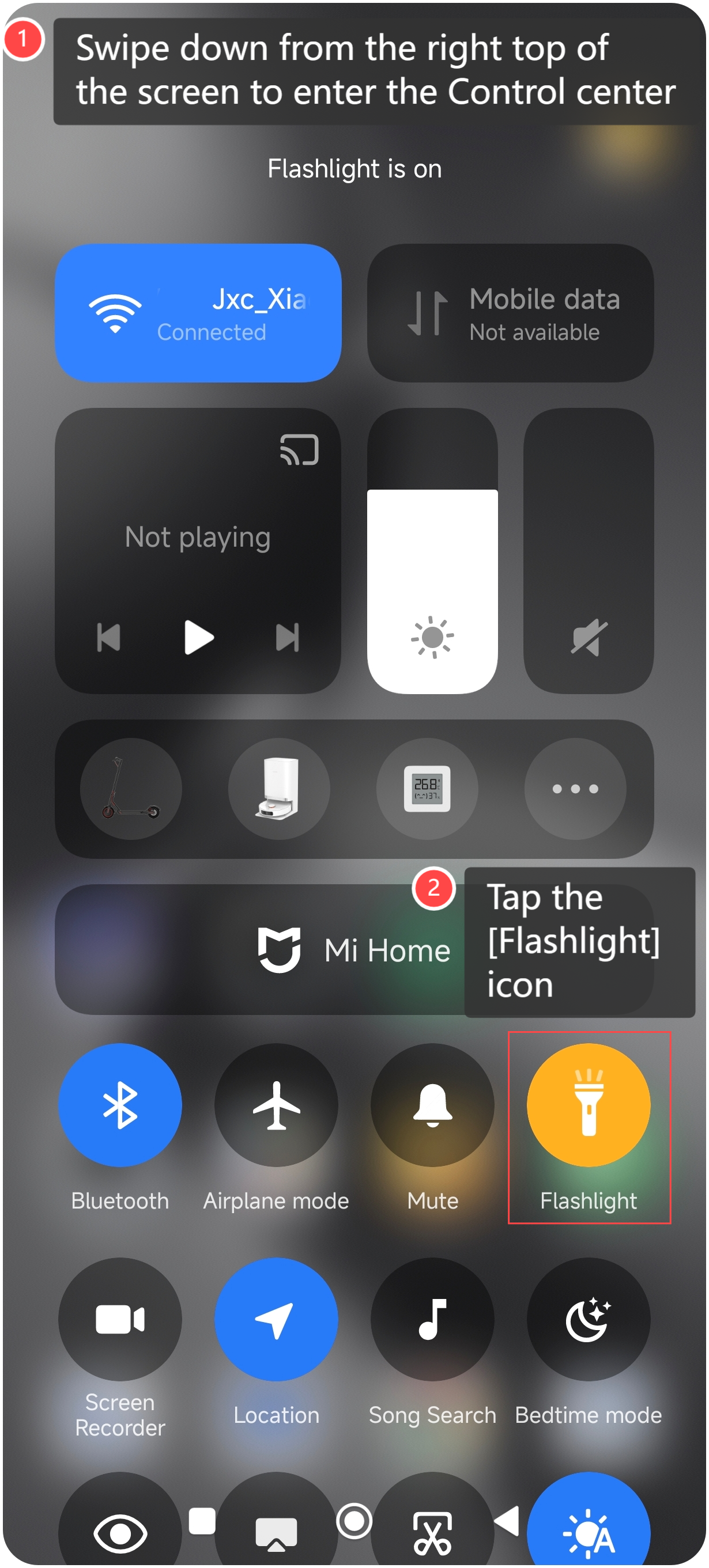
1. Swipe down from the right top of the screen to enter the Control center;
2. Tap the [Flashlight] icon to quickly turn on.
To turn on flashlight on the phone, please refer to the following methods:
Method 1:
1. Open the [Settings] APP on your phone;
2. Enter [Additional settings];
3. Select [Gesture shortcuts];
4. Tap [Turn on flashlight];
5. Enable [Double press the Power button];
6. Double press the Power button to turn on the flashlight.
Method 2:
1. Swipe down from the right top of the screen to enter the Control center;
2. Tap the [Flashlight] icon to quickly turn on.
Does it help?
Yes
No