

How to turn on fingerprint shortcuts on the Xiaomi 14T?
The Xiaomi 14T features a convenient and quick fingerprint shortcut based on the in-screen fingerprint sensor. While in the lock screen state, press and hold the fingerprint icon without releasing it to bring up the fingerprint shortcut menu. You can quickly access the related functions by sliding in the direction of the icon.
To turn on fingerprint shortcuts, please refer to the following steps:
1. Open the [Settings] APP on your device;
2. Tap [Fingerprints, face data, and screen lock];
3. Select [Fingerprint unlock];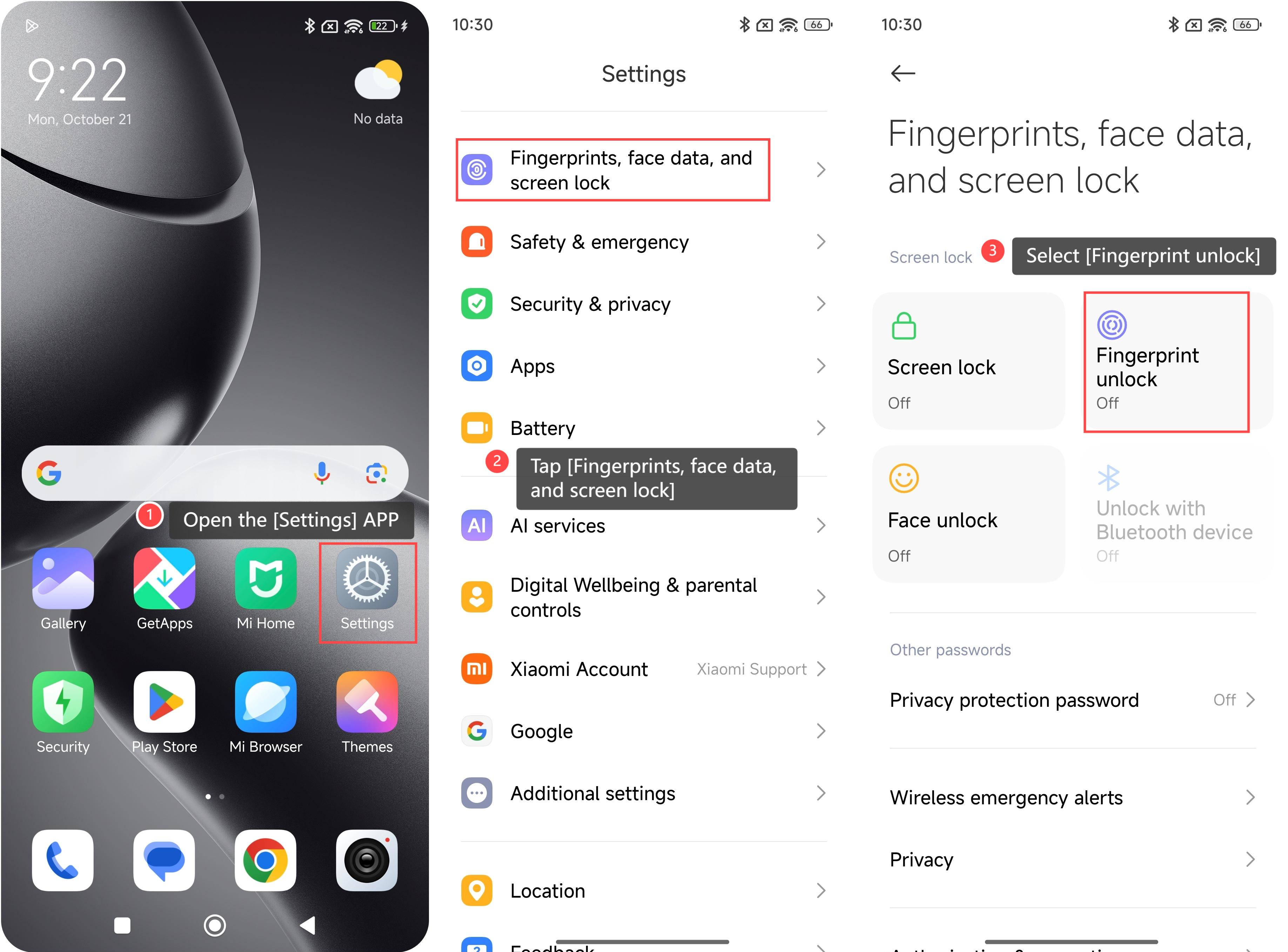
4. If you haven’t set the screen lock before, you need to set it first. Choose a screen lock method;
5. You will be prompted to remember the password. Tap [Got it] to continue;
6. After setting a screen lock, add your fingerprint. Please put your fingerprint on the fingerprint scanner and follow the on-screen prompts;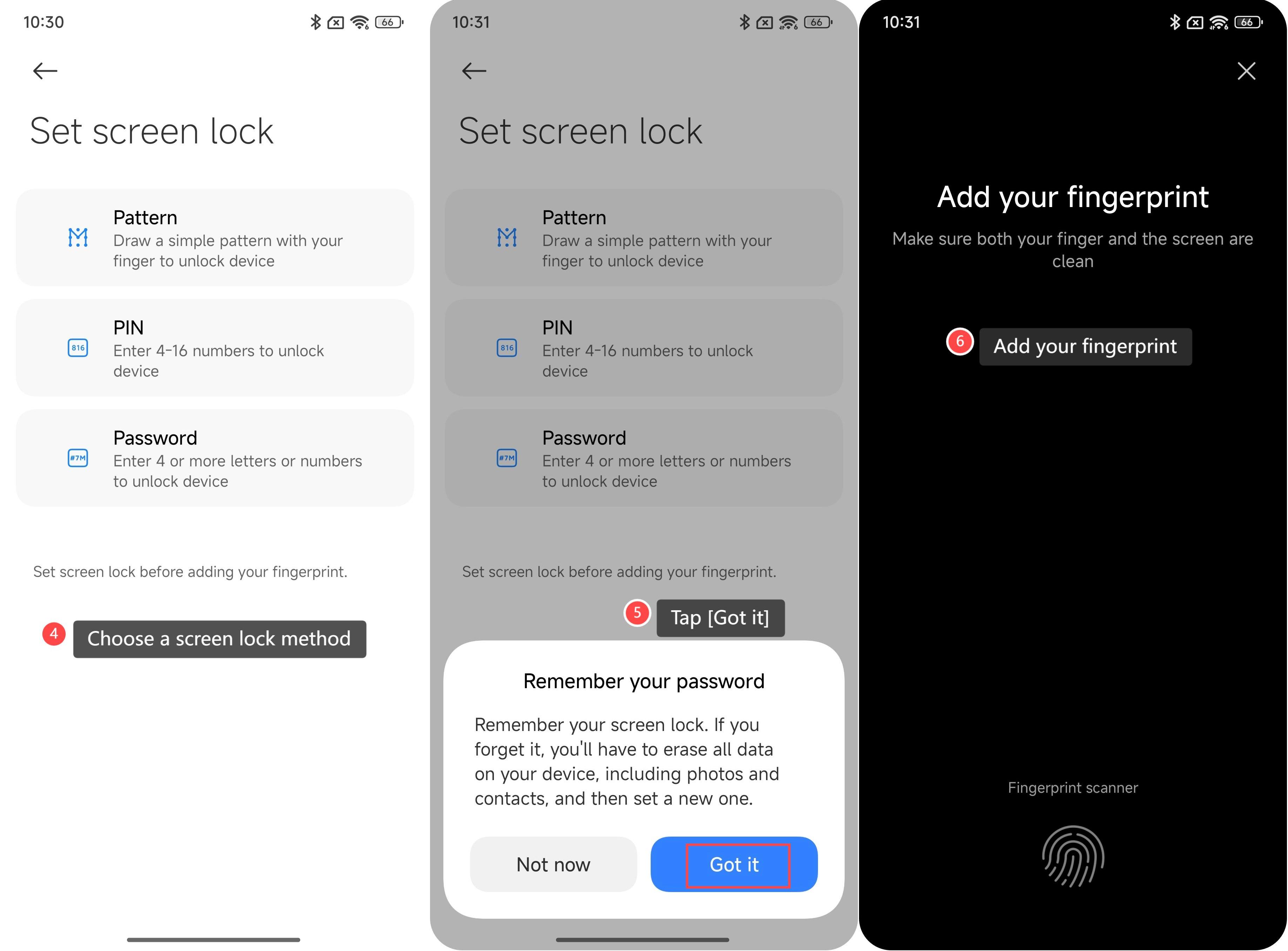
7. Tap [Done] to save your fingerprint;
8. In the fingerprint unlock settings interface, select [Shortcuts];
9. Turn on [Fingerprint shortcuts].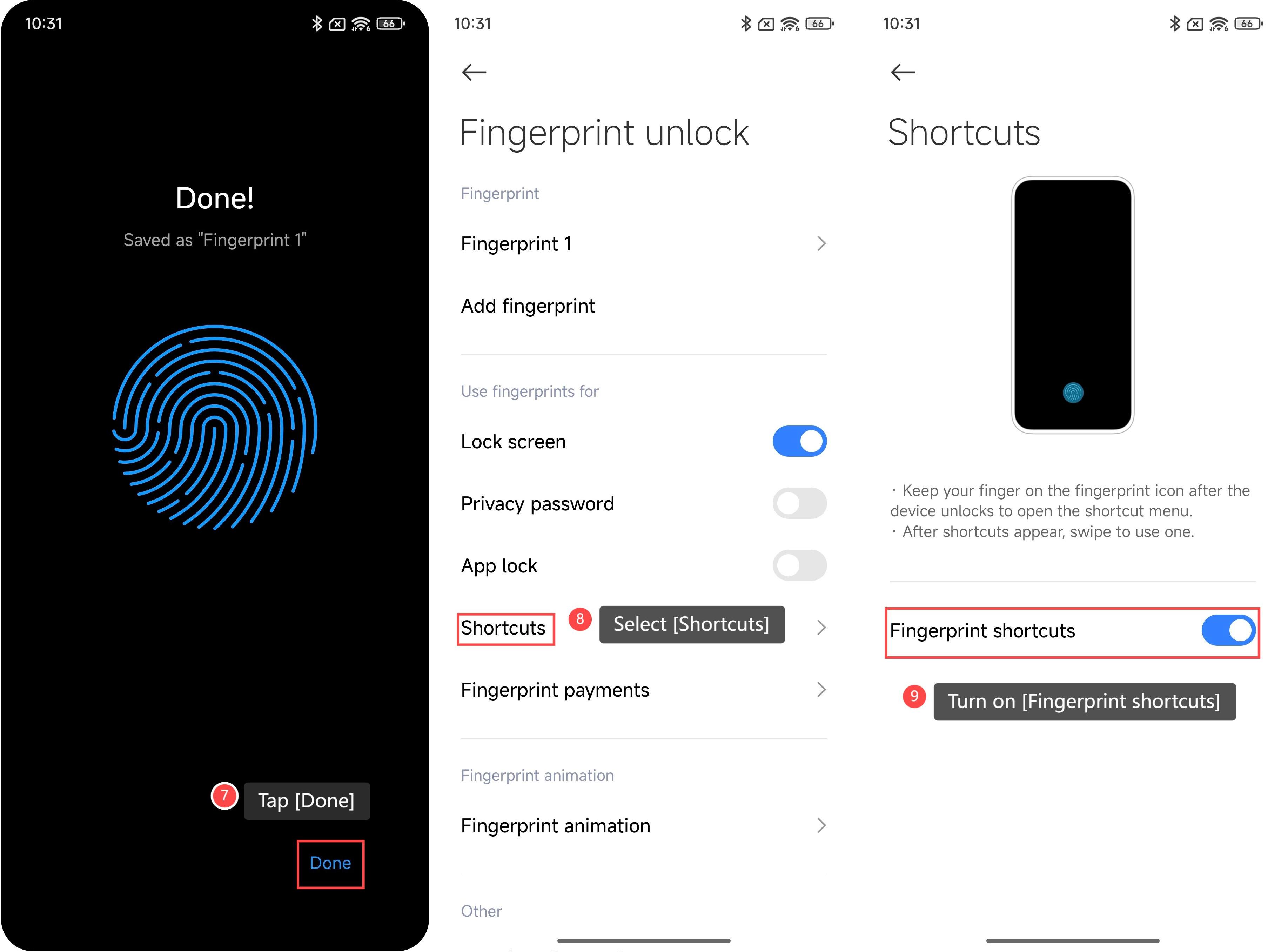
Does it help?