

How to turn on Xiaomi Smart Hub in the control center of the Xiaomi 14T?
The Xiaomi Smart Hub on the Xiaomi 14T serves as a central control hub on the control center that integrates and controls various Xiaomi smart home devices. It acts as a bridge between these devices and your smartphone or other control interface.
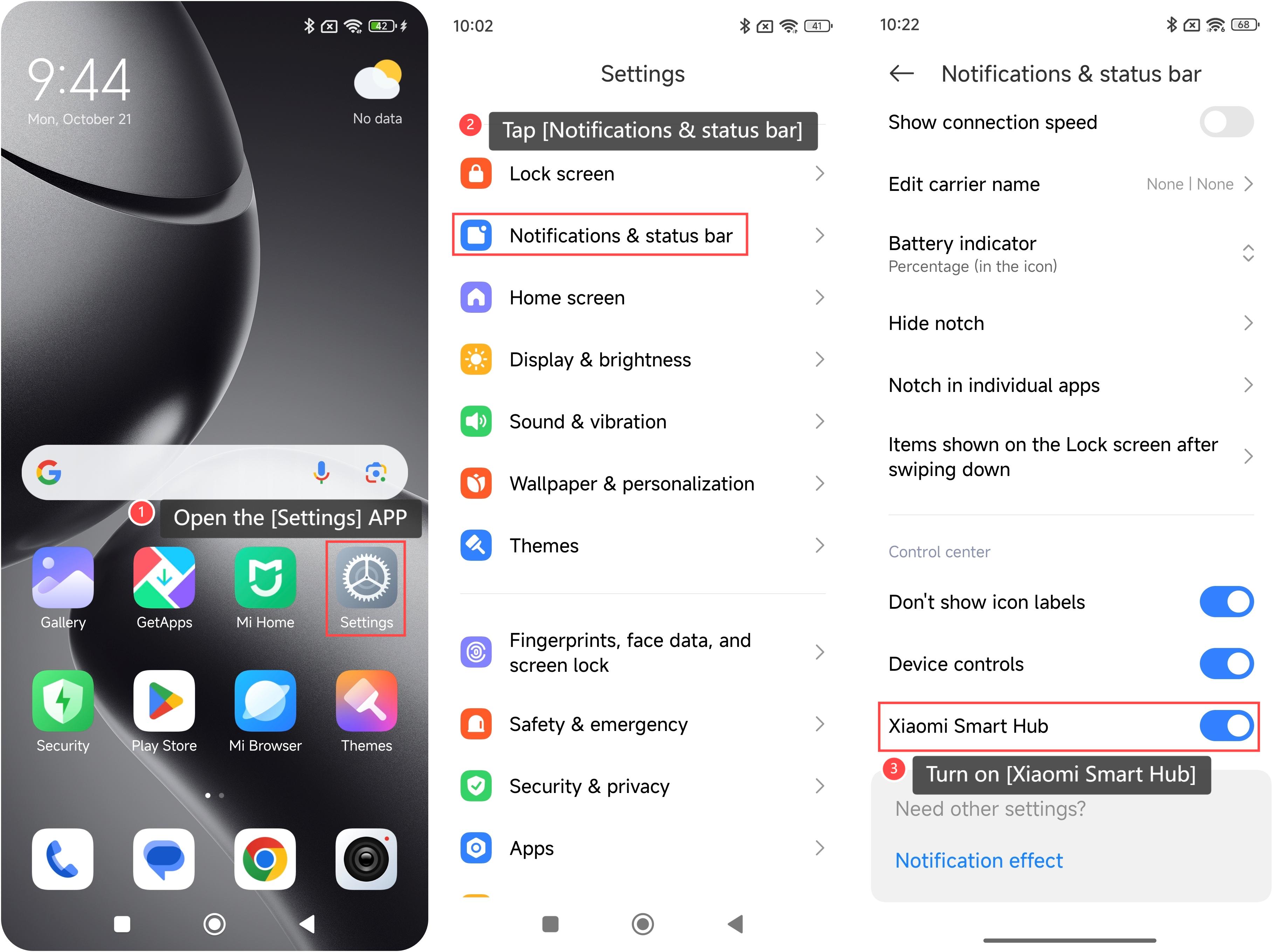
To turn on the Xiaomi Smart Hub, please refer to the following steps:
1. Open the [Settings] APP on your device. You can find the gear icon on your home screen or in your APP drawer;
2. Navigate to the [Notifications & status bar] option and tap it;
3. Scroll down and turn on [Xiaomi Smart Hub] to enable this feature.
Note:
The Xiaomi Smart Hub is compatible with the Mi Home/Xiaomi Home APP, allowing integration with other Xiaomi ecosystem products and services.
To turn on the Xiaomi Smart Hub, please refer to the following steps:
1. Open the [Settings] APP on your device. You can find the gear icon on your home screen or in your APP drawer;
2. Navigate to the [Notifications & status bar] option and tap it;
3. Scroll down and turn on [Xiaomi Smart Hub] to enable this feature.
Note:
The Xiaomi Smart Hub is compatible with the Mi Home/Xiaomi Home APP, allowing integration with other Xiaomi ecosystem products and services.
Does it help?
Yes
No