

How to turn on/off tap sounds on the Xiaomi 14T?
The Xiaomi 14T supports a built-in feature for setting tap sounds, which allows your device to play sounds whenever you tap the screen. This feature enhances your experience by providing auditory feedback that serves as a reminder of your interactions, making the device feel more responsive and engaging. Tap sounds can also be paired with haptic feedback, adding an additional layer of confirmation for your actions.
To turn on or off tap sounds on your phone, please refer to the following steps:
1. Open the [Settings] APP on your phone;
2. Enter [Sound & vibration];
3. Scroll down to locate and tap [Additional settings];
4. Enable or disable [Tap sounds].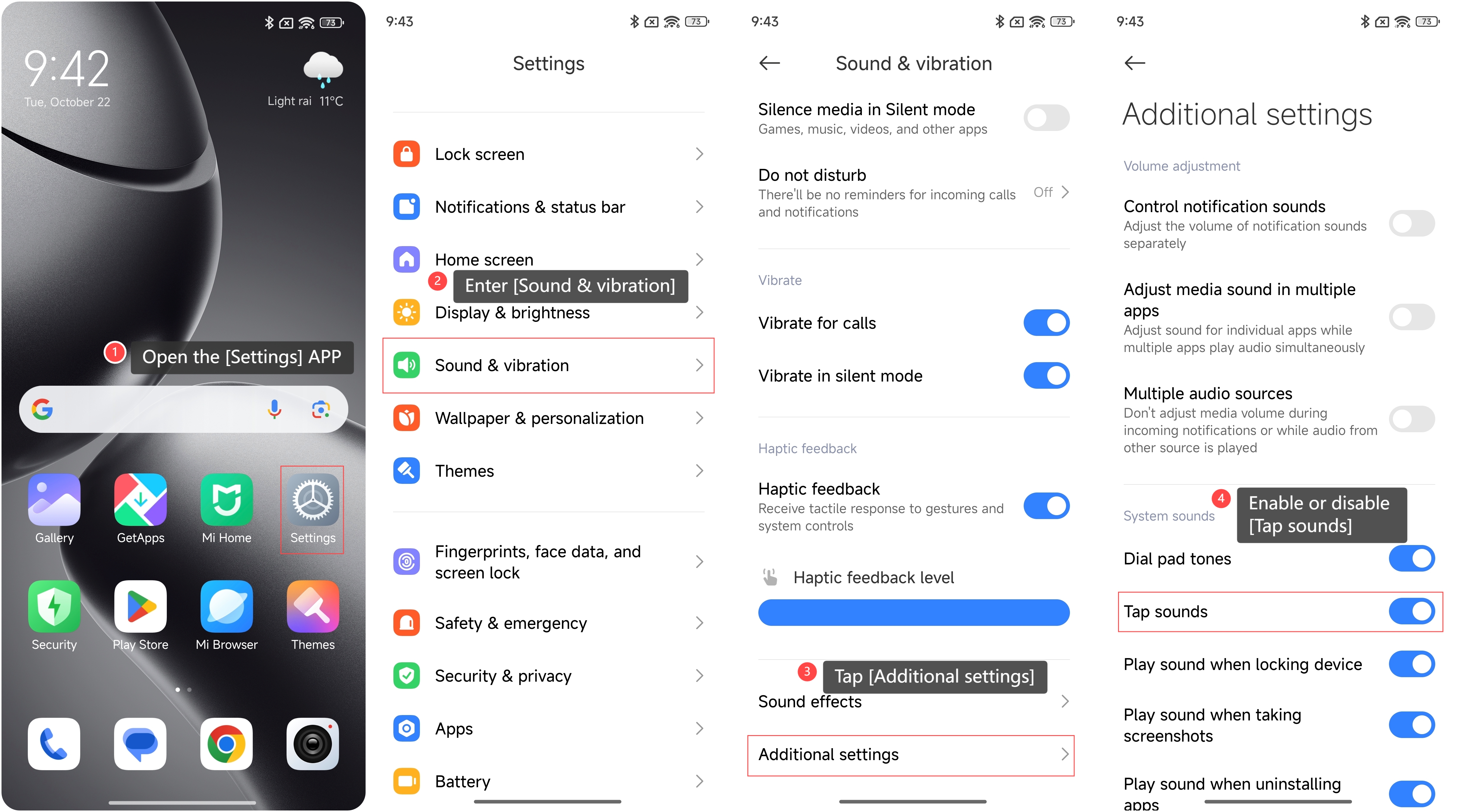
Does it help?
Yes
No