

How to set up Focus mode on the Xiaomi 14T?
The Xiaomi 14T supports Focus mode. It can minimize distractions by blocking non-essential APPs and notifications, helping to improve concentration and productivity.
To set up Focus mode on your phone, please refer to the following methods:
Method 1:
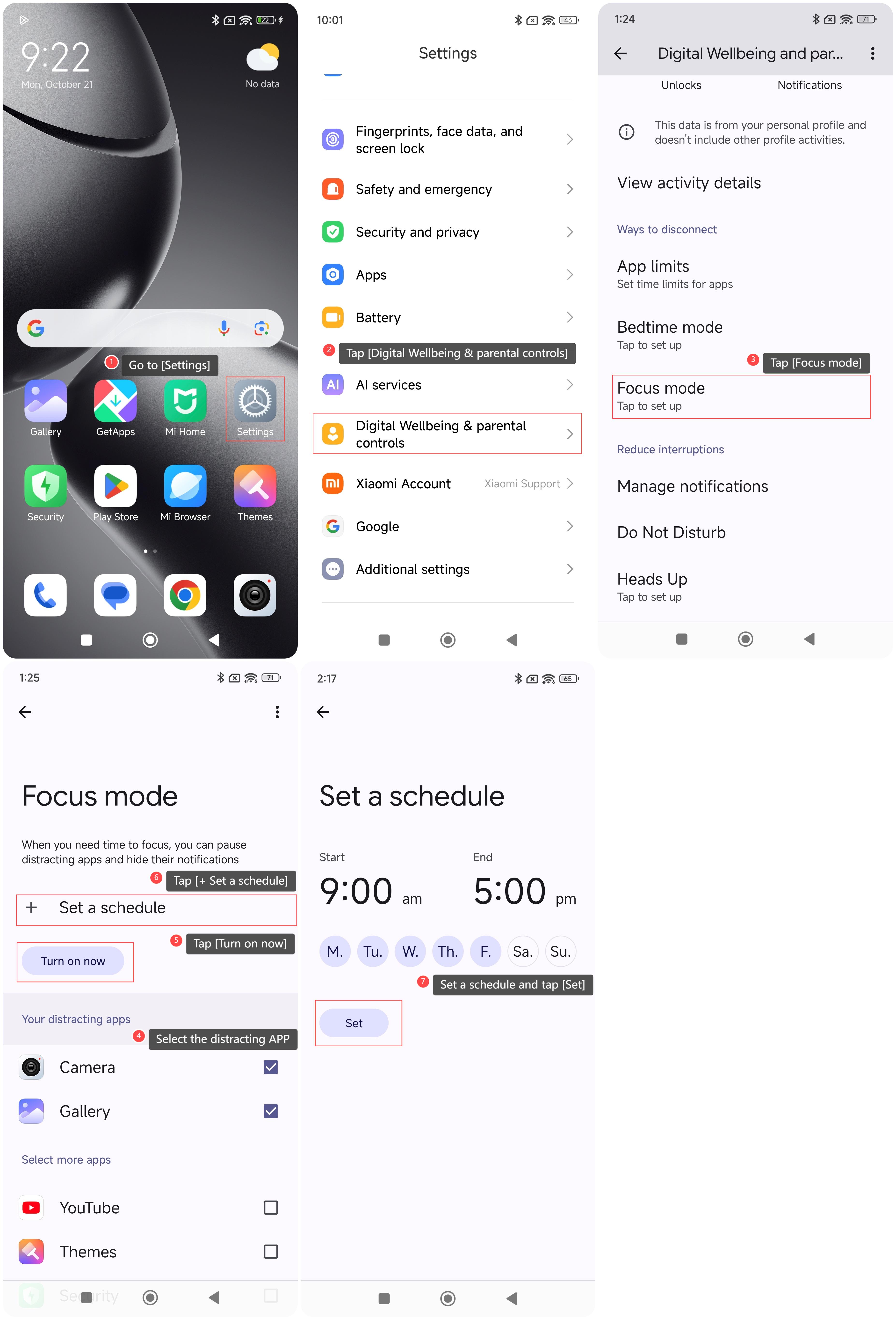
1. Go to [Settings];
2. Swipe down to find and tap [Digital Wellbeing & parental controls];
3. Tap [Focus mode];
4. Select the distracting APP you want to pause and hide notifications;
5. You can tap [Turn on now] to enable the feature for now;
6. If you want to set up a custom schedule for focus time, please tap [+ Set a schedule];
7. Set up how often and when the phone automatically starts and ends Focus mode and then tap [Set].
Method 2:
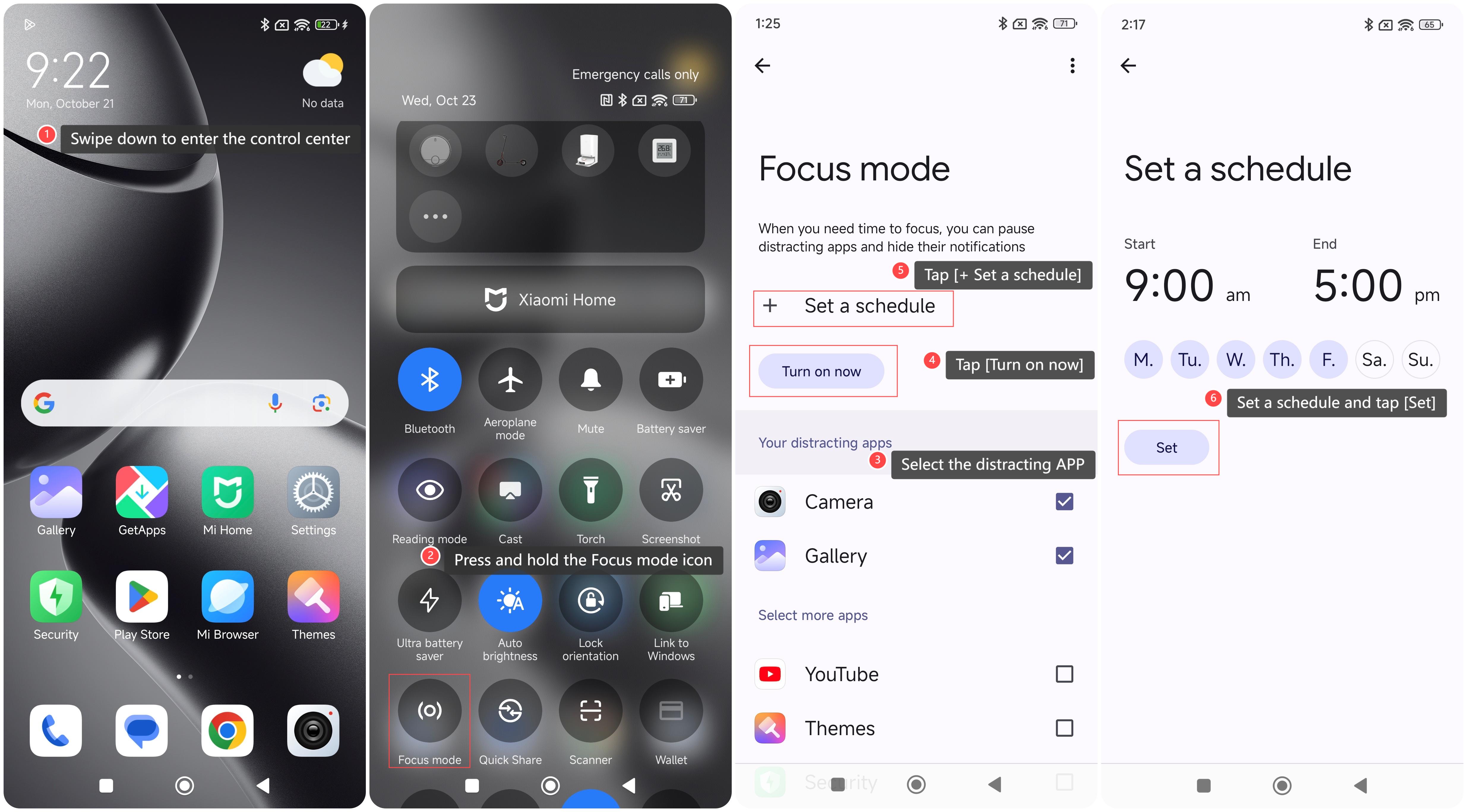
1. Swipe down from the right top of the screen to enter the control center;
2. Press and hold the Focus mode icon;
3. Select the distracting APP you want to pause and hide notifications;
4. You can tap [Turn on now] to enable the feature for now;
5. If you want to set up a custom schedule for focus time, please tap [+ Set a schedule];
6. Set up how often and when the phone automatically starts and ends Focus mode and then tap [Set].
To set up Focus mode on your phone, please refer to the following methods:
Method 1:
1. Go to [Settings];
2. Swipe down to find and tap [Digital Wellbeing & parental controls];
3. Tap [Focus mode];
4. Select the distracting APP you want to pause and hide notifications;
5. You can tap [Turn on now] to enable the feature for now;
6. If you want to set up a custom schedule for focus time, please tap [+ Set a schedule];
7. Set up how often and when the phone automatically starts and ends Focus mode and then tap [Set].
Method 2:
1. Swipe down from the right top of the screen to enter the control center;
2. Press and hold the Focus mode icon;
3. Select the distracting APP you want to pause and hide notifications;
4. You can tap [Turn on now] to enable the feature for now;
5. If you want to set up a custom schedule for focus time, please tap [+ Set a schedule];
6. Set up how often and when the phone automatically starts and ends Focus mode and then tap [Set].
Does it help?
Yes
No