

How to use AI Portrait on the Xiaomi 14T Pro?
The Xiaomi 14T Pro supports the feature of AI portrait. Through AI algorithms, image quality will be improved by defining details and enhancing colors, resulting in more vibrant and clear portraits. AI can automatically adjust lighting, contrast, and exposure, making it easier to achieve professional-looking results without manual editing.
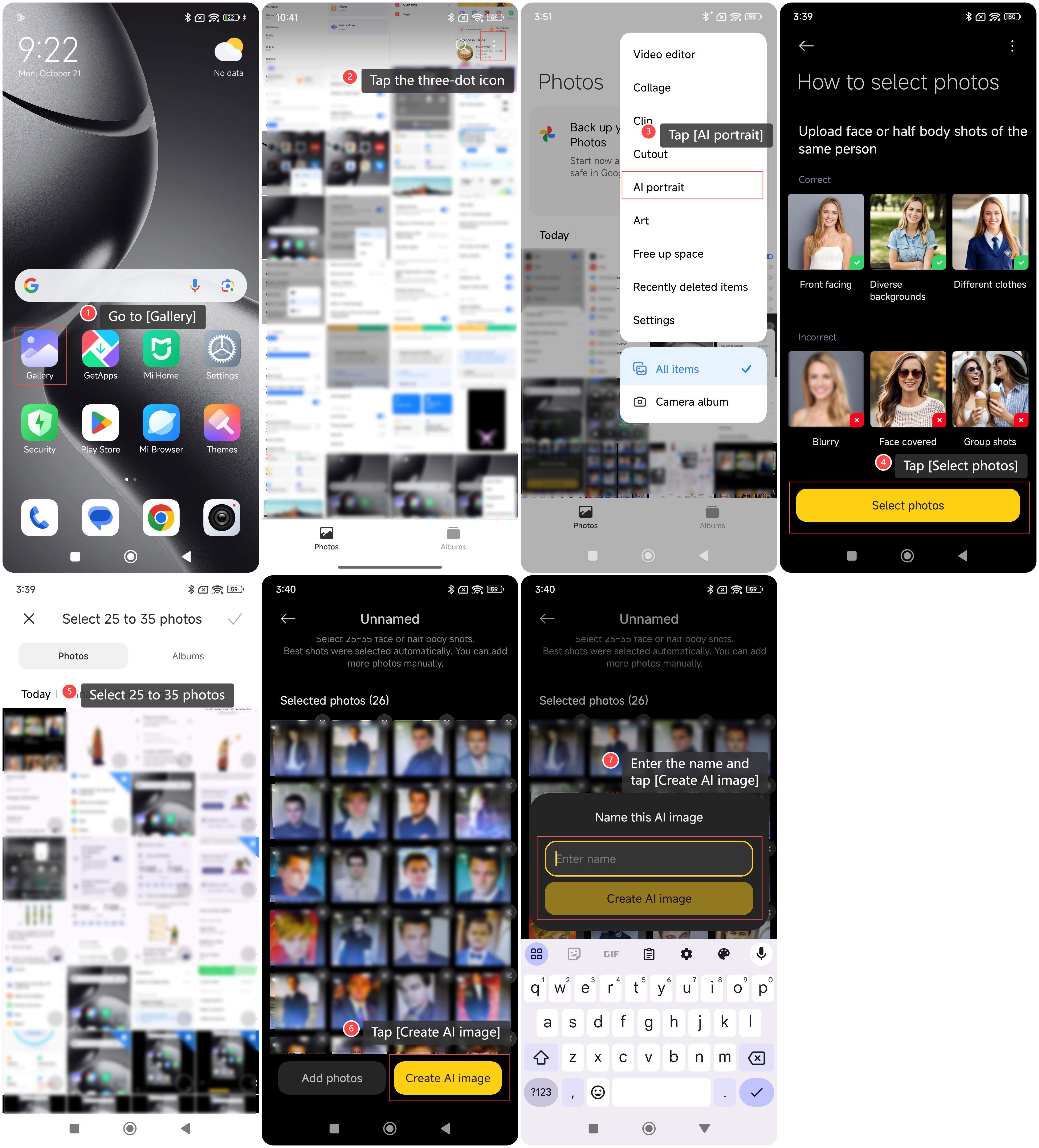
To use AI Portrait on your phone, please refer to the following steps:
1. Go to [Gallery];
2. Tap the three-dot icon on the right top of the screen;
3. Tap [AI portrait];
4. Tap [Select photos];
5. Select 25 to 35 photos of clear portraits;
6. Tap [Create AI image];
7. Enter the name of this AI image, tap [Create AI image] and wait for the final image.
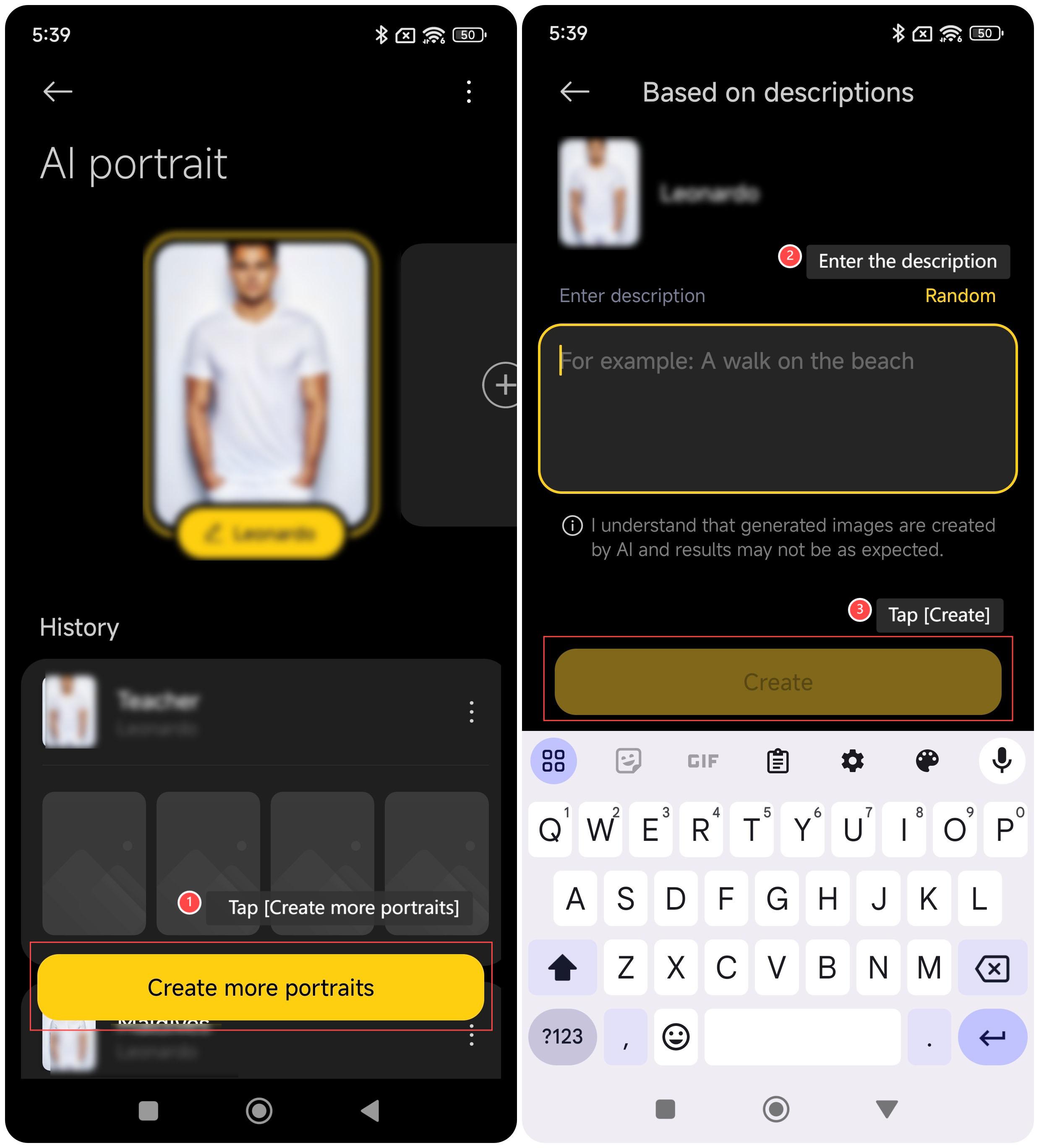
When the final images are generated, you can also follow the following steps to generate the images according to your description:
1. Tap [Create more portraits];
2. Enter the description of the desired image;
3. Tap [Create].
Note:
It is normal that the final images have deviations with your description.
To use AI Portrait on your phone, please refer to the following steps:
1. Go to [Gallery];
2. Tap the three-dot icon on the right top of the screen;
3. Tap [AI portrait];
4. Tap [Select photos];
5. Select 25 to 35 photos of clear portraits;
6. Tap [Create AI image];
7. Enter the name of this AI image, tap [Create AI image] and wait for the final image.
When the final images are generated, you can also follow the following steps to generate the images according to your description:
1. Tap [Create more portraits];
2. Enter the description of the desired image;
3. Tap [Create].
Note:
It is normal that the final images have deviations with your description.
Does it help?
Yes
No