

How to use the AI Image Expansion on the Xiaomi 14T Pro?
The Xiaomi 14T Pro supports the function of AI Image Expansion, which uses artificial intelligence to expand an image beyond its original borders. AI generates realistic or artistic surroundings beyond the original edges of an image, adding context or background elements that blend seamlessly with the original content. Expanding landscapes allows you to create larger panoramic scenes from regular images, filling in additional scenery to create a more immersive view.
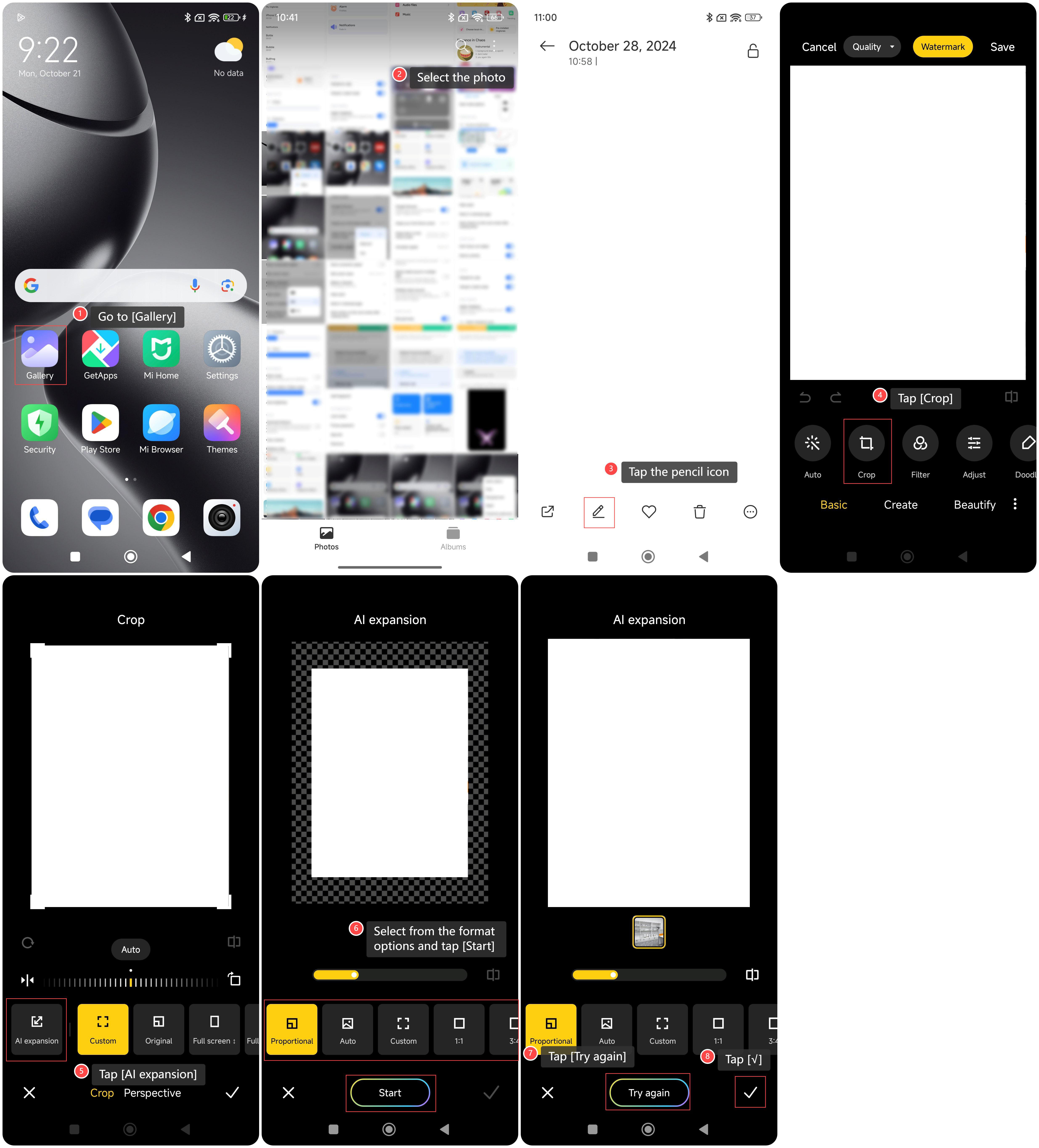
To use the AI Image Expansion on your phone, please refer to the following steps:
1. Go to [Gallery];
2. Select the photo you want to use AI Image Expansion;
3. Tap the pencil icon;
4. Tap [Crop];
5. Tap [AI expansion];
6. Select from the format options and tap [Start];
7. If you are not satisfied with the image, you can tap [Try again] to make AI generate the image again;
8. You can also directly tap [√] to finish the expansion.
To use the AI Image Expansion on your phone, please refer to the following steps:
1. Go to [Gallery];
2. Select the photo you want to use AI Image Expansion;
3. Tap the pencil icon;
4. Tap [Crop];
5. Tap [AI expansion];
6. Select from the format options and tap [Start];
7. If you are not satisfied with the image, you can tap [Try again] to make AI generate the image again;
8. You can also directly tap [√] to finish the expansion.
Does it help?
Yes
No