

How to make and check the private photos on the Xiaomi 14T Pro?
The Private album feature on the Xiaomi 14T Pro allows you to securely hide selected images in a protected folder. This feature ensures that sensitive or personal photos remain hidden from the main gallery, accessible only via pattern or fingerprint. The key advantage is enhanced privacy, offering peace of mind that your private content is securely stored and protected from unauthorized access.
To add photos to the private album on your phone, please refer to the following steps:
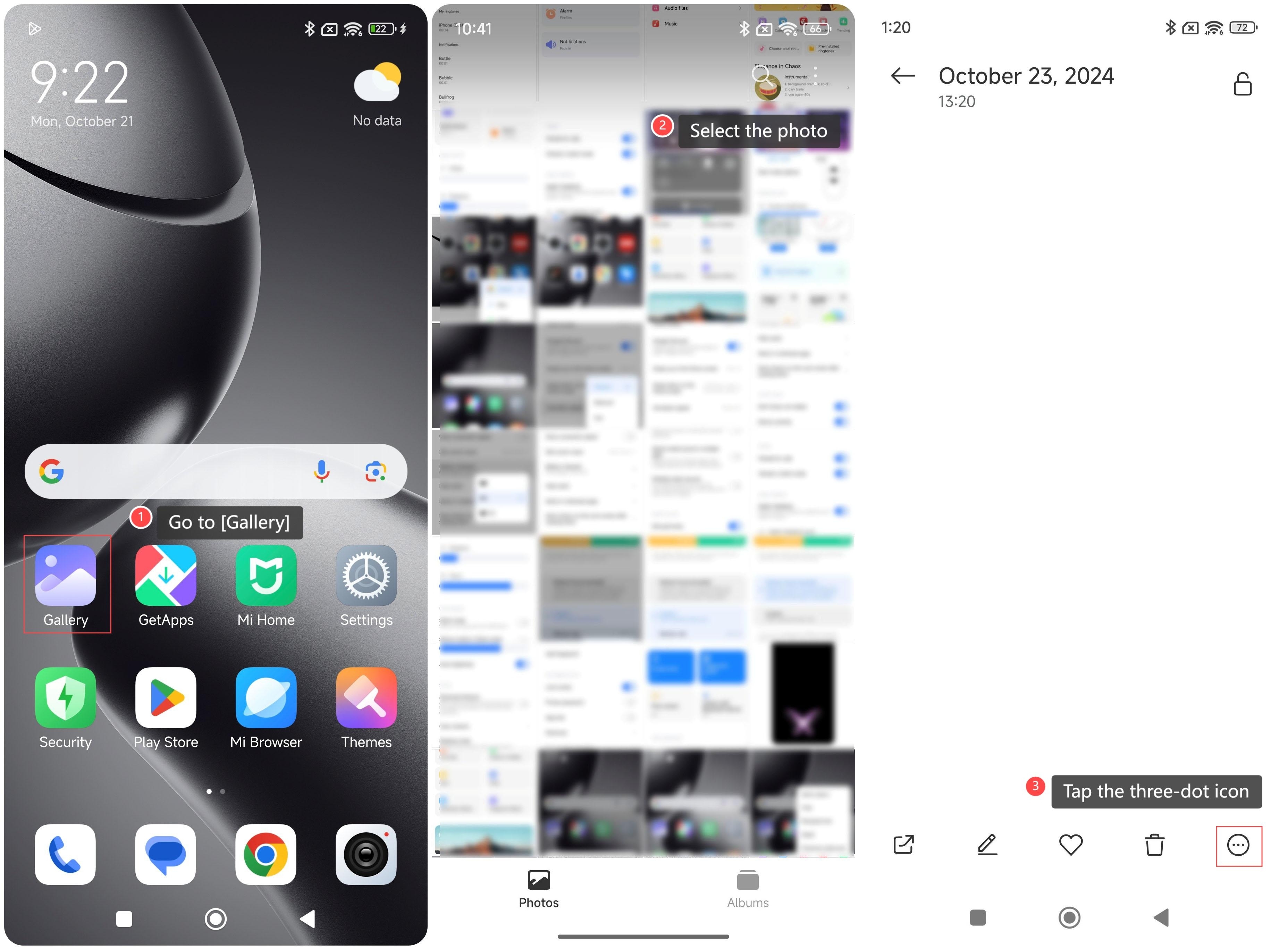
1. Go to [Gallery];
2. Select the photo you want to add to the private album;
3. Tap the three-dot icon in the lower right corner of the screen;
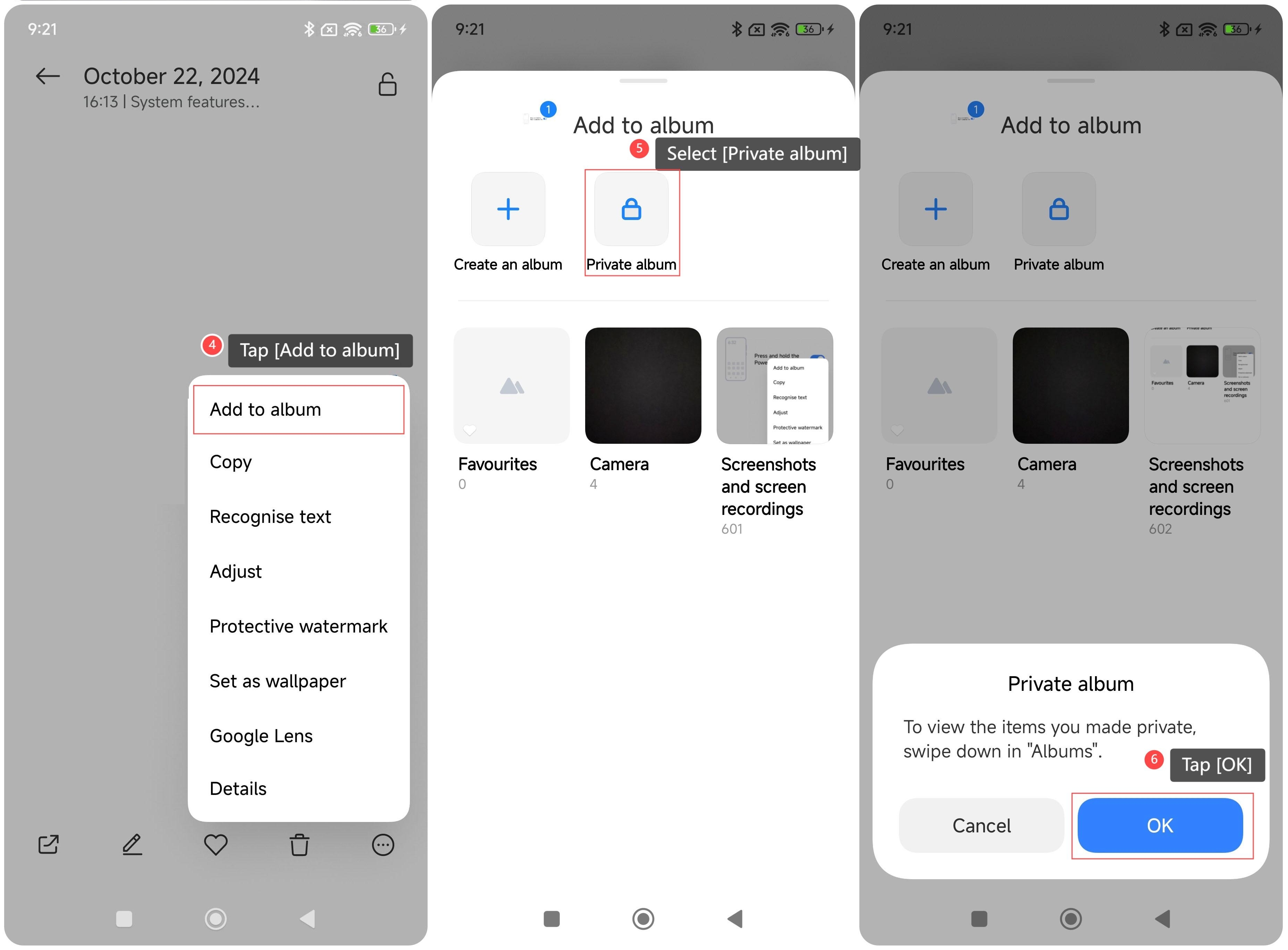
4. Tap [Add to album];
5. Select [Private album];
6. Tap [OK].
To set the password for the private album, please refer to the following steps:
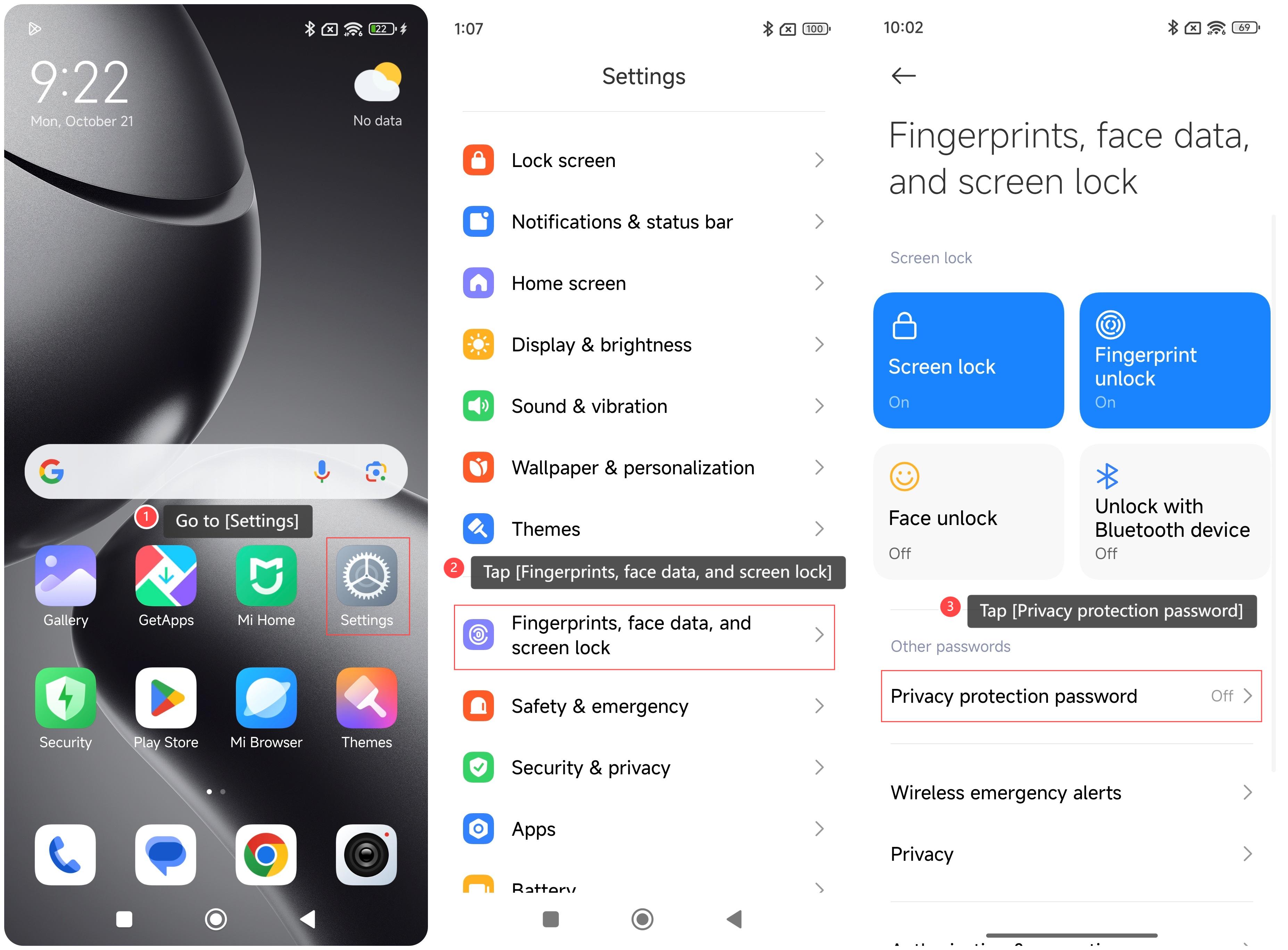
1. Go to [Settings];
2. Tap [Fingerprints, face data, and screen lock];
3. Tap [Privacy protection password] and follow the instructions to set a password.
To check the private photos on the phone, please refer to the following steps:
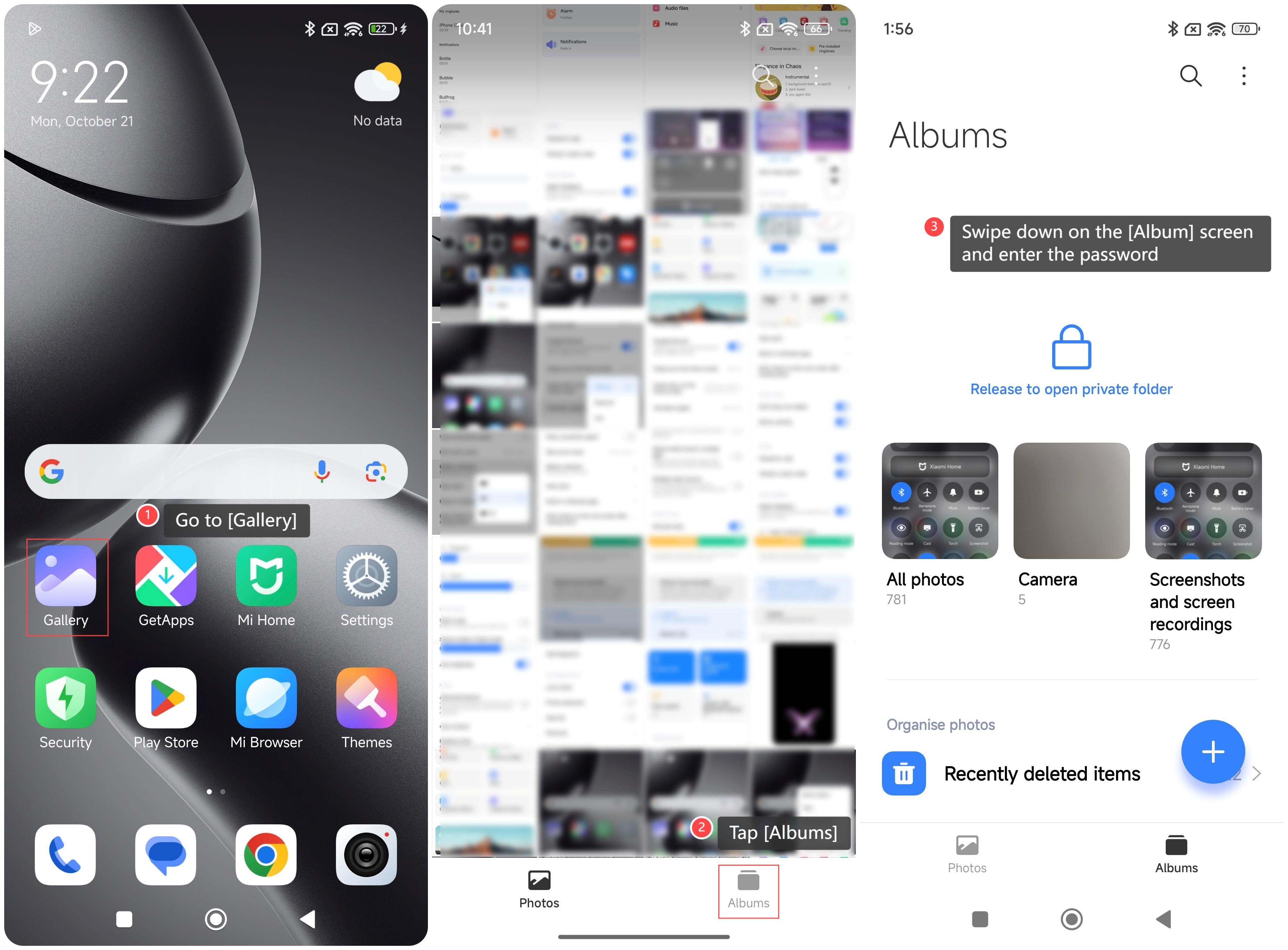
1. Go to [Gallery];
2. Tap [Albums];
3. Swipe down on the [Album] screen and enter the password, then you can check your private photos.
Note:
If you have not set a privacy protection password, you will be asked to set it when you open the private album for the first time.
To add photos to the private album on your phone, please refer to the following steps:
1. Go to [Gallery];
2. Select the photo you want to add to the private album;
3. Tap the three-dot icon in the lower right corner of the screen;
4. Tap [Add to album];
5. Select [Private album];
6. Tap [OK].
To set the password for the private album, please refer to the following steps:
1. Go to [Settings];
2. Tap [Fingerprints, face data, and screen lock];
3. Tap [Privacy protection password] and follow the instructions to set a password.
To check the private photos on the phone, please refer to the following steps:
1. Go to [Gallery];
2. Tap [Albums];
3. Swipe down on the [Album] screen and enter the password, then you can check your private photos.
Note:
If you have not set a privacy protection password, you will be asked to set it when you open the private album for the first time.
Does it help?
Yes
No