

How to set a ringtone for the dual SIM card separately on the Xiaomi 14T Pro?
The Xiaomi 14T Pro supports setting ringtones separately for each dual SIM card, allowing you to express your individuality and preferences through custom ringtones. A unique ringtone helps you quickly identify incoming calls, making it easier to distinguish between the two SIM cards. You can choose a ringtone from local ringtones or select an online ringtone to set for each SIM card.
To set a ringtone for the dual SIM card separately on your phone, please refer to the following methods:
Method 1:
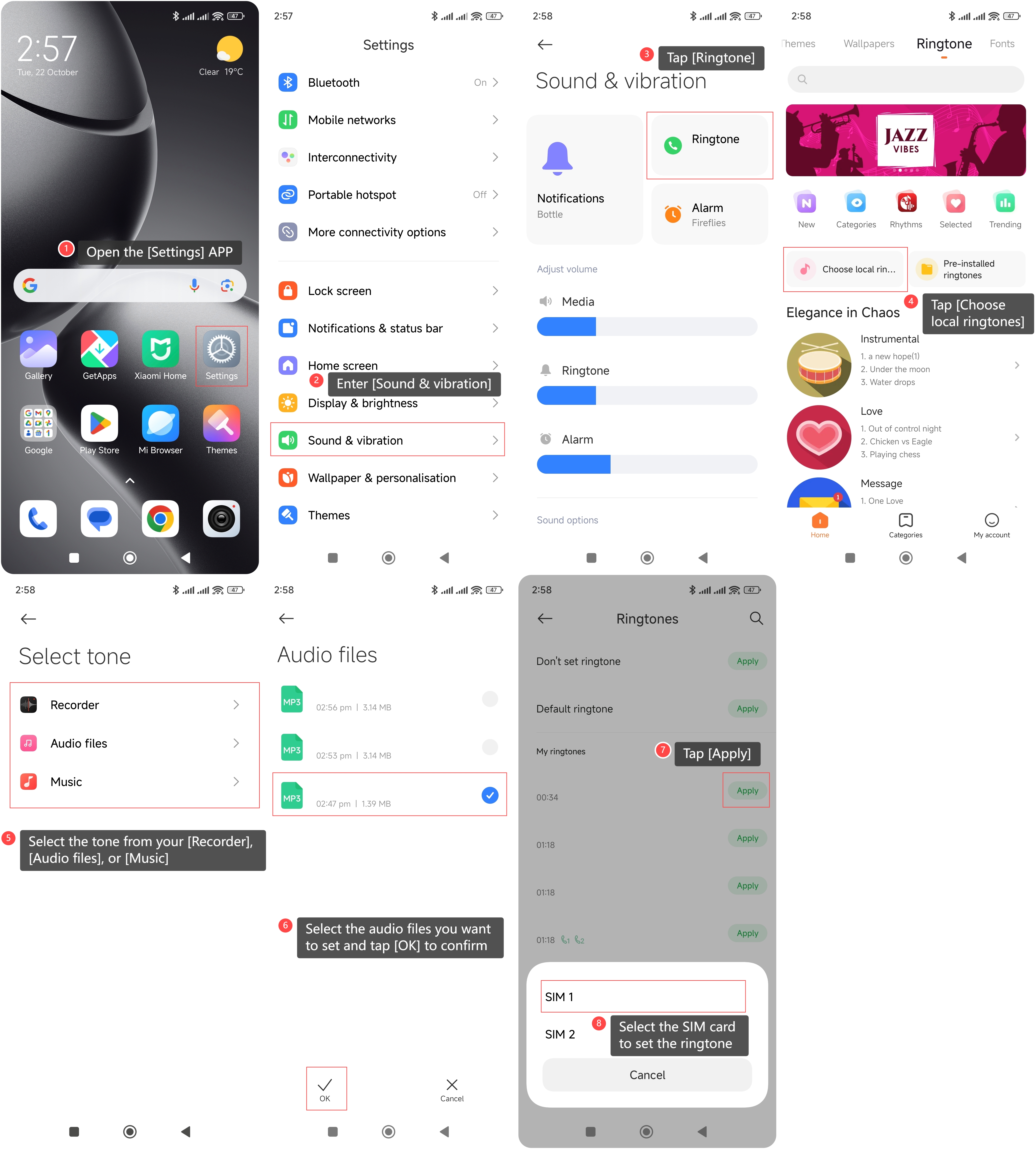
1. Open the [Settings] APP on your phone;
2. Enter [Sound & vibration];
3. Tap [Ringtone];
4. Tap [Choose local ringtones];
5. Select the tone from your [Recorder], [Audio files], or [Music];
6. Select the audio files you want to set and tap [OK] to confirm;
7. Tap [Apply];
8. Select the SIM card to set the ringtone.
Method 2:
1. Open the [Settings] APP on your phone;
2. Enter [Sound & vibration];
3. Tap [Ringtone];
4. Choose one online ringtone category you prefer;
5. Tap the ringtone icon on the right of the sound you want to set as your ringtone;
6. Select the SIM card to set the ringtone.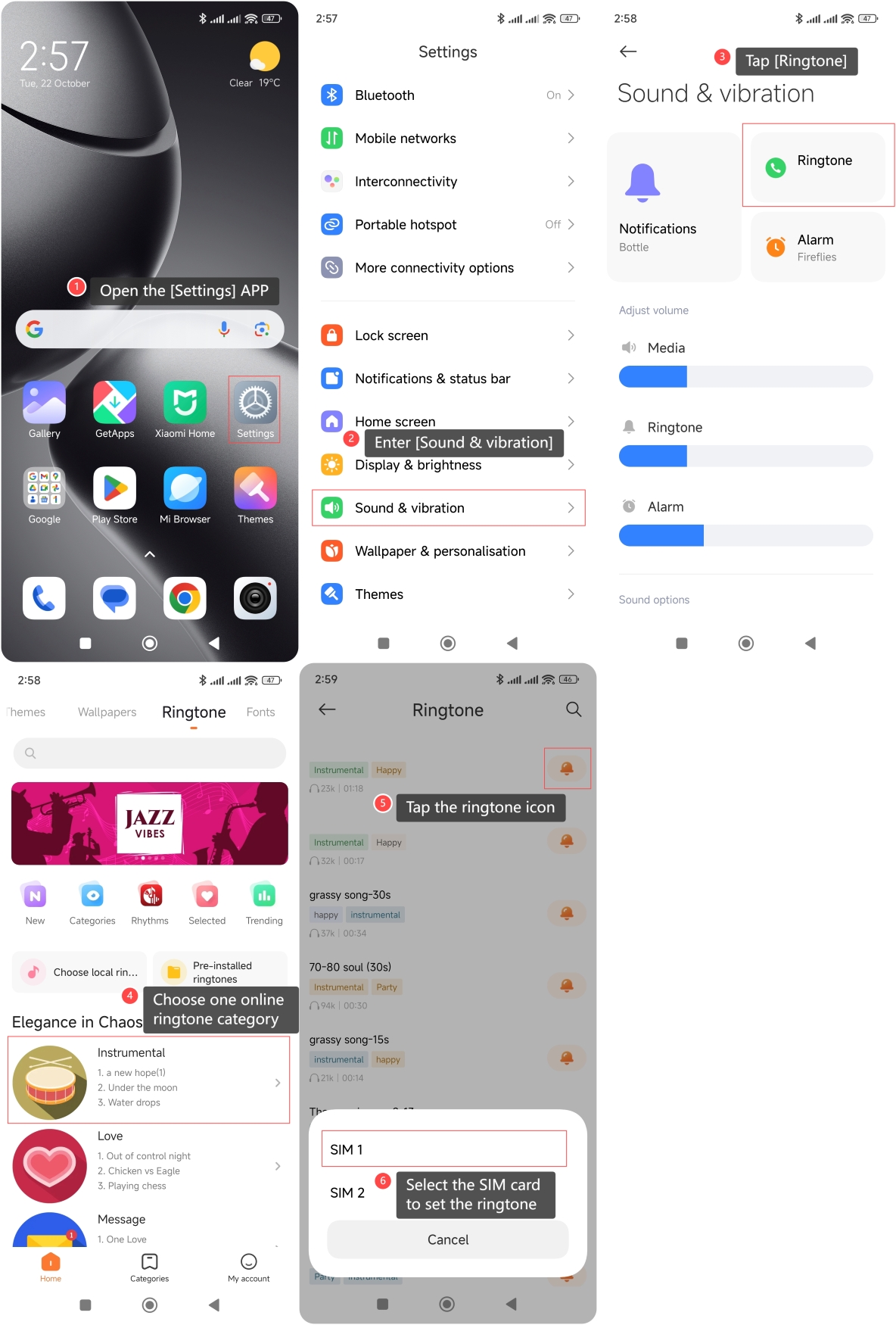
Does it help?