

How to turn on Dolby Atmos on the Xiaomi 14T Pro?
The Xiaomi 14T Pro supports turning on Dolby Atmos, which allows sound to move freely around the listener, making it feel more immersive. This technology supports various audio formats, enabling richer detail in movies, games, and music.
To turn on Dolby Atmos on the phone, please refer to the following methods:
Method 1:
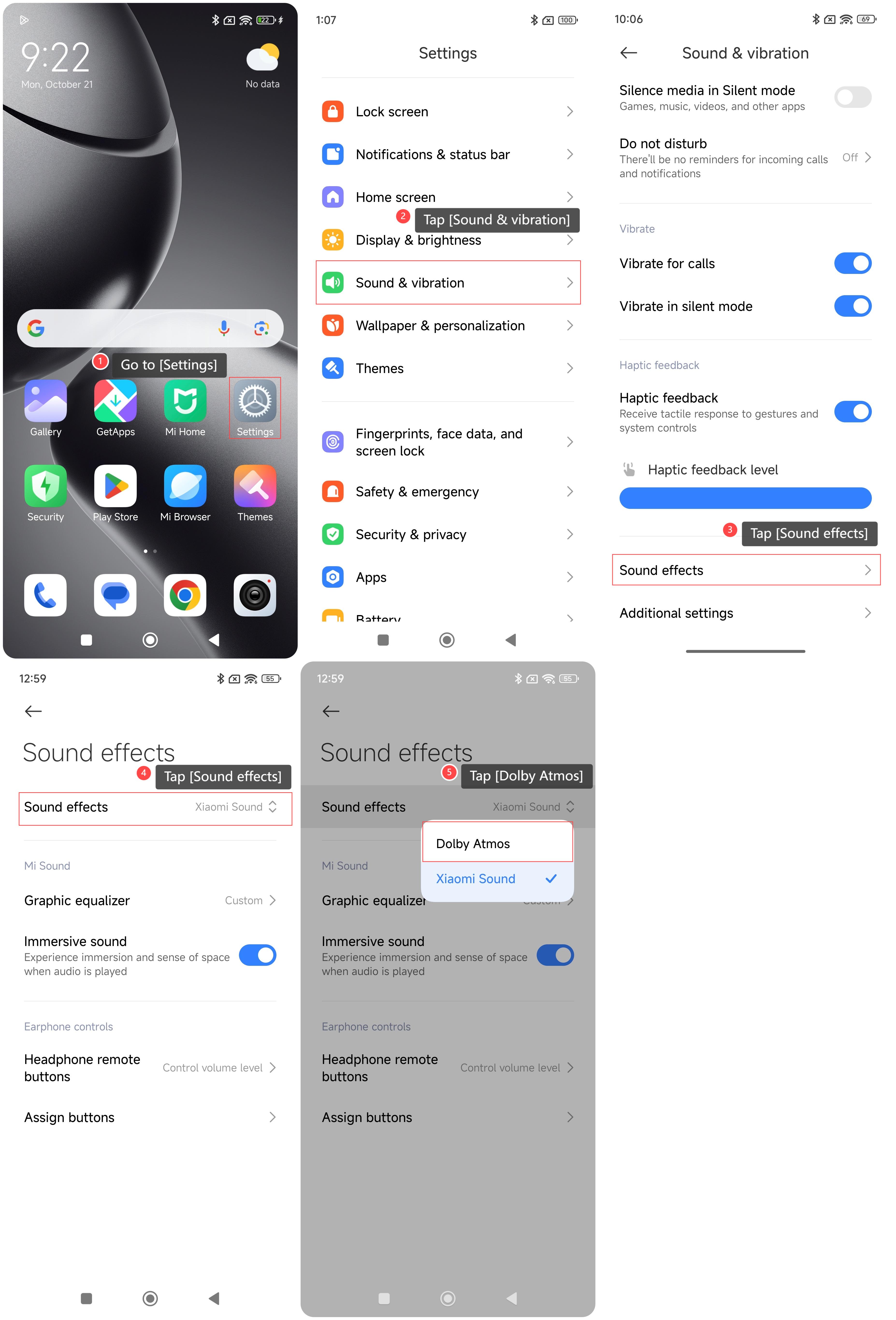
1. Go to [Settings];
2. Tap [Sound & vibration];
3. Swipe down to find and tap [Sound effects];
4. Tap [Sound effects];
5. Tap [Dolby Atmos].
Method 2:
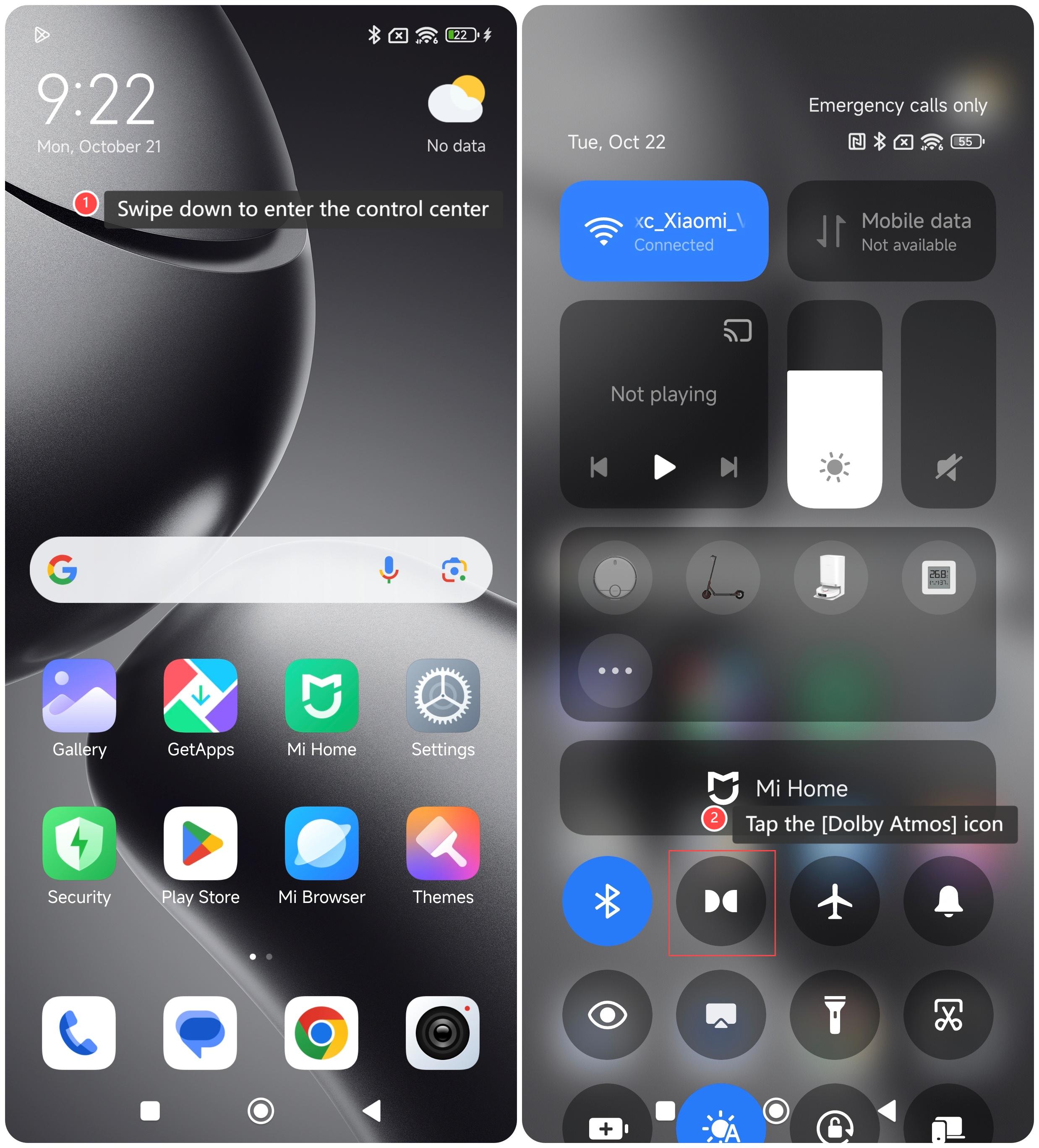
1. Swipe down from the right top of the home screen to enter the control center;
2. Tap the [Dolby Atmos] icon.
To turn on Dolby Atmos on the phone, please refer to the following methods:
Method 1:
1. Go to [Settings];
2. Tap [Sound & vibration];
3. Swipe down to find and tap [Sound effects];
4. Tap [Sound effects];
5. Tap [Dolby Atmos].
Method 2:
1. Swipe down from the right top of the home screen to enter the control center;
2. Tap the [Dolby Atmos] icon.
Does it help?
Yes
No