

How to adjust filters on the Xiaomi 14T while taking a photo or a video?
Adjusting filters on the Xiaomi 14T while taking photos or videos allows for real-time enhancements, enabling you to achieve desired aesthetics instantly. This feature fosters creativity, ensuring images have a polished look without needing post-editing.
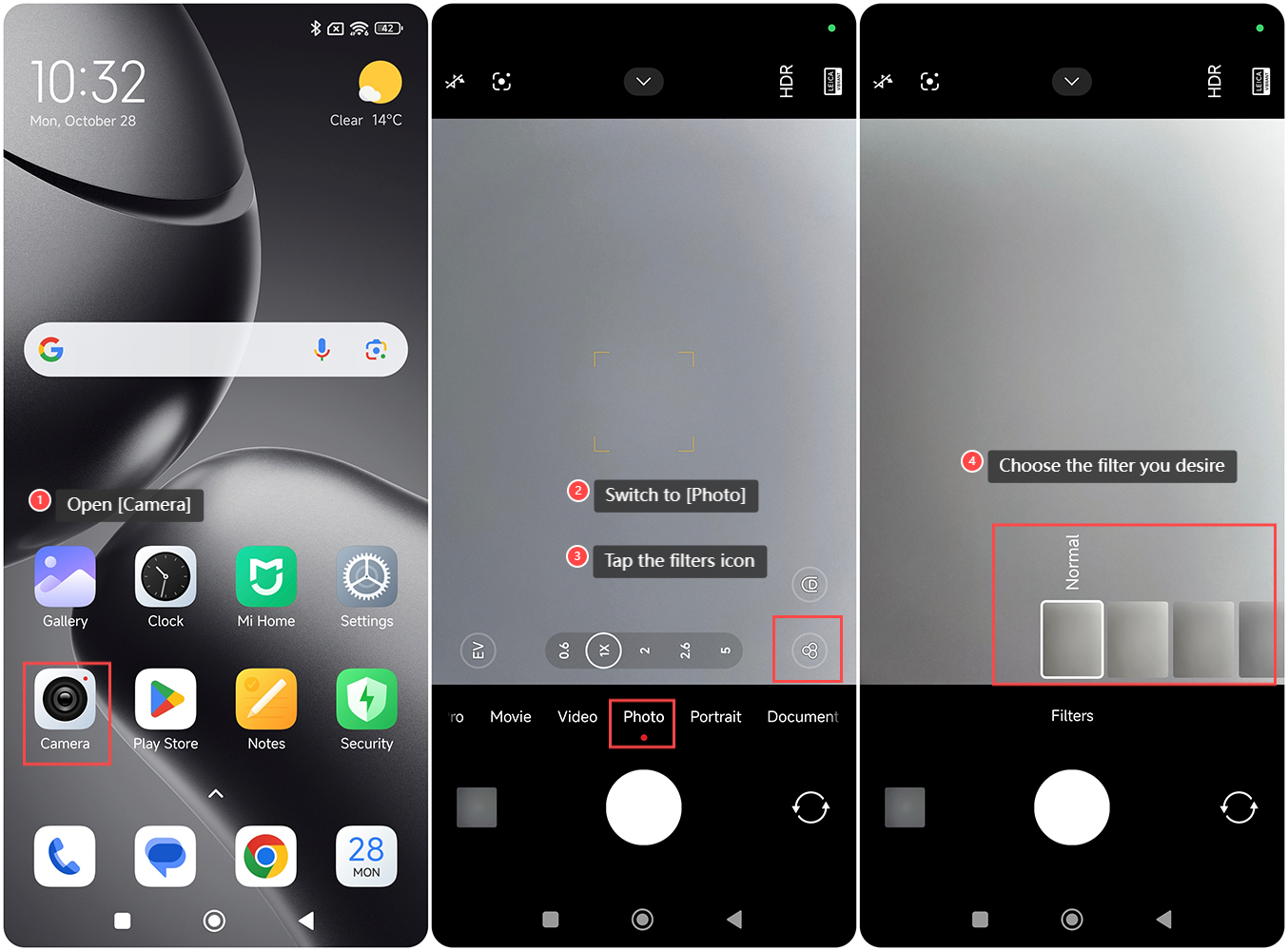
To adjust filters on the Xiaomi 14T while taking a photo, please refer to the following steps:
1. Open the [Camera] APP on your phone;
2. Switch to [Photo];
3. Tap the filters icon;
4. Choose the filter you desire.
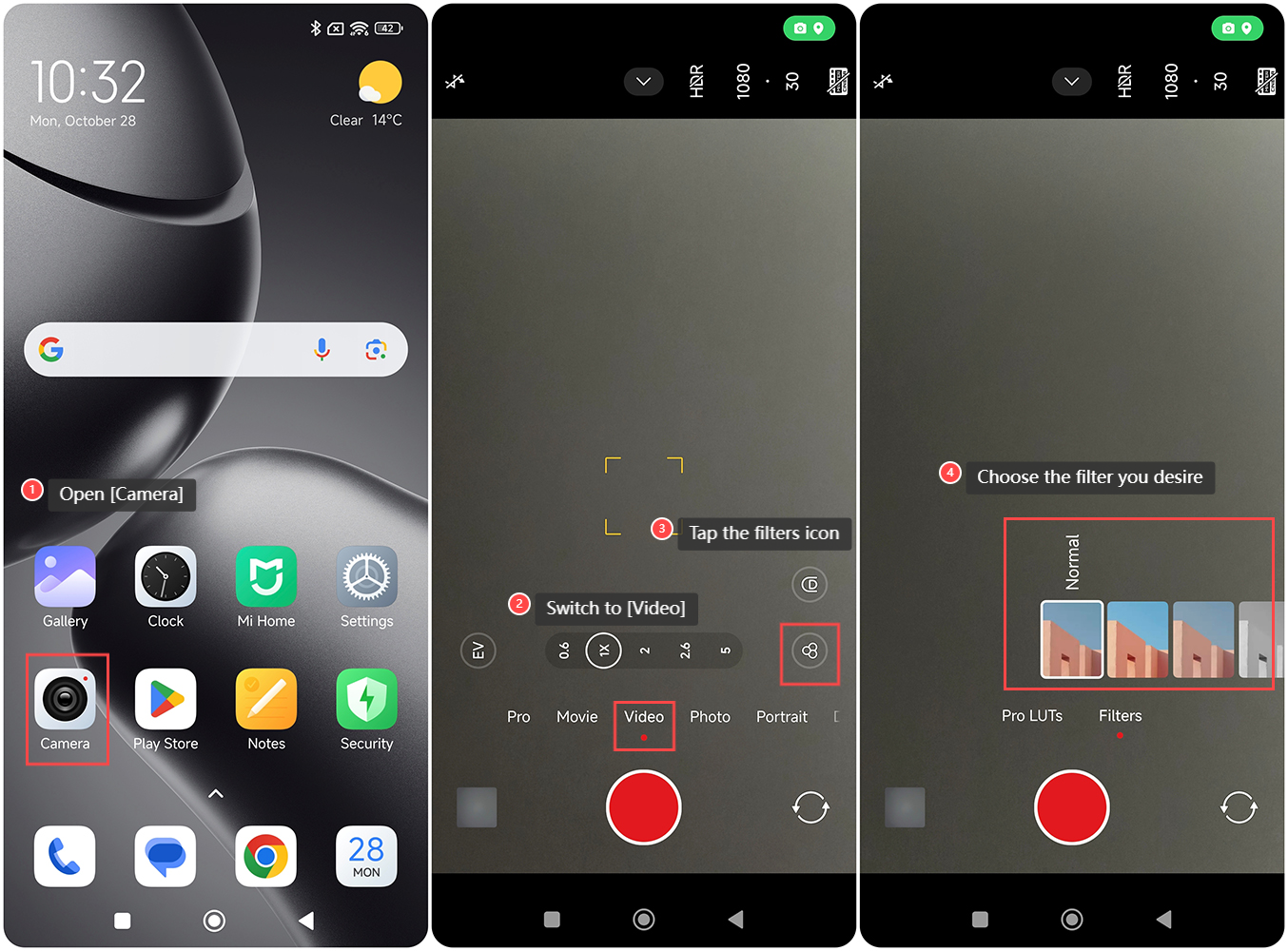
To adjust filters on your phone while taking a video, please refer to the following steps:
1. Open the [Camera] APP on your phone;
2. Switch to [Video];
3. Tap the filters icon;
4. Choose the filter you desire.
Note:
1. Check available storage, as higher-quality images with filters can consume more space;
2. It's advisable to pay attention to lighting, as filters can influence brightness and color balance, which can lead to unintended results.
To adjust filters on the Xiaomi 14T while taking a photo, please refer to the following steps:
1. Open the [Camera] APP on your phone;
2. Switch to [Photo];
3. Tap the filters icon;
4. Choose the filter you desire.
To adjust filters on your phone while taking a video, please refer to the following steps:
1. Open the [Camera] APP on your phone;
2. Switch to [Video];
3. Tap the filters icon;
4. Choose the filter you desire.
Note:
1. Check available storage, as higher-quality images with filters can consume more space;
2. It's advisable to pay attention to lighting, as filters can influence brightness and color balance, which can lead to unintended results.
Does it help?
Yes
No