

How to enable/disable Reading mode on the Xiaomi 14T Pro?
Reading mode on the Xiaomi 14T Pro is a feature designed to enhance the viewing experience by reducing eye strain. When activated, it can adjust the colors and textures of items on your screen allowing your eyes to relax.
To enable/disable Reading mode on your phone, please refer to the following methods:
Method 1:
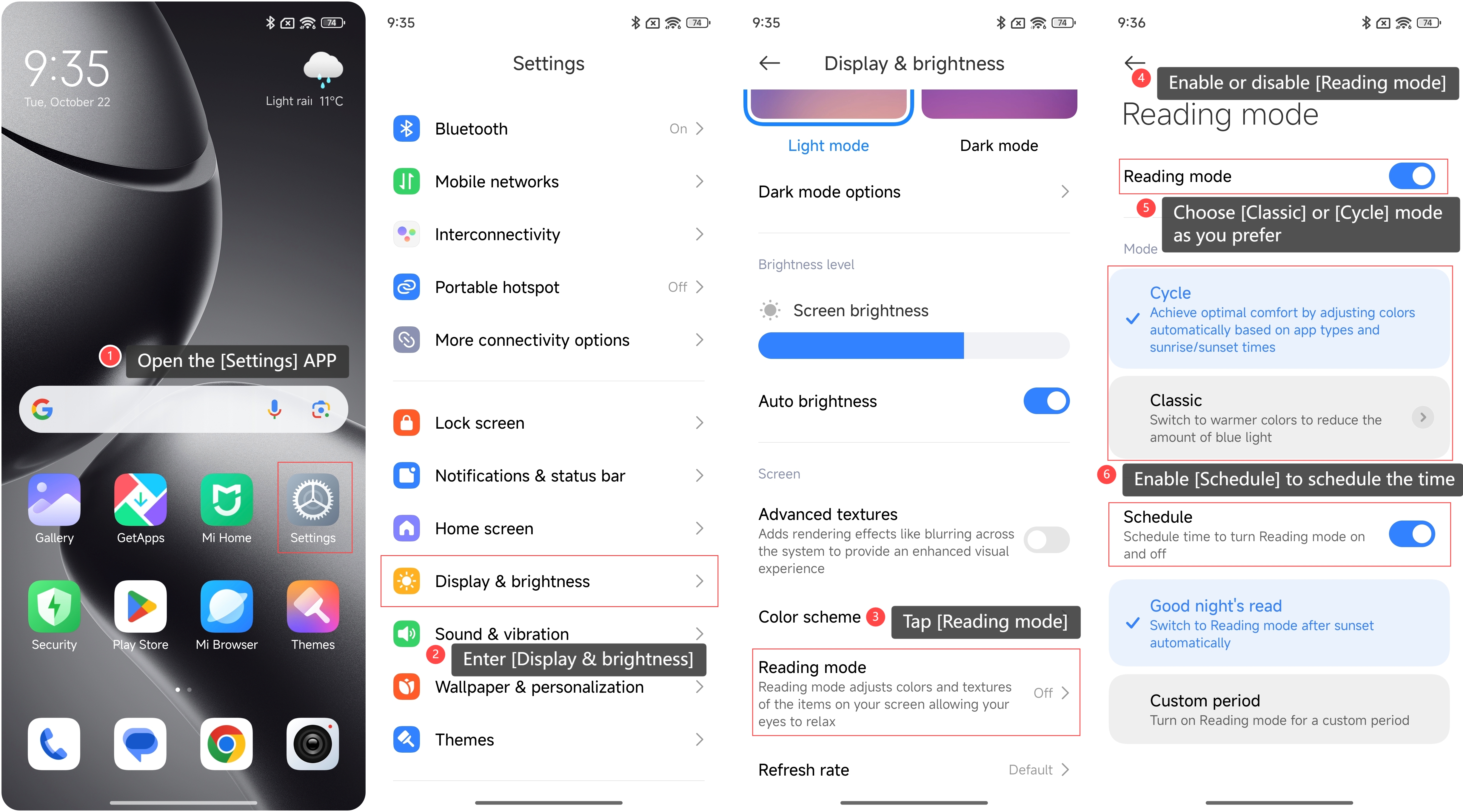
1. Open the [Settings] APP on your phone;
2. Enter [Display & brightness];
3. Tap [Reading mode];
4. Enable or disable [Reading mode];
5. You can choose [Classic] or [Cycle] mode as you prefer;
6. Additionally, you can enable [Schedule] to schedule the time to turn Reading mode on and off. There are two options you can set: [Good night’s read] or [Custom period].
To enable/disable Reading mode on your phone, please refer to the following methods:
Method 1:
1. Open the [Settings] APP on your phone;
2. Enter [Display & brightness];
3. Tap [Reading mode];
4. Enable or disable [Reading mode];
5. You can choose [Classic] or [Cycle] mode as you prefer;
6. Additionally, you can enable [Schedule] to schedule the time to turn Reading mode on and off. There are two options you can set: [Good night’s read] or [Custom period].
Method 2:
1. Swipe down from the upper right corner of the screen to access the control center;
2. Tap the [Reading mode] icon to quickly turn on/off.
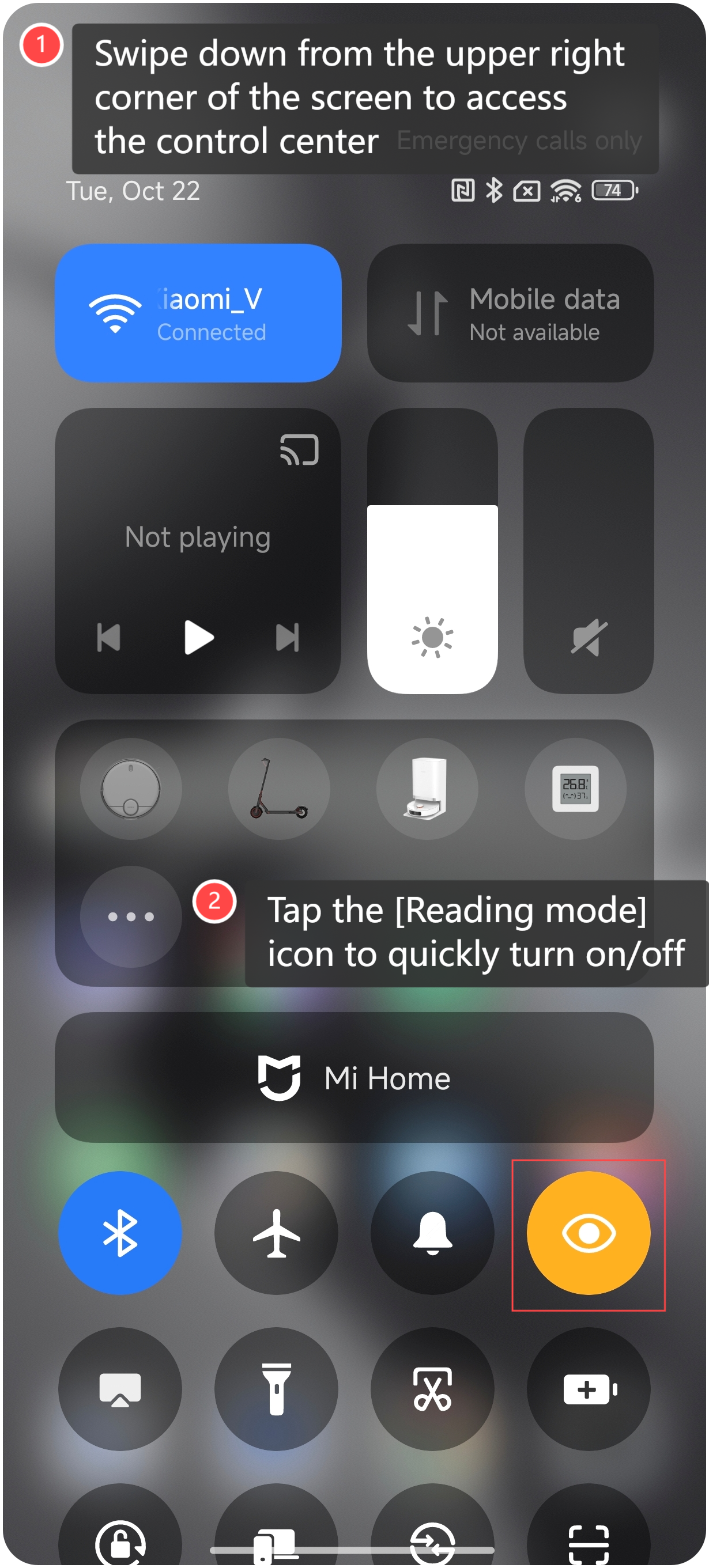
1. Swipe down from the upper right corner of the screen to access the control center;
2. Tap the [Reading mode] icon to quickly turn on/off.
Note:
1. The classic reading mode can switch the screen to warmer colors to reduce the amount of blue light;
2. The cycle reading mode can achieve optimal comfort by adjusting colors automatically based on APP types and sunrise/sunset times.
1. The classic reading mode can switch the screen to warmer colors to reduce the amount of blue light;
2. The cycle reading mode can achieve optimal comfort by adjusting colors automatically based on APP types and sunrise/sunset times.
Does it help?
Yes
No