

How to set the notification effects when the Xiaomi 14T Pro is locked?
The Xiaomi 14T Pro supports setting the notification effects when the device is locked. This feature enables you to choose from various visual effects that reflect your personal style and preferences. By customizing these effects, you can make notifications more noticeable and aesthetically pleasing.
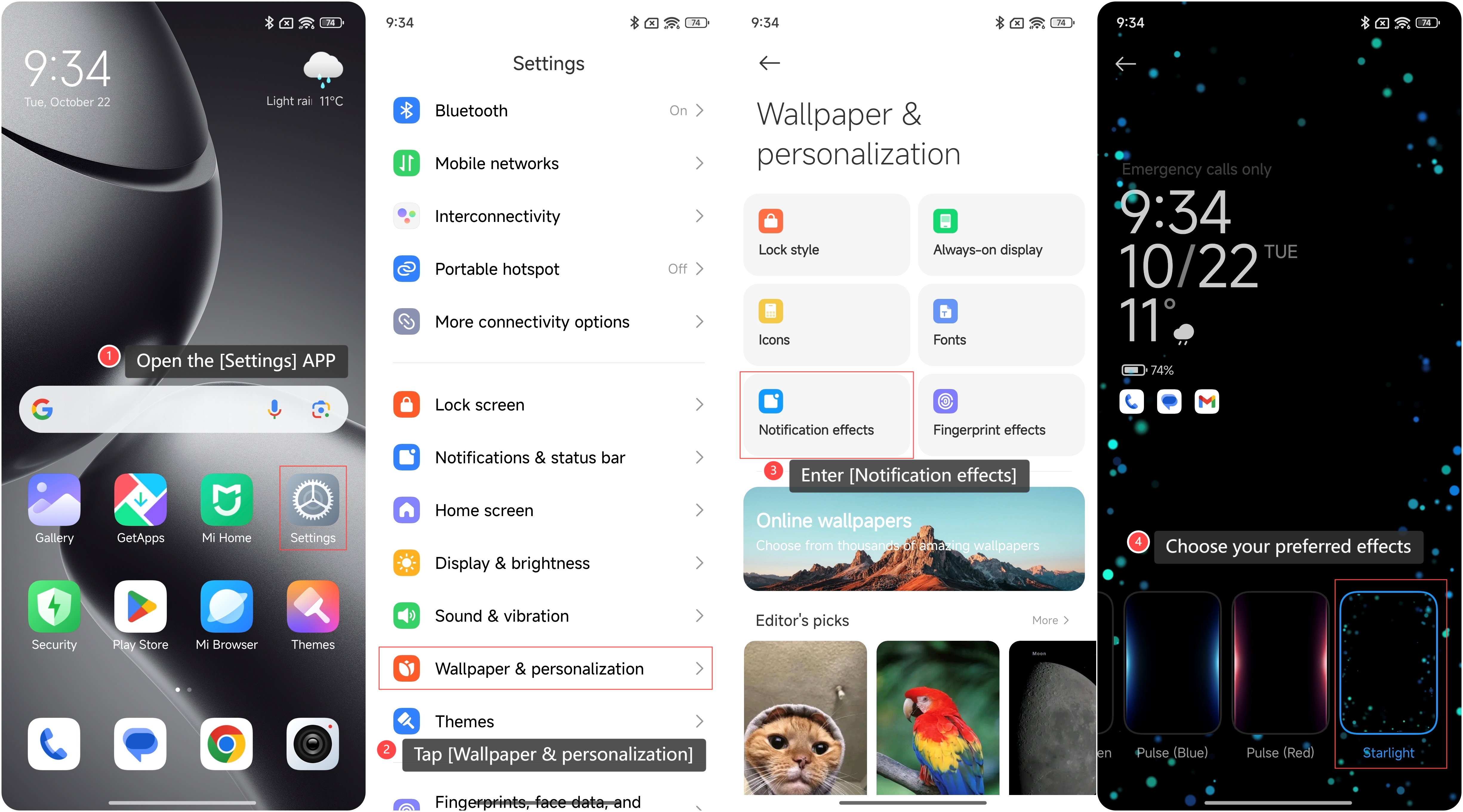
To set the notification effects when the phone is locked, please refer to the following steps:
1. Open the [Settings] APP on your phone;
2. Scroll down to locate and tap [Wallpaper & personalization];
3. Enter [Notification effects] to access the available options;
4. Choose your preferred effects from the list provided.
Note:
There are several effects you can choose from, such as Light up screen, Pulse (Blue), Pulse (Red), and Starlight.
Does it help?