

How to set time zone on the Xiaomi 14T Pro?
Setting the time zone on the Xiaomi 14T Pro ensures an accurate time display for local activities, schedules, and APP functionality. It is very useful especially when traveling around the world, which helps maintain timely notifications and correct calendar events.
To set the time zone on the Xiaomi 14T Pro, please refer to the following steps:
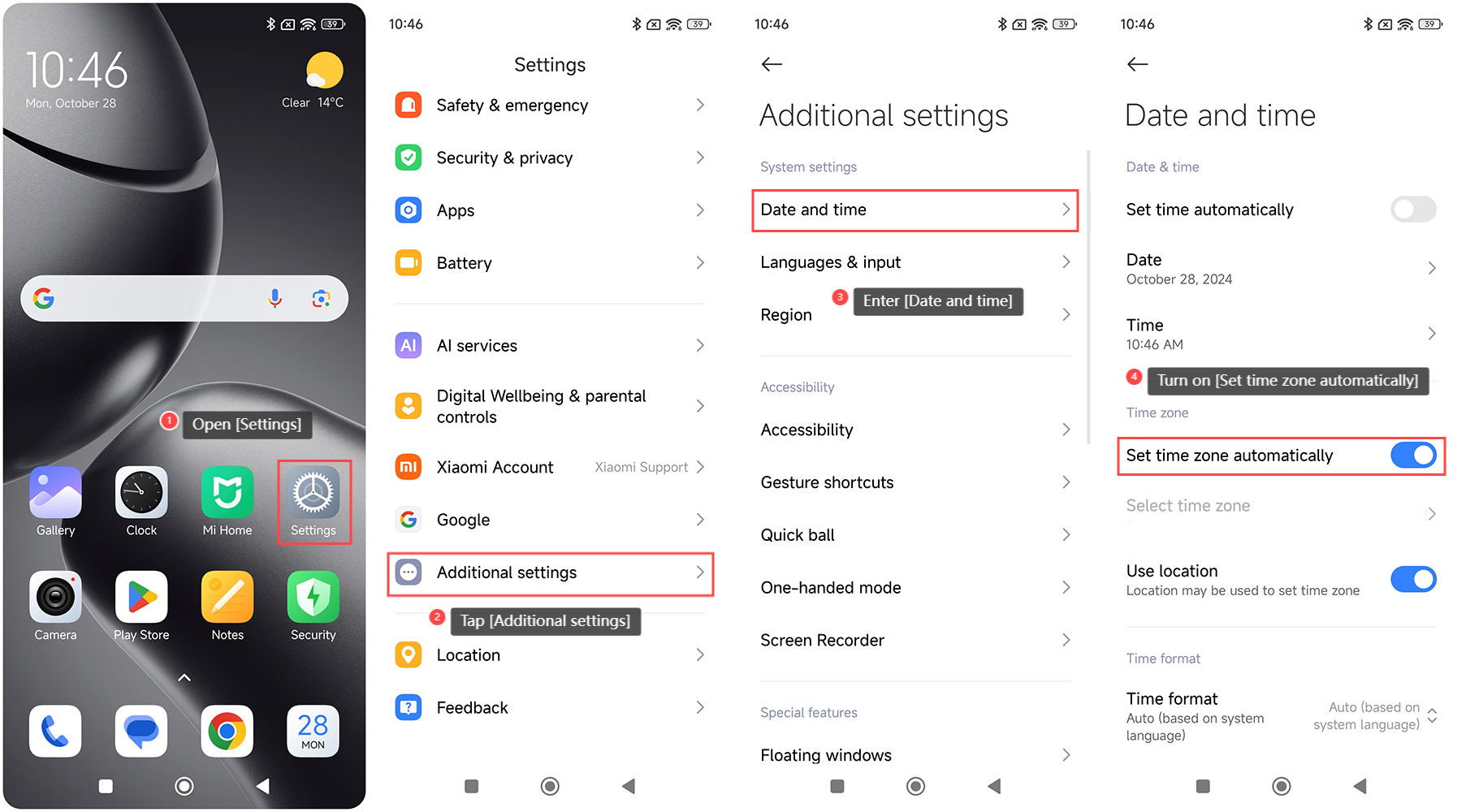
1. Open the [Settings] APP on your phone;
2. Scroll down and select [Additional settings];
3. Enter [Date and time];
4. Turn on [Set time zone automatically] and your phone can detect and adjust the time zone based on your current location automatically;
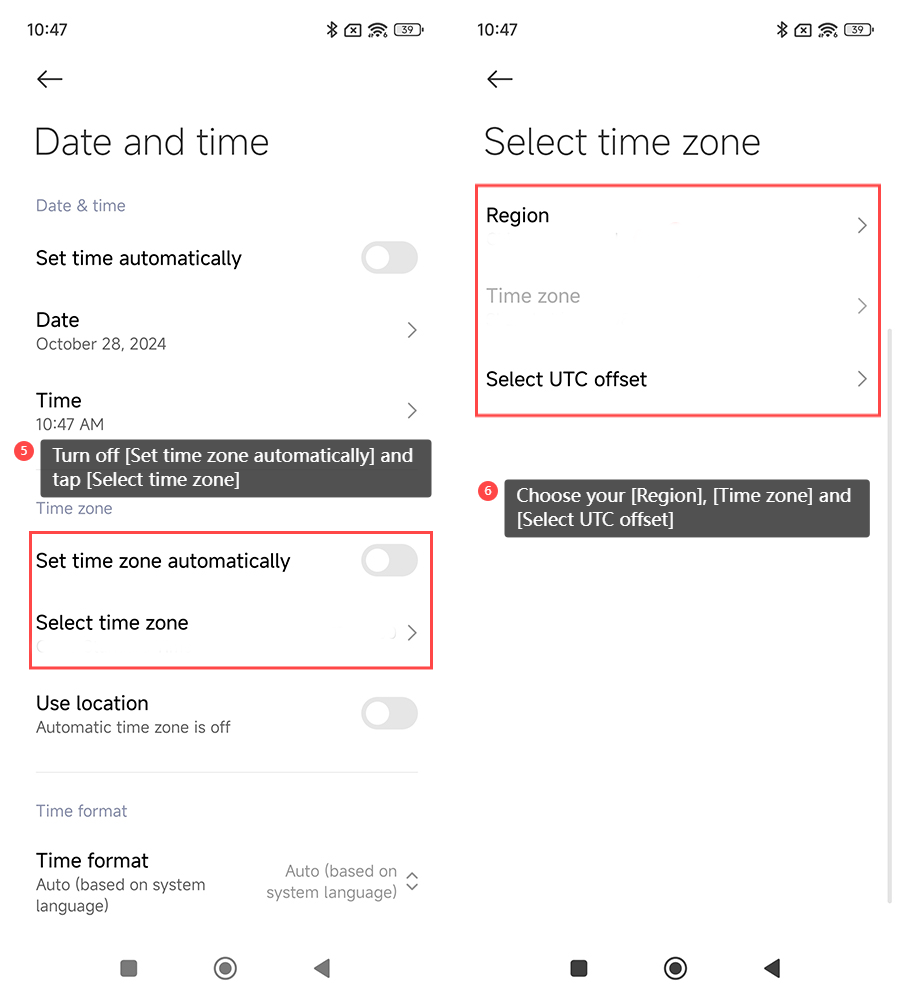
5. Additionally, you can set the time zone manually by disabling [Set time zone automatically] and tapping [Select time zone];
6. Choose your [Region], [Time zone] and [Select UTC offset].
To set the time zone on the Xiaomi 14T Pro, please refer to the following steps:
1. Open the [Settings] APP on your phone;
2. Scroll down and select [Additional settings];
3. Enter [Date and time];
4. Turn on [Set time zone automatically] and your phone can detect and adjust the time zone based on your current location automatically;
5. Additionally, you can set the time zone manually by disabling [Set time zone automatically] and tapping [Select time zone];
6. Choose your [Region], [Time zone] and [Select UTC offset].
Does it help?
Yes
No