

How to use AI Interpreter on the Xiaomi 14T?
The AI Interpreter feature on the Xiaomi 14T can provide you with instant translation services. Whether during outbound travel, shopping, dining, or asking for directions in everyday situations, it ensures seamless communication.
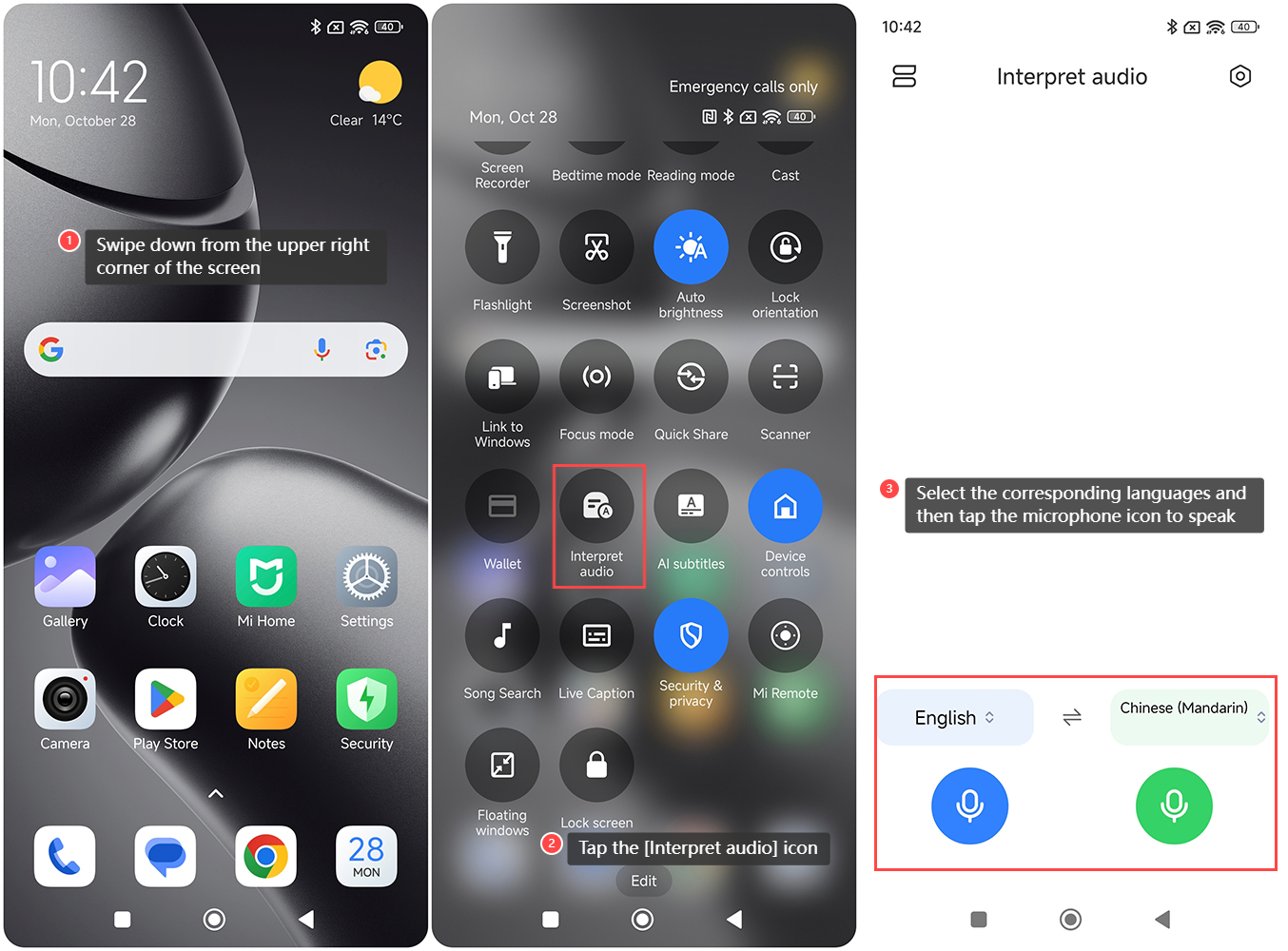
To use AI Interpreter offline on the Xiaomi 14T, please refer to the following steps:
1. Swipe down from the upper right corner of the screen to enter the control center;
2. Tap the [Interpret audio] icon;
3. Select the corresponding languages and then tap the microphone icon to speak;
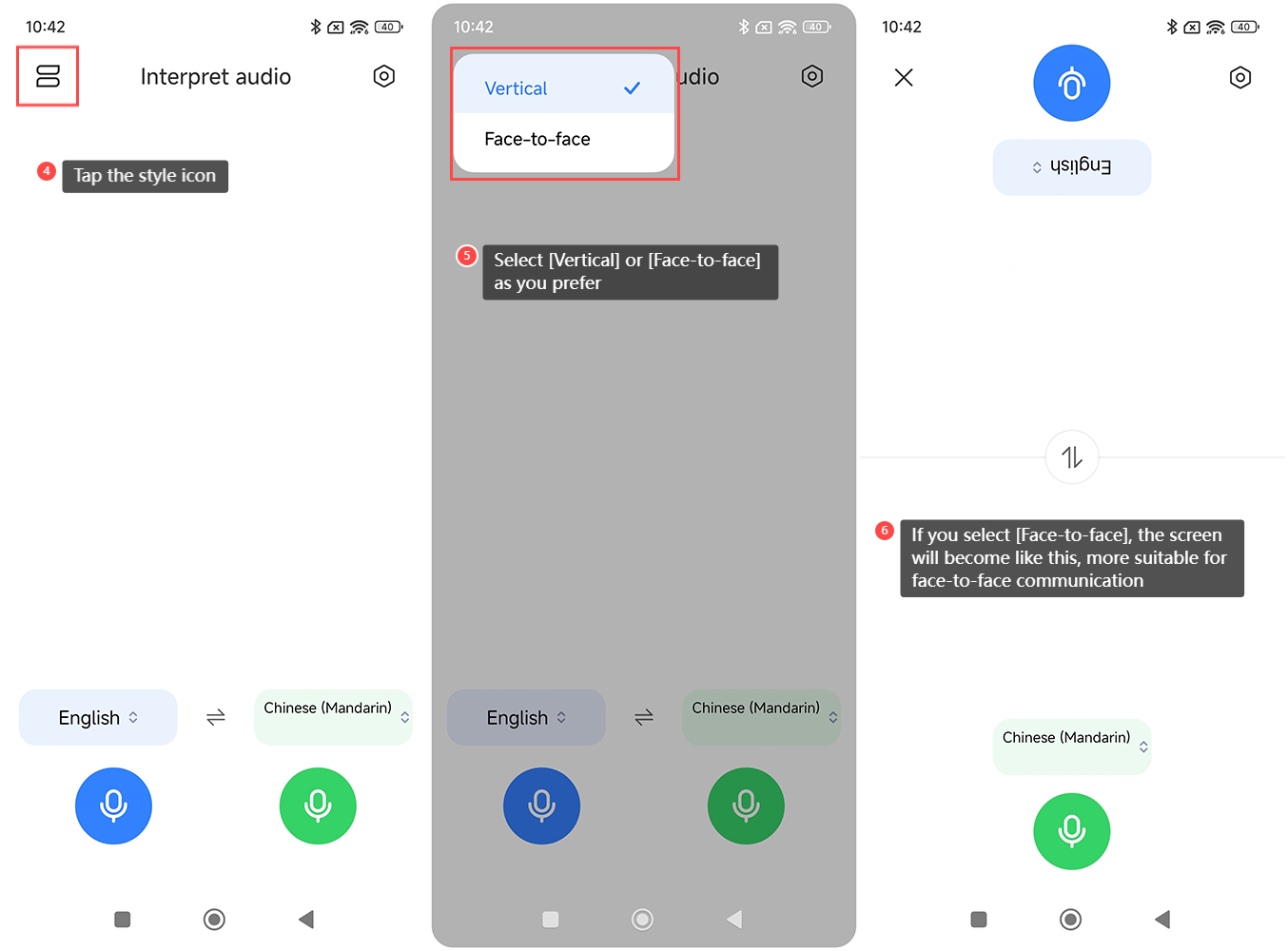
4. You can also tap the style icon in the upper left corner of the screen;
5. Select [Vertical] or [Face-to-face] as you prefer;
6. If you select [Face-to-face], the screen will become like this, more suitable for face-to-face communication.
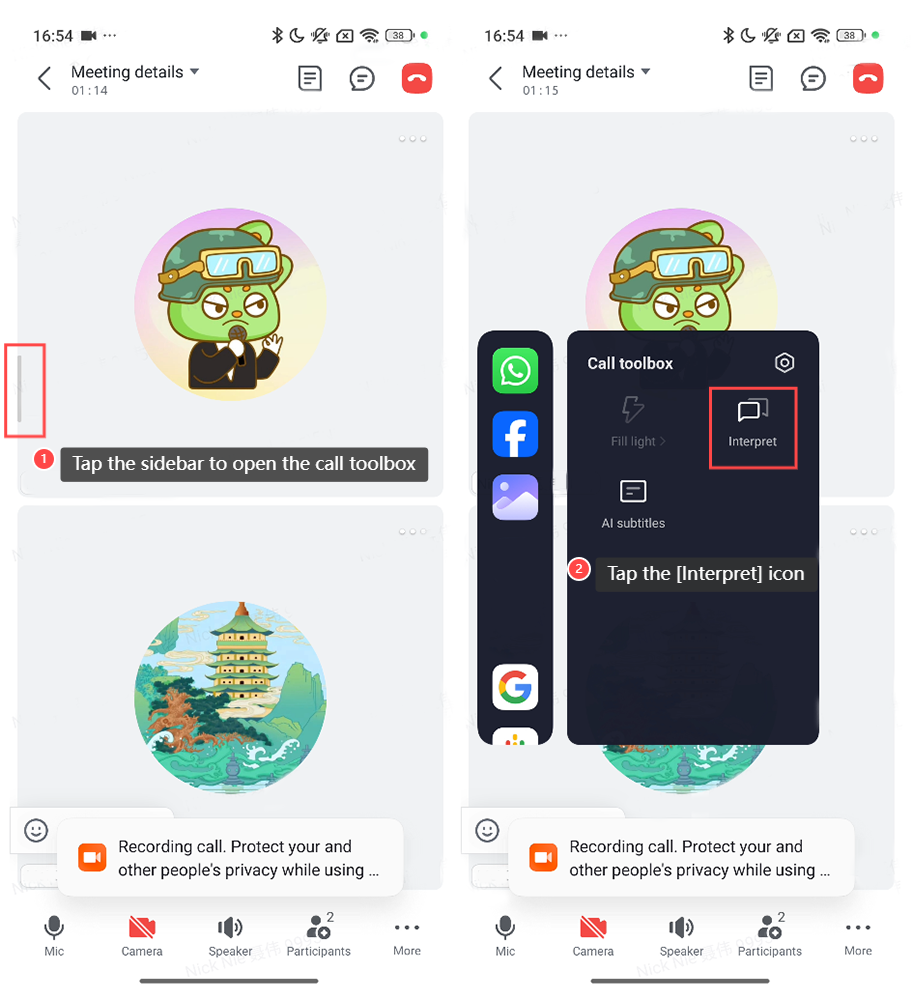
To use AI Interpreter during a call or an online meeting, please refer to the following steps:
1. During a call or an online meeting, tap the sidebar to open the call toolbox;
2. Tap the [Interpret] icon to use this function.
To use AI Interpreter offline on the Xiaomi 14T, please refer to the following steps:
1. Swipe down from the upper right corner of the screen to enter the control center;
2. Tap the [Interpret audio] icon;
3. Select the corresponding languages and then tap the microphone icon to speak;
4. You can also tap the style icon in the upper left corner of the screen;
5. Select [Vertical] or [Face-to-face] as you prefer;
6. If you select [Face-to-face], the screen will become like this, more suitable for face-to-face communication.
To use AI Interpreter during a call or an online meeting, please refer to the following steps:
1. During a call or an online meeting, tap the sidebar to open the call toolbox;
2. Tap the [Interpret] icon to use this function.
Does it help?
Yes
No