

How to optimize the battery usage manually on the Xiaomi 14T Pro?
Battery optimization on the Xiaomi 14T Pro refers to a set of features and settings designed to improve battery efficiency and extend usage time. This includes managing APP activity, reducing background processes, and limiting resource-intensive APPs that can drain power quickly.
To optimize the battery usage manually on the Xiaomi 14T Pro, please refer to the following methods:
Method 1:
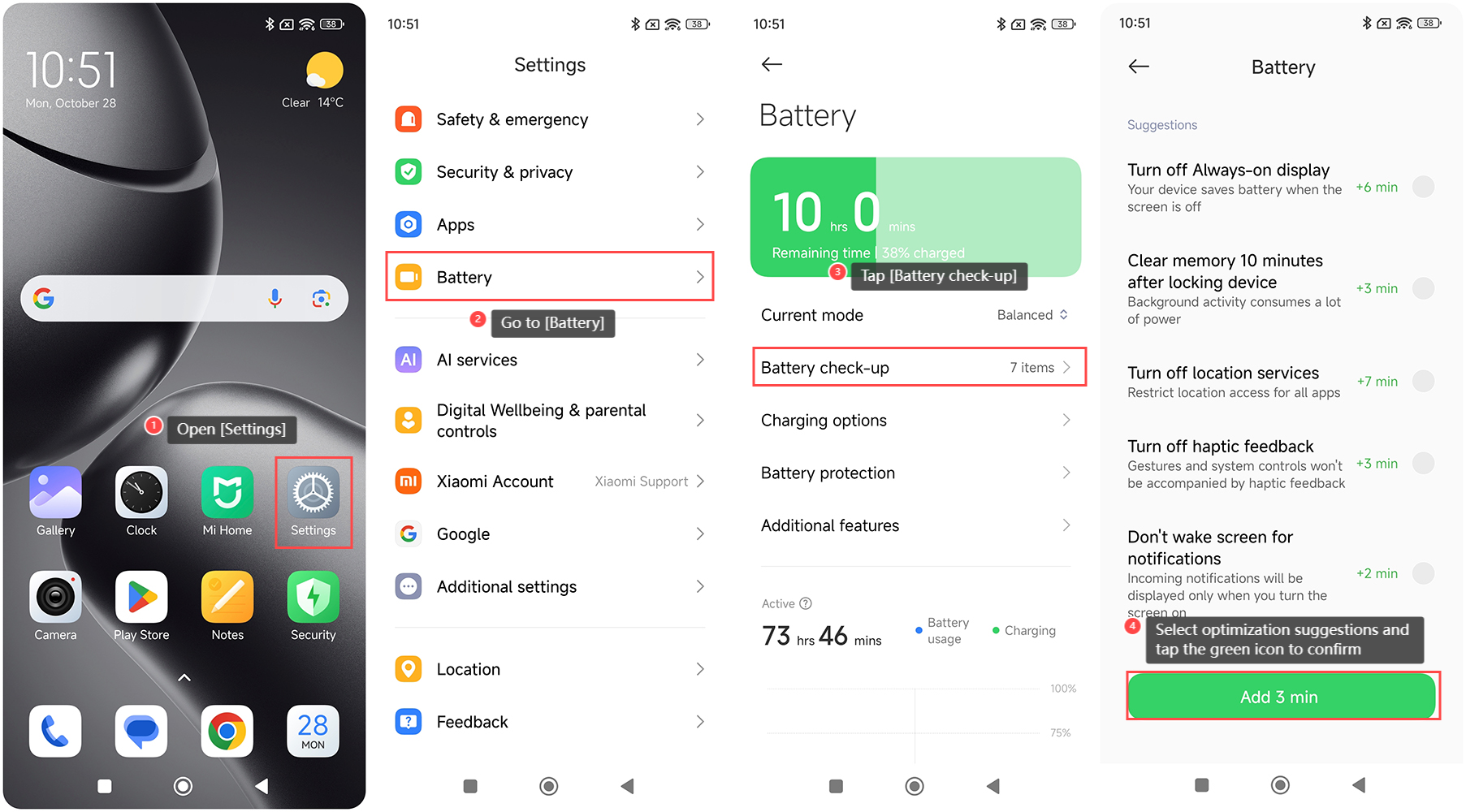
1. Open the [Settings] APP on your device;
2. Go to [Battery];
3. Tap [Battery check-up];
4. You can select optimization suggestions on this interface to extend battery life. Tap the green icon at the bottom of the screen to confirm your settings.
Method 2:
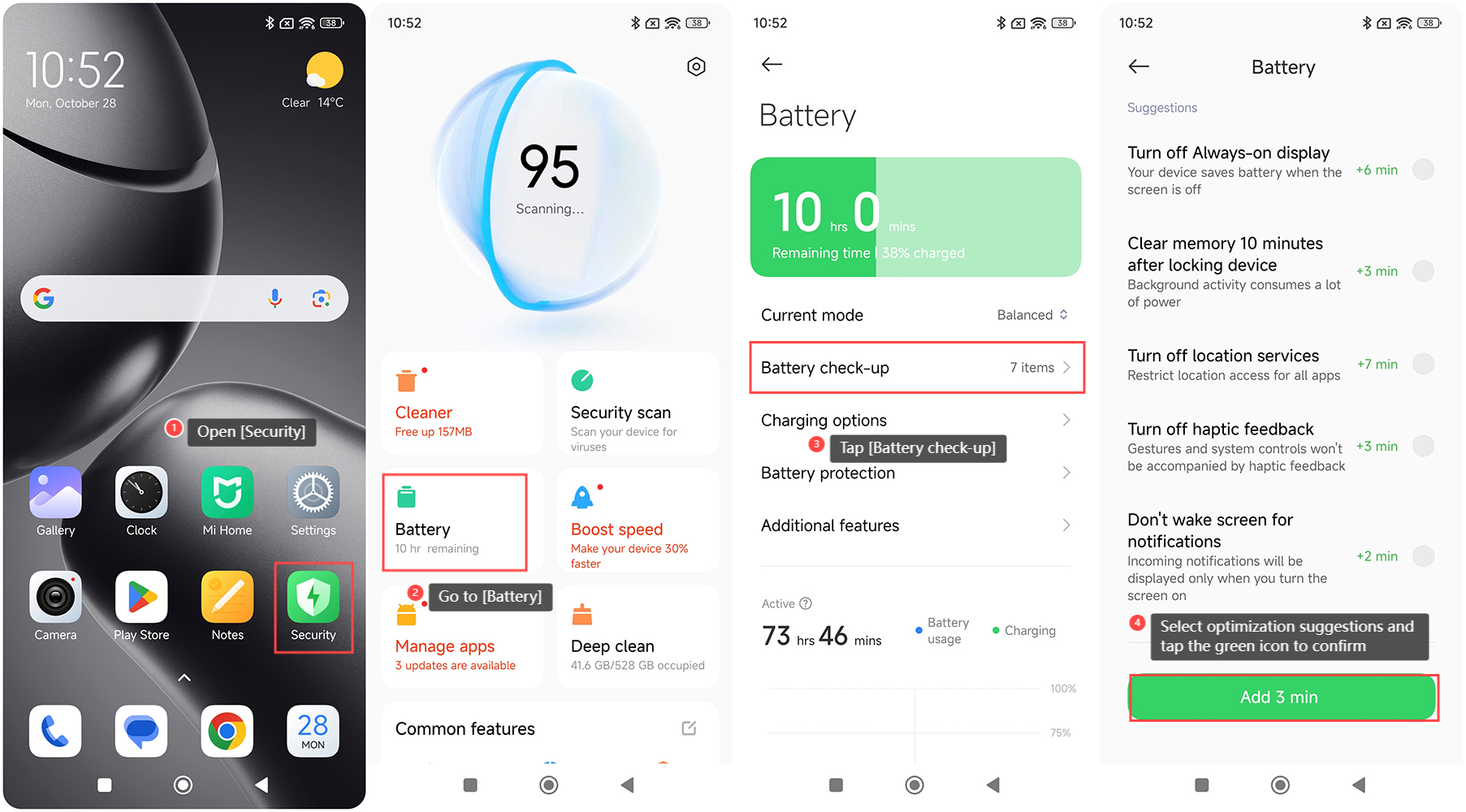
1. Open the [Security] APP on your device;
2. Go to [Battery];
3. Tap [Battery check-up];
4. Select optimization suggestions and tap the green icon at the bottom of the screen to confirm your settings.
To optimize the battery usage manually on the Xiaomi 14T Pro, please refer to the following methods:
Method 1:
1. Open the [Settings] APP on your device;
2. Go to [Battery];
3. Tap [Battery check-up];
4. You can select optimization suggestions on this interface to extend battery life. Tap the green icon at the bottom of the screen to confirm your settings.
Method 2:
1. Open the [Security] APP on your device;
2. Go to [Battery];
3. Tap [Battery check-up];
4. Select optimization suggestions and tap the green icon at the bottom of the screen to confirm your settings.
Does it help?
Yes
No