

How to set the shortcuts of the Quick ball on the Xiaomi 14T?
The function of setting the shortcuts of the Quick ball on your Xiaomi 14T allows you to quickly access frequently used actions and tools, enhancing convenience and efficiency. With customizable shortcuts, you can assign functions like Back, Home, Recent apps, Screenshot, and more, so they’re readily accessible from any screen without having to navigate through the menu.
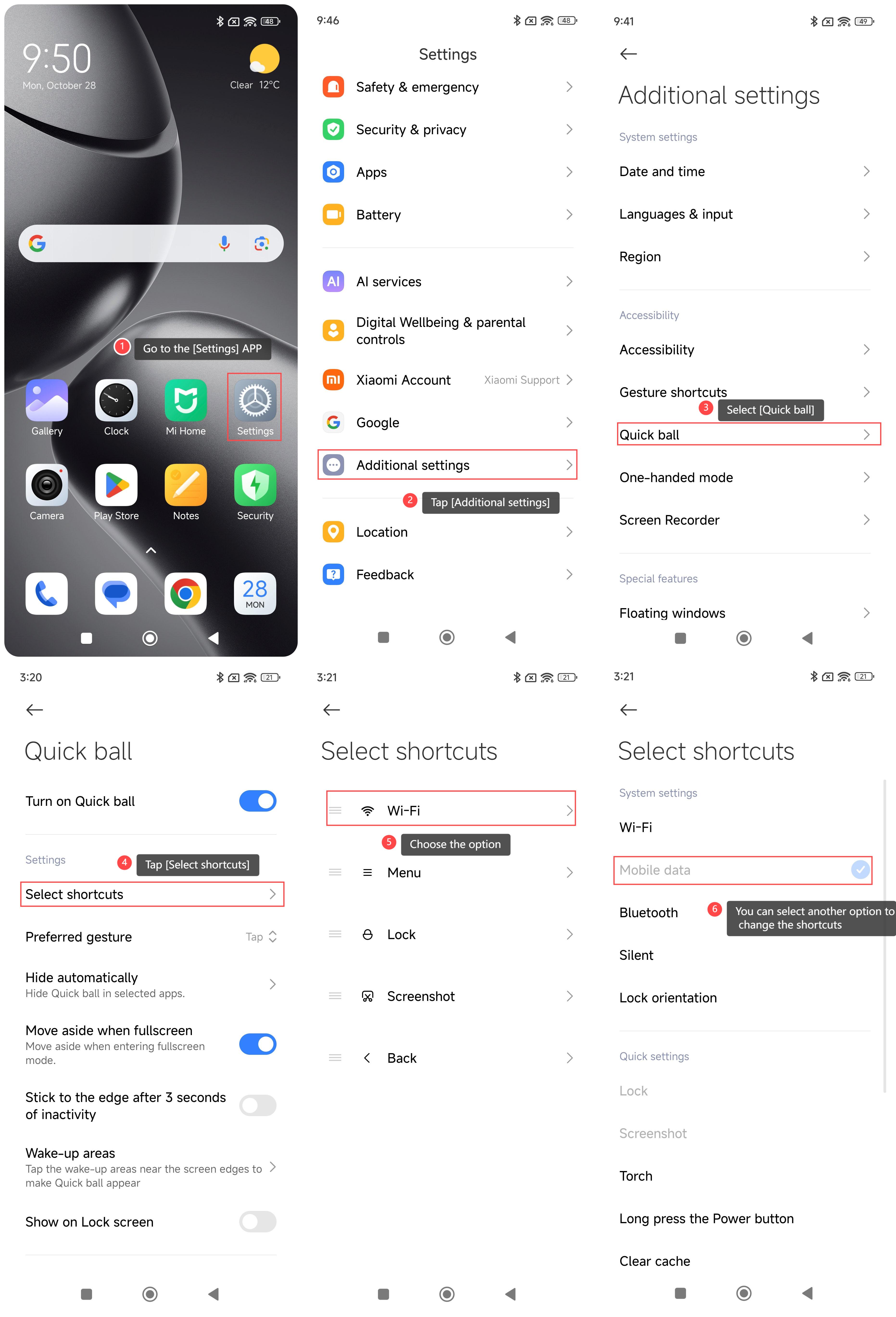
To set the shortcuts of the Quick ball on your phone, please refer to the following steps:
1. Go to the [Settings] APP on your phone;
2. Swipe down to find and tap [Additional settings];
3. Select [Quick ball];
4. Tap [Select shortcuts];
5. Choose the option;
6. You can select another option to change the shortcuts of the quick ball.
Note:
The design of the floating ball facilitates quick operation, but it will also cause accidental touches. You can adjust the position of the floating ball or turn on automatic hiding as needed to reduce the probability of accidental touches.
To set the shortcuts of the Quick ball on your phone, please refer to the following steps:
1. Go to the [Settings] APP on your phone;
2. Swipe down to find and tap [Additional settings];
3. Select [Quick ball];
4. Tap [Select shortcuts];
5. Choose the option;
6. You can select another option to change the shortcuts of the quick ball.
Note:
The design of the floating ball facilitates quick operation, but it will also cause accidental touches. You can adjust the position of the floating ball or turn on automatic hiding as needed to reduce the probability of accidental touches.
Does it help?
Yes
No