

How to take screenshots on the Xiaomi 14T Pro?
The screenshot function on the Xiaomi 14T Pro provides a convenient and fast way to capture the screen on the phone, allowing you to easily record and share important information. It supports editing and annotation to meet diverse needs, and there is no need to download additional applications, thus saving storage space. In addition, you can easily manage screenshots for easy retrieval and use in the future. This makes screenshots a practical tool that improves the overall using experience.
To take screenshots on your phone, please refer to the following methods:
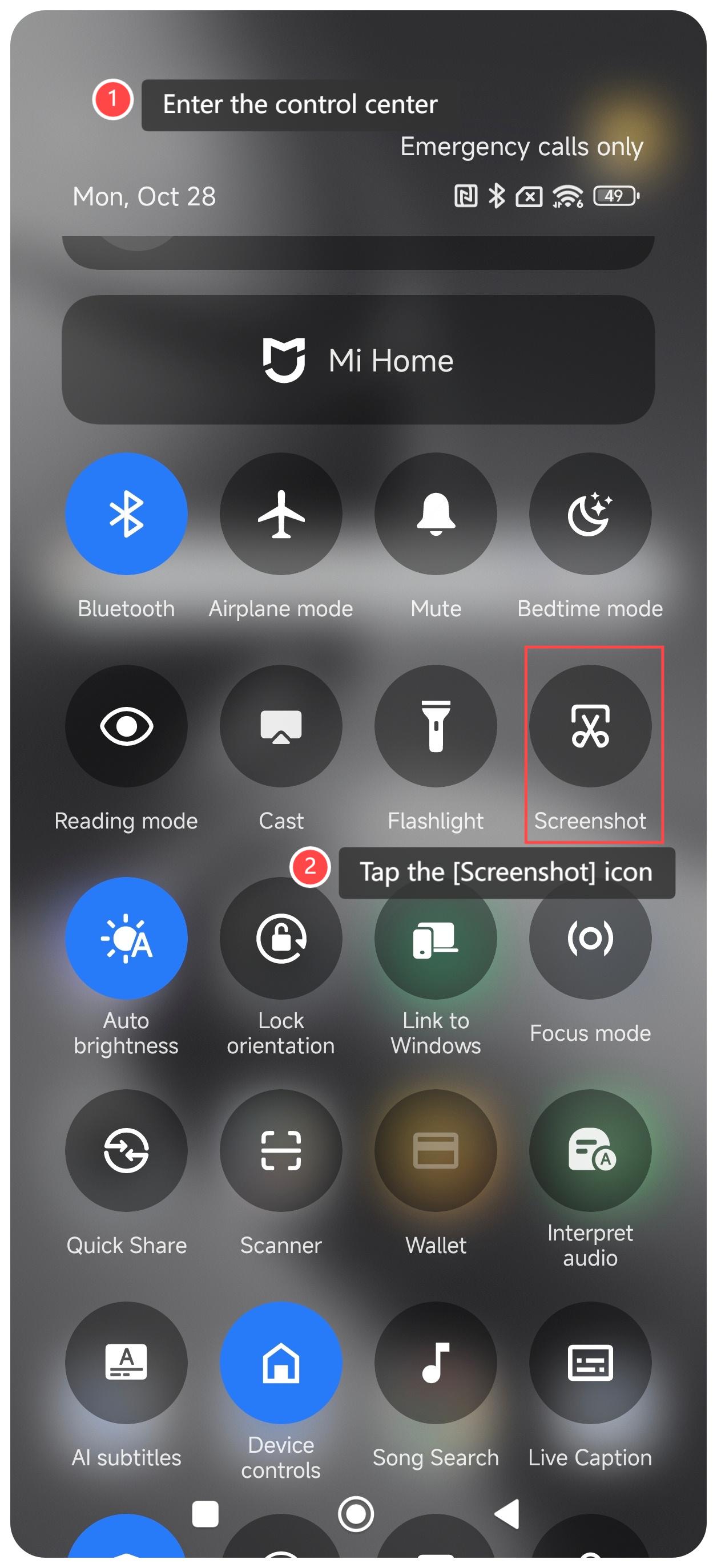
Method 1:
1. Swipe down from the upper right corner of the screen to enter the control center;
2. Tap the [Screenshot] icon.
Method 2:
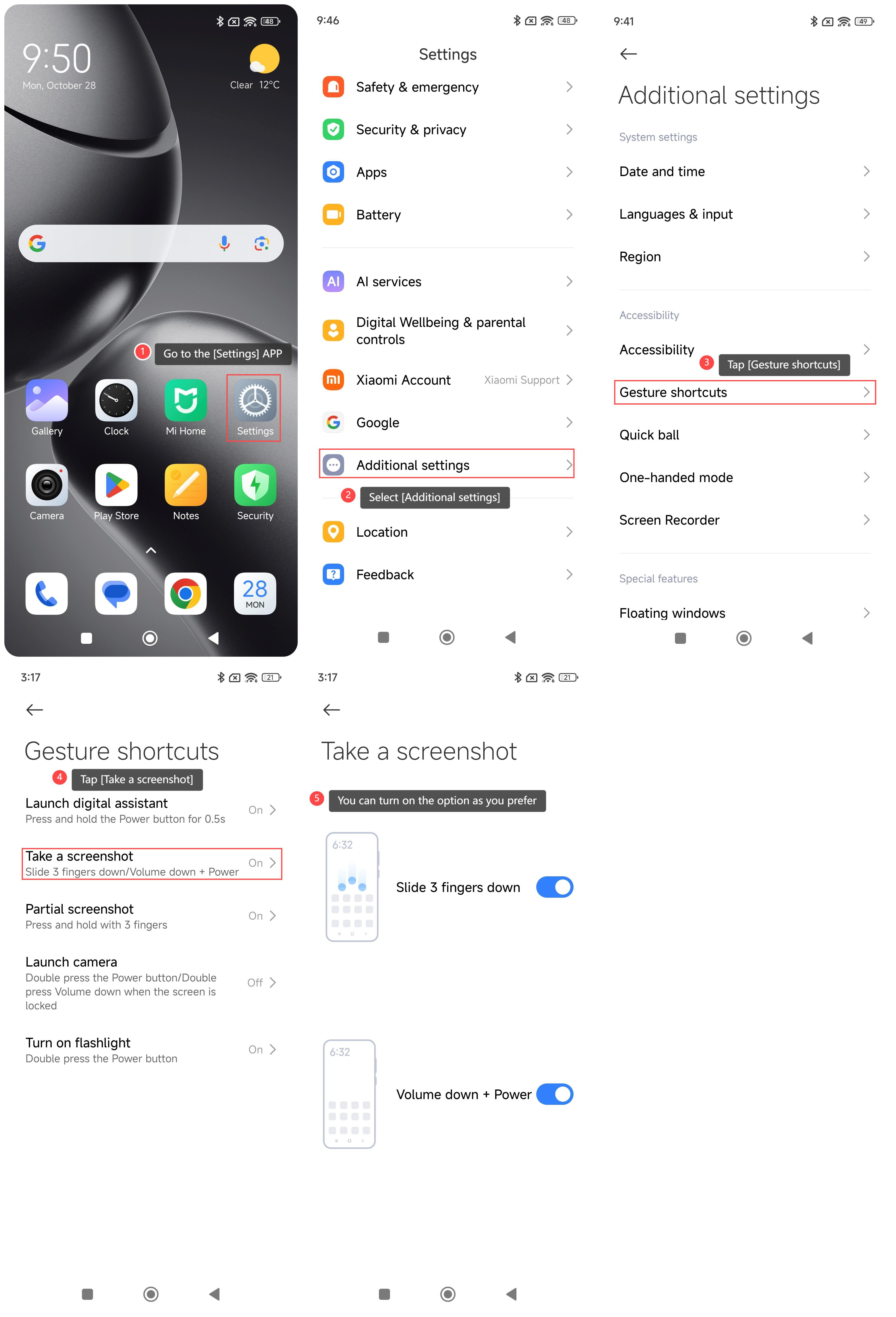
1. Go to the [Settings] APP on your phone;
2. Select [Additional settings];
3. Tap [Gesture shortcuts];
4. Tap [Take a screenshot];
5. There are two options for you, including [Slide 3 fingers down] and [Volume down + Power]. You can turn on the option as you prefer.
Method 3:
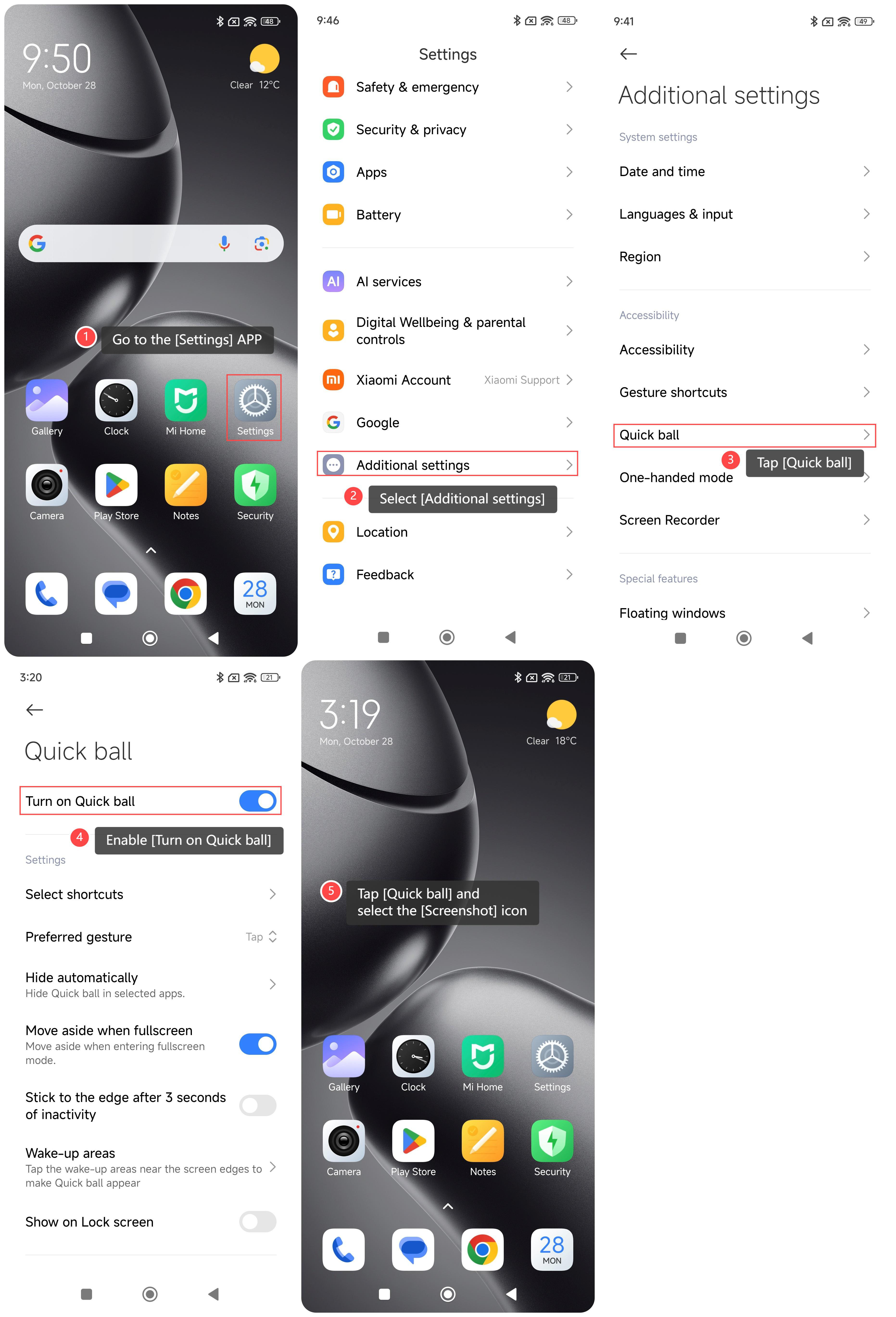
1. Go to the [Settings] APP on your phone;
2. Select [Additional settings];
3. Tap [Quick ball];
4. Enable [Turn on Quick ball];
5. Return to the home screen. Tap [Quick ball] and select the [Screenshot] icon.
To take screenshots on your phone, please refer to the following methods:
Method 1:
1. Swipe down from the upper right corner of the screen to enter the control center;
2. Tap the [Screenshot] icon.
Method 2:
1. Go to the [Settings] APP on your phone;
2. Select [Additional settings];
3. Tap [Gesture shortcuts];
4. Tap [Take a screenshot];
5. There are two options for you, including [Slide 3 fingers down] and [Volume down + Power]. You can turn on the option as you prefer.
Method 3:
1. Go to the [Settings] APP on your phone;
2. Select [Additional settings];
3. Tap [Quick ball];
4. Enable [Turn on Quick ball];
5. Return to the home screen. Tap [Quick ball] and select the [Screenshot] icon.
Does it help?
Yes
No