

How to turn off Personalize ads on the Xiaomi 14T Pro?
Personalize ads on the Xiaomi 14T Pro refer to advertisements that will appear within certain applications, the system UI, or during software updates. These ads are often integrated into free applications or services to generate revenue for the developers. While they can provide free access to applications, they will disrupt the using experience by being intrusive or distracting.
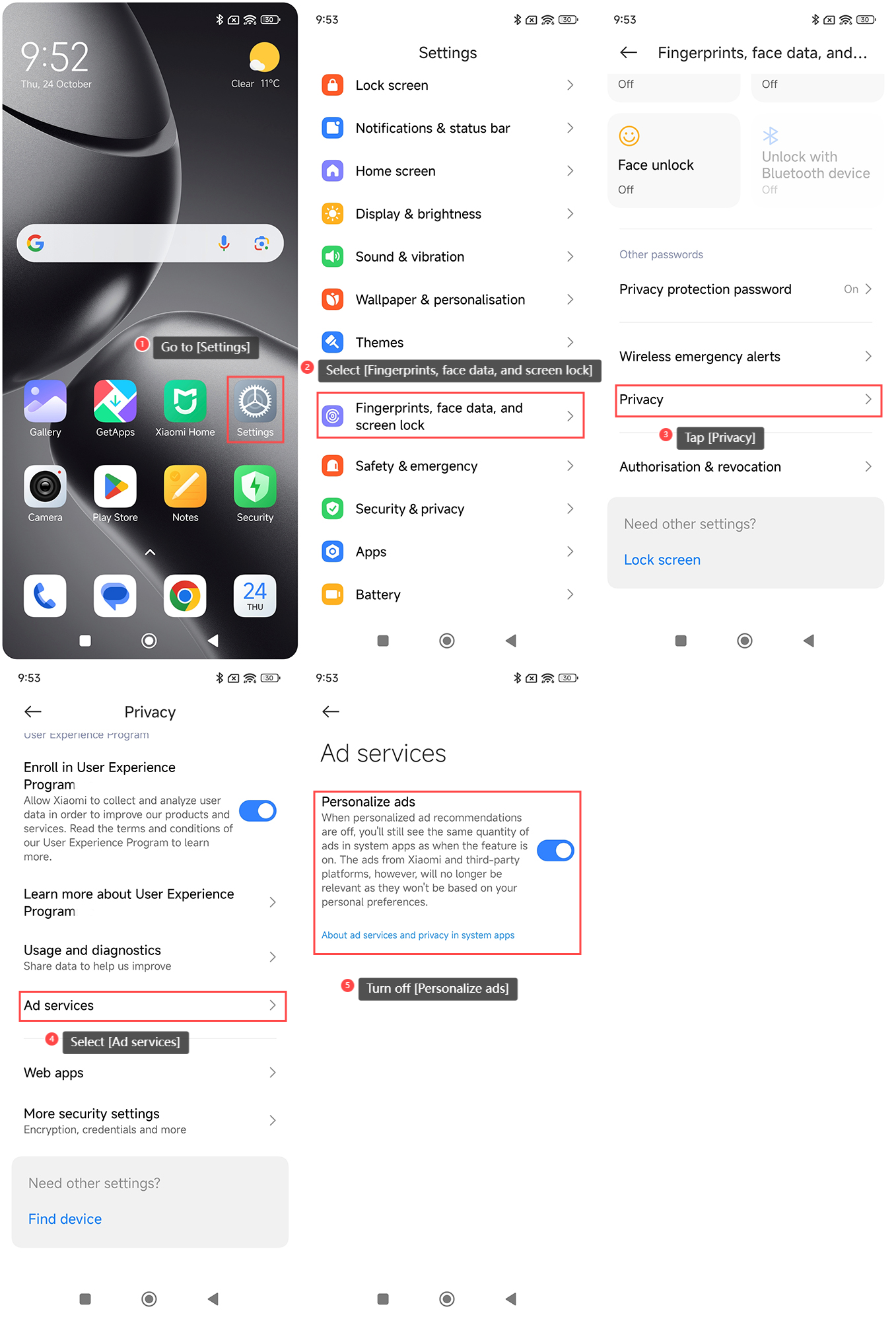
To turn off Personalize ads on the Xiaomi 14T Pro, please refer to the following steps:
1. Go to the [Settings] APP on your phone;
2. Select [Fingerprints, face data, and screen lock];
3. Tap [Privacy];
4. Select [Ad services];
5. Turn off [Personalize ads].
Note:
When personalized ad recommendations are off, you will still see the same quantity of ads in system APPs as when the feature is on. The ads from Xiaomi and third-party platforms, however, will no longer be relevant as they won’t be based on your personal preference.
To turn off Personalize ads on the Xiaomi 14T Pro, please refer to the following steps:
1. Go to the [Settings] APP on your phone;
2. Select [Fingerprints, face data, and screen lock];
3. Tap [Privacy];
4. Select [Ad services];
5. Turn off [Personalize ads].
Note:
When personalized ad recommendations are off, you will still see the same quantity of ads in system APPs as when the feature is on. The ads from Xiaomi and third-party platforms, however, will no longer be relevant as they won’t be based on your personal preference.
Does it help?
Yes
No