

How to connect a Wi-Fi network automatically on the Xiaomi 14T?
Enabling the Connect automatically feature for a Wi-Fi network on the Xiaomi 14T allows your phone to automatically connect to that network whenever it’s within range and available.
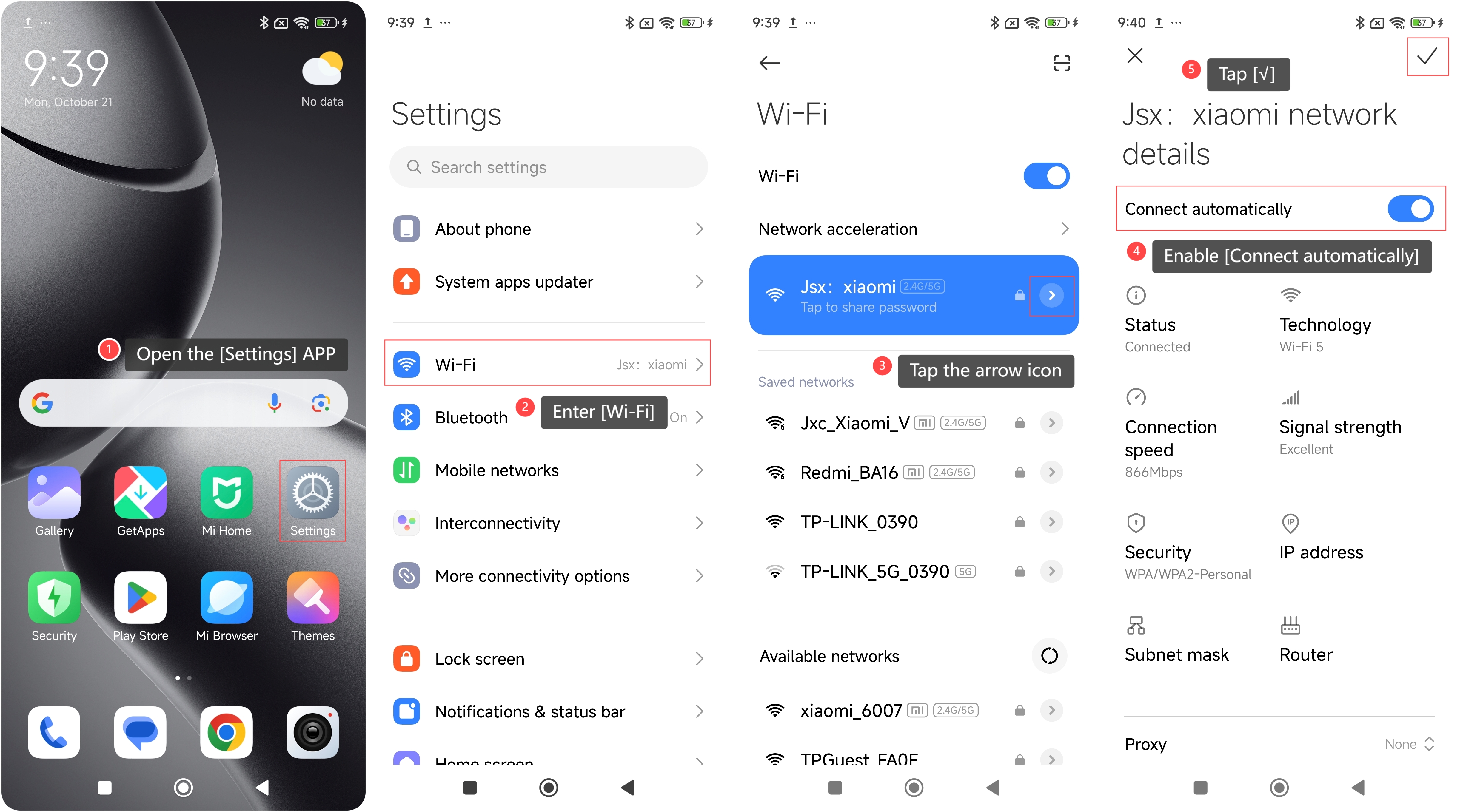
To enable the Connect automatically feature on your phone, please refer to the following steps:
1. Open the [Settings] APP on your phone;
2. Enter [Wi-Fi];
3. Tap the arrow icon to the right of the Wi-Fi network you're connected to;
4. Enable [Connect automatically];
5. Tap [√].
Note:
This is particularly useful for networks that you use regularly, such as the Wi-Fi in your home or workplace. It not only eliminates the need to manually select and connect to the network each time, but also ensures a seamless and convenient internet connection.
Does it help?
Yes
No