

How to show fingerprint icon when the screen of the Xiaomi 14T Pro is off?
When the screen is off, the fingerprint icon on the Xiaomi 14T Pro provides quick access to the fingerprint scanner for unlocking, enhancing convenience, saving time, and improving security.
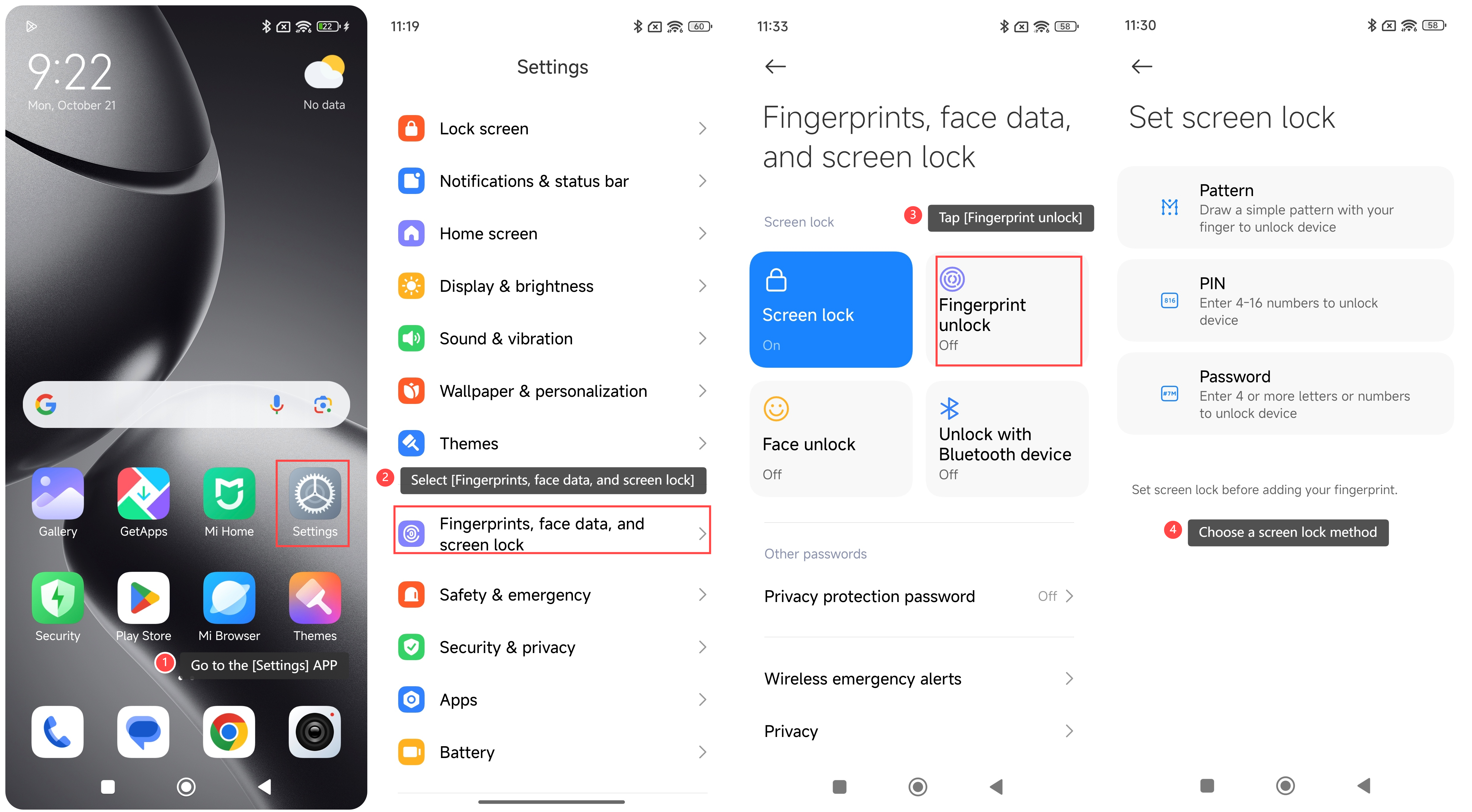
To show fingerprint icon when the screen of your phone is off, please refer to the following steps:
1. Go to the [Settings] APP on your phone;
2. Select [Fingerprints, face data, and screen lock];
3. Tap [Fingerprint unlock];
4. If you haven’t set the screen lock before, you need to set it first. Choose a screen lock method;
5. You will be prompted to remember the password. Tap [Got it] to continue;
6. Add your fingerprint according to the prompts;
7. Tap [Done] to save the fingerprint;
8. In the fingerprint unlock settings interface, scroll down and enable [Show fingerprint icon when the screen is off].
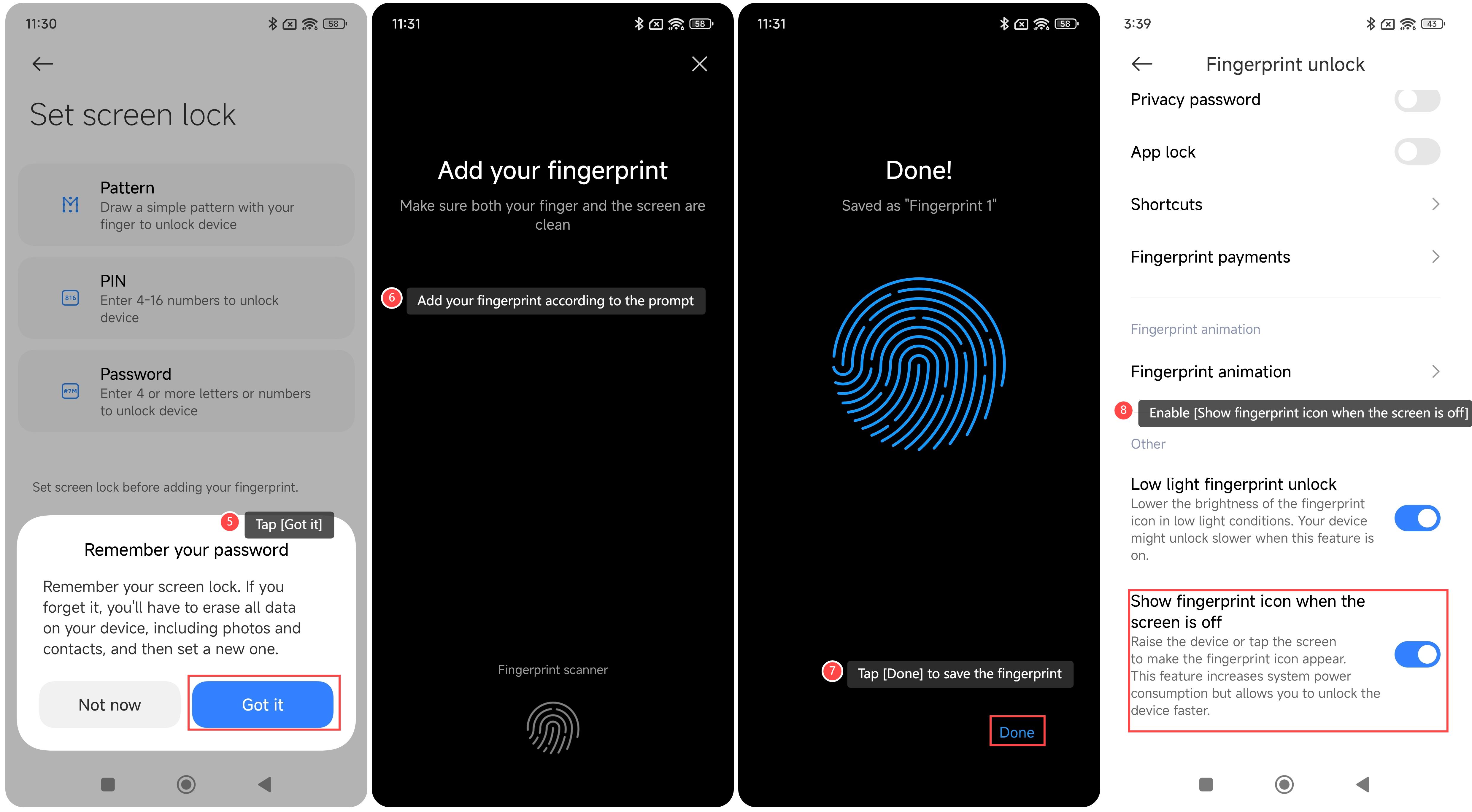
Once you enable this feature, raise the device or tap the screen to make the fingerprint icon appear.
To show fingerprint icon when the screen of your phone is off, please refer to the following steps:
1. Go to the [Settings] APP on your phone;
2. Select [Fingerprints, face data, and screen lock];
3. Tap [Fingerprint unlock];
4. If you haven’t set the screen lock before, you need to set it first. Choose a screen lock method;
5. You will be prompted to remember the password. Tap [Got it] to continue;
6. Add your fingerprint according to the prompts;
7. Tap [Done] to save the fingerprint;
8. In the fingerprint unlock settings interface, scroll down and enable [Show fingerprint icon when the screen is off].
Once you enable this feature, raise the device or tap the screen to make the fingerprint icon appear.
Does it help?
Yes
No