

How to use the AI subtitles on the Xiaomi 14T?
The AI subtitles feature on the Xiaomi 14T uses artificial intelligence technology to generate subtitles for video content in real time. This feature can automatically recognize speech and convert it into text while watching videos or making video calls, providing real-time subtitle display and improving the convenience of video viewing and communication. When working with private or sensitive content, the AI subtitles system follows strict data security and privacy protection measures to ensure the safety of your data.
To use the AI subtitles on your phone, you can refer to the following methods:
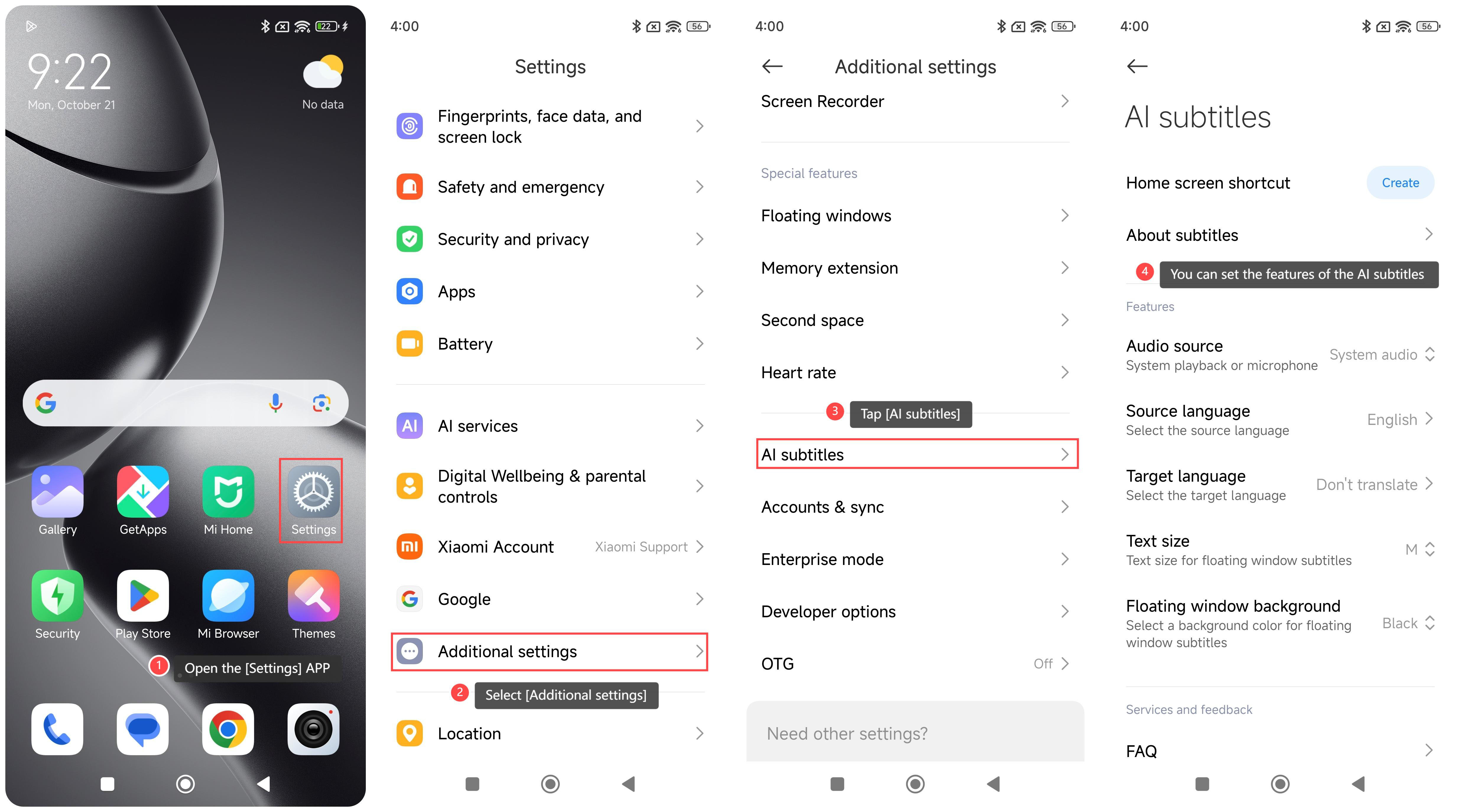
Method 1:
1. Open the [Settings] APP on your phone;
2. Select [Additional settings];
3. Tap [AI subtitles];
4. On this interface, you can set the features of the AI subtitles.
Method 2:
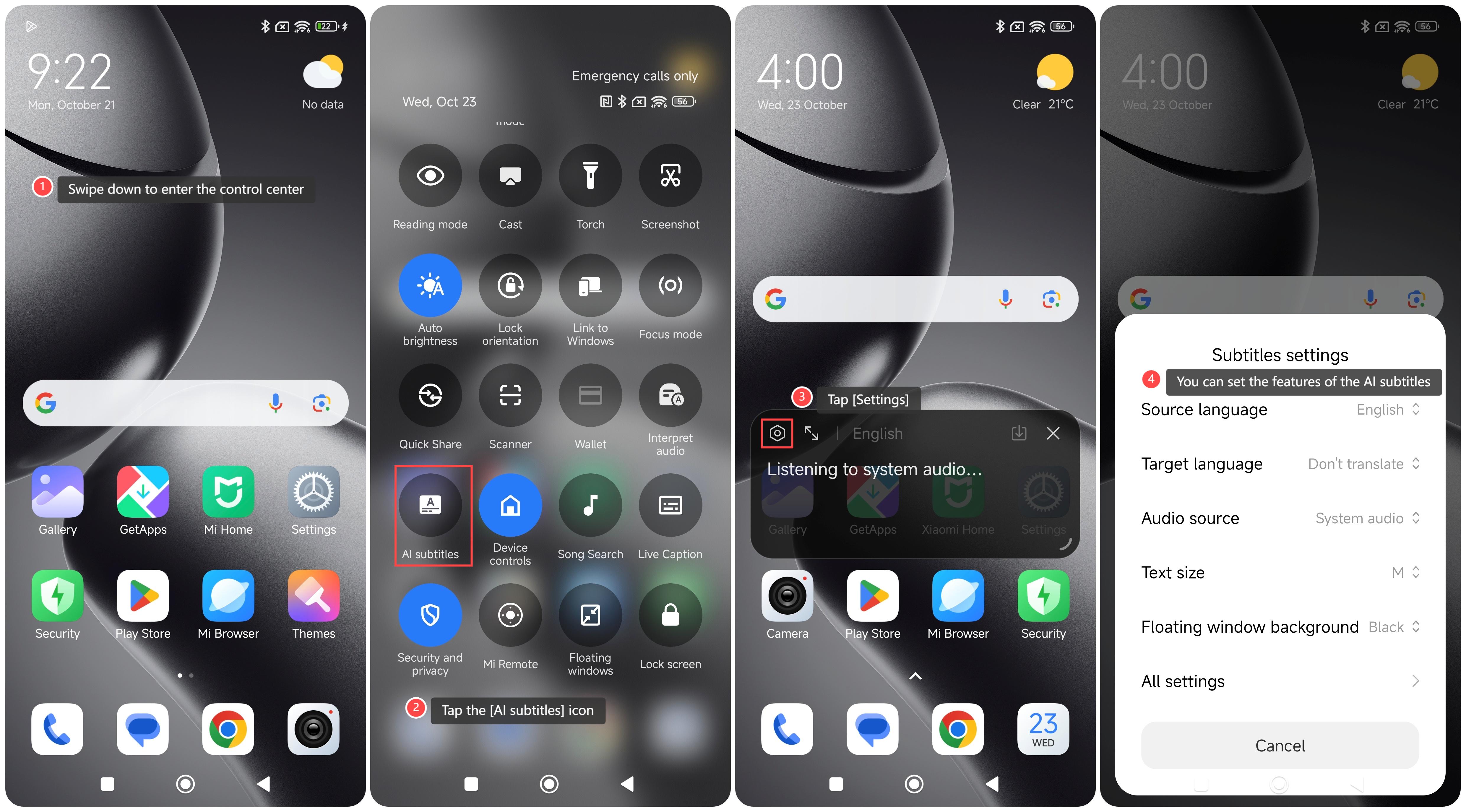
1. Swipe down to enter the control center;
2. Tap the [AI subtitles] icon;
3. Tap [Settings];
4. On this interface, you can set the features of the AI subtitles.
Method 3:
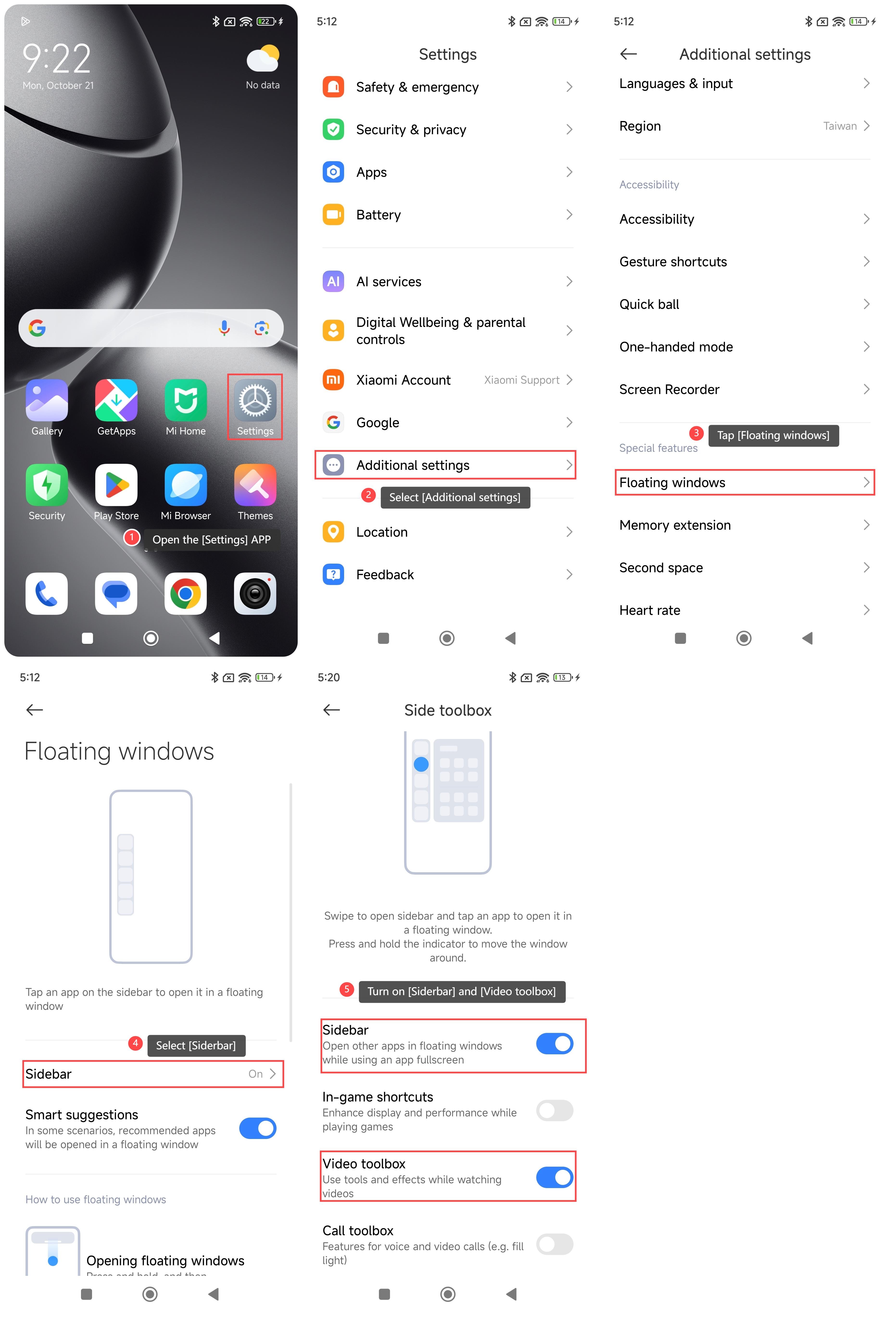
1. Open the [Settings] APP on your phone;
2. Select [Additional settings];
3. Tap [Floating windows];
4. Select [Siderbar];
5. Turn on [Siderbar] and [Video toolbox];
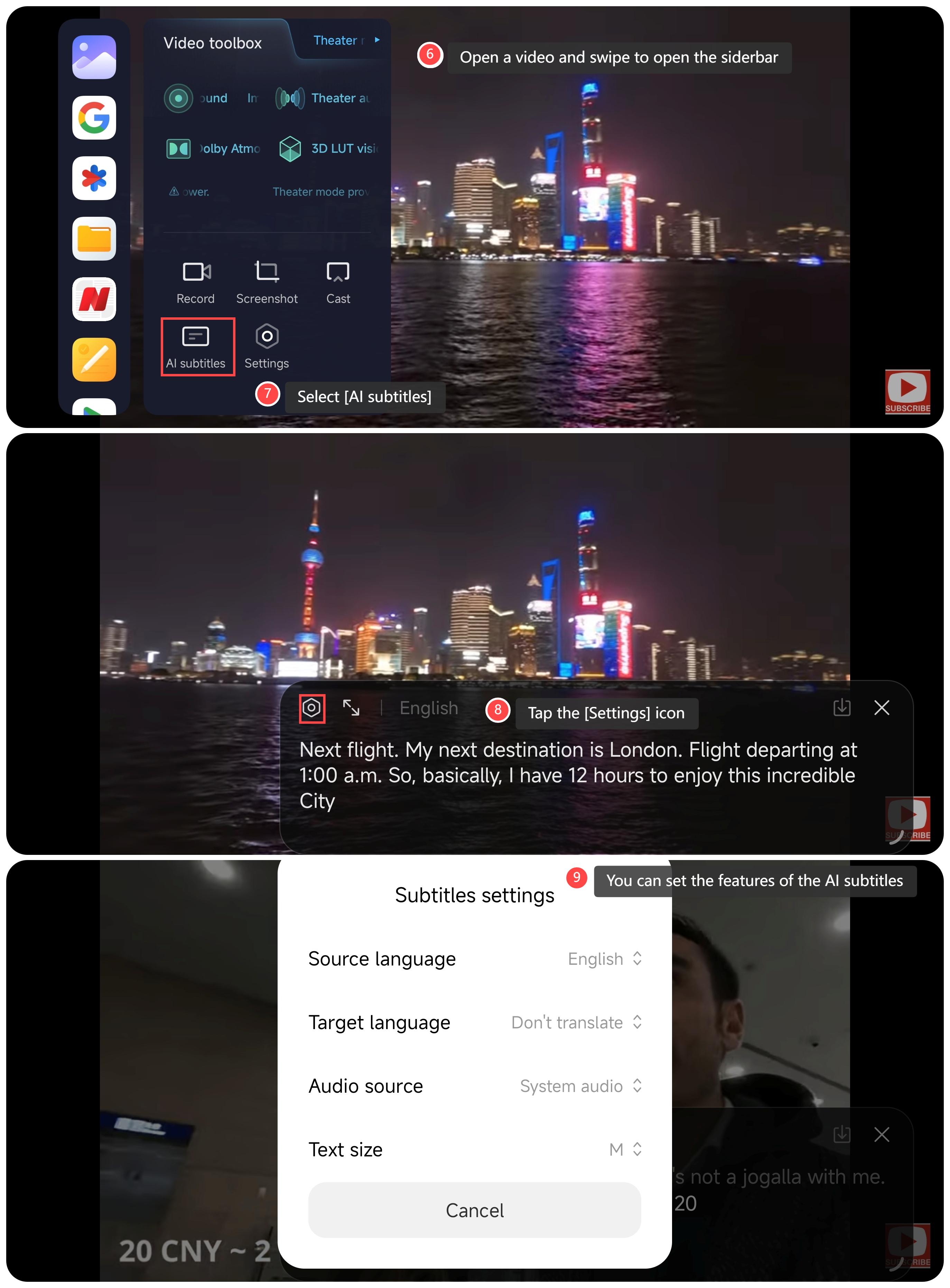
6. Open a video and swipe to open the siderbar on the video interface;
7. Select [AI subtitles], and the device will automatically recognize the system's video language;
8. Tap the [Settings] icon;
9. On this interface, you can set the features of the AI subtitles.
To use the AI subtitles on your phone, you can refer to the following methods:
Method 1:
1. Open the [Settings] APP on your phone;
2. Select [Additional settings];
3. Tap [AI subtitles];
4. On this interface, you can set the features of the AI subtitles.
Method 2:
1. Swipe down to enter the control center;
2. Tap the [AI subtitles] icon;
3. Tap [Settings];
4. On this interface, you can set the features of the AI subtitles.
Method 3:
1. Open the [Settings] APP on your phone;
2. Select [Additional settings];
3. Tap [Floating windows];
4. Select [Siderbar];
5. Turn on [Siderbar] and [Video toolbox];
6. Open a video and swipe to open the siderbar on the video interface;
7. Select [AI subtitles], and the device will automatically recognize the system's video language;
8. Tap the [Settings] icon;
9. On this interface, you can set the features of the AI subtitles.
Does it help?
Yes
No