

How to adjust the wired charging speed on the Xiaomi 14T?
The Xiaomi 14T supports wired charging at a speed of up to 67W, which allows for rapid charging of its battery. This high-speed charging can significantly reduce the time required to fully charge the device.
To adjust the wired charging speed on your phone, you can refer to the following methods:
Method 1:
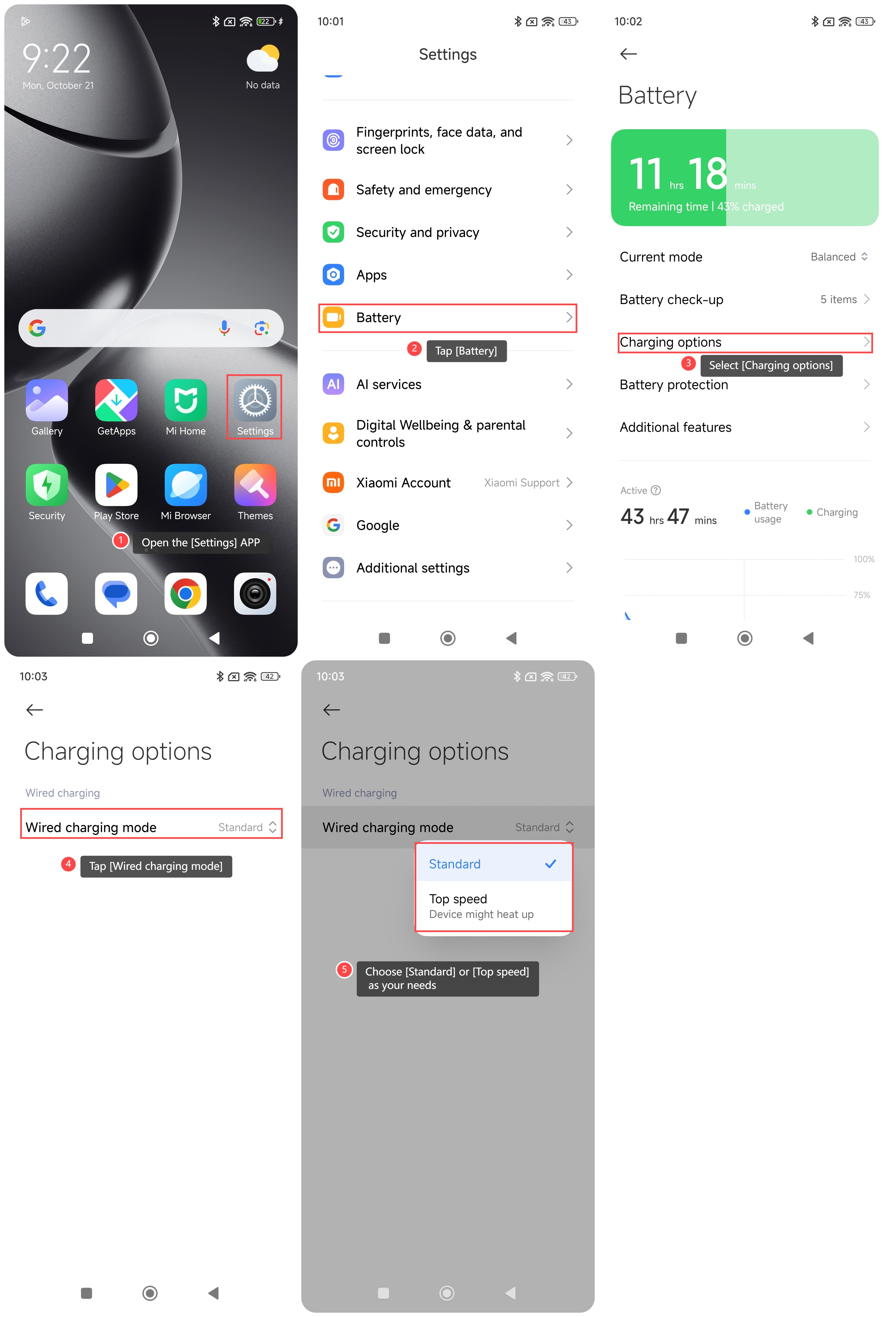
1. Open the [Settings] APP on your phone;
2. Scroll down and tap [Battery];
3. Select [Charging options];
4. Tap [Wired charging mode];
5. Choose [Standard] or [Top speed] as your needs.
Method 2:
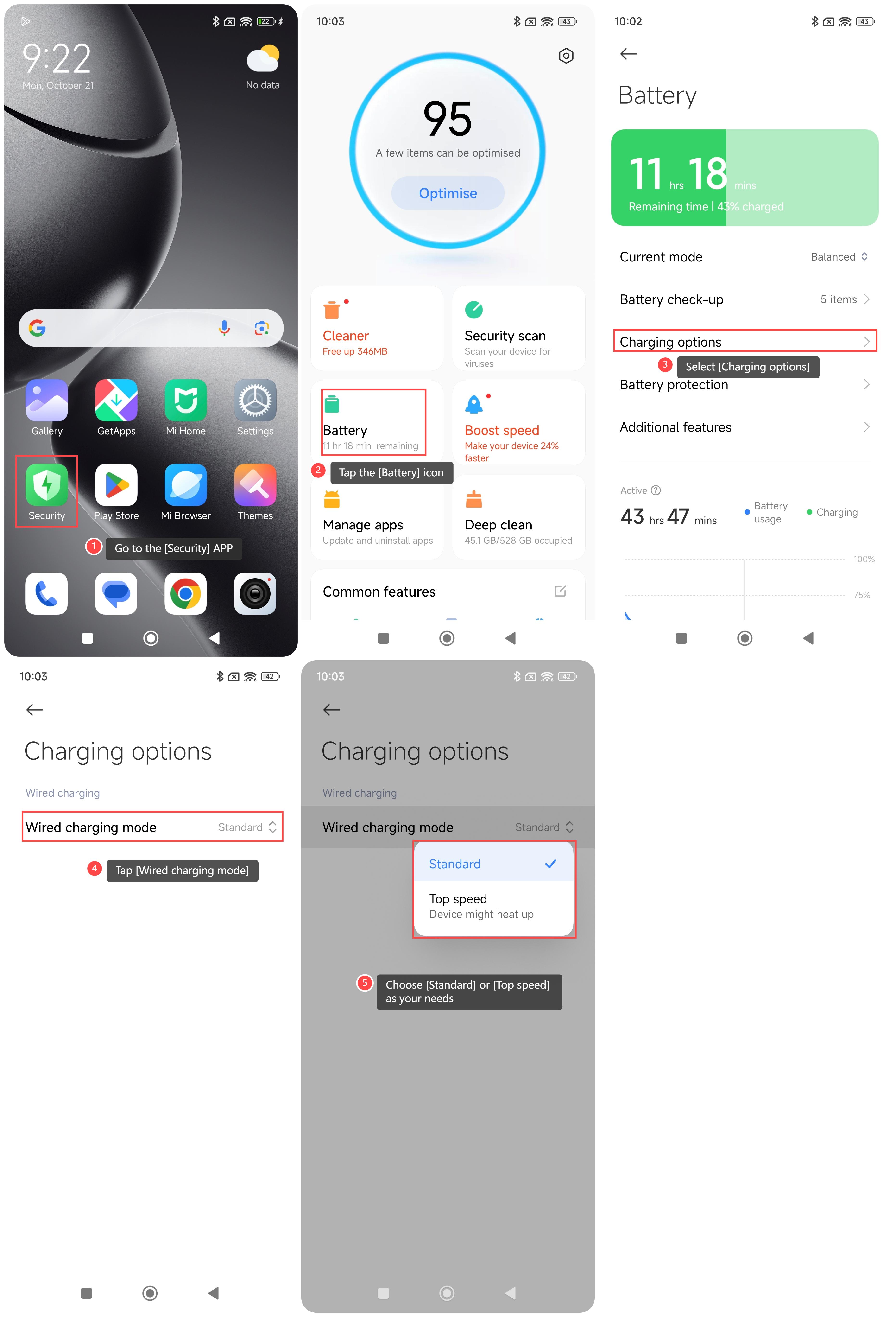
1. Go to the [Security] APP on your phone;
2. Tap the [Battery] icon;
3. Select [Charging options];
4. Tap [Wired charging mode];
5. Choose [Standard] or [Top speed] as your needs.
Note:
1. Standard: In standard mode, the charging power is relatively gentle, which can better protect the battery's health and avoid overheating or accelerated battery aging. Suitable for daily charging;
2. Top speed: In top speed mode, the phone will charge at the highest power, and the charging speed is very fast, which is suitable for use in scenarios where fast charging is urgently needed. However, due to the high power, it can generate more heat, so it is recommended not to use this mode frequently in high temperature environments.
To adjust the wired charging speed on your phone, you can refer to the following methods:
Method 1:
1. Open the [Settings] APP on your phone;
2. Scroll down and tap [Battery];
3. Select [Charging options];
4. Tap [Wired charging mode];
5. Choose [Standard] or [Top speed] as your needs.
Method 2:
1. Go to the [Security] APP on your phone;
2. Tap the [Battery] icon;
3. Select [Charging options];
4. Tap [Wired charging mode];
5. Choose [Standard] or [Top speed] as your needs.
Note:
1. Standard: In standard mode, the charging power is relatively gentle, which can better protect the battery's health and avoid overheating or accelerated battery aging. Suitable for daily charging;
2. Top speed: In top speed mode, the phone will charge at the highest power, and the charging speed is very fast, which is suitable for use in scenarios where fast charging is urgently needed. However, due to the high power, it can generate more heat, so it is recommended not to use this mode frequently in high temperature environments.
Does it help?
Yes
No