

How to manage System app settings on the Xiaomi 14T Pro?
System APPs on the Xiaomi 14T Pro refer to pre-installed applications that are built into the operating system. These APPs are essential for the core functionality of the phone. By managing System app settings, you can customize and optimize how your phone operates, tailoring it to suit your preferences and needs.
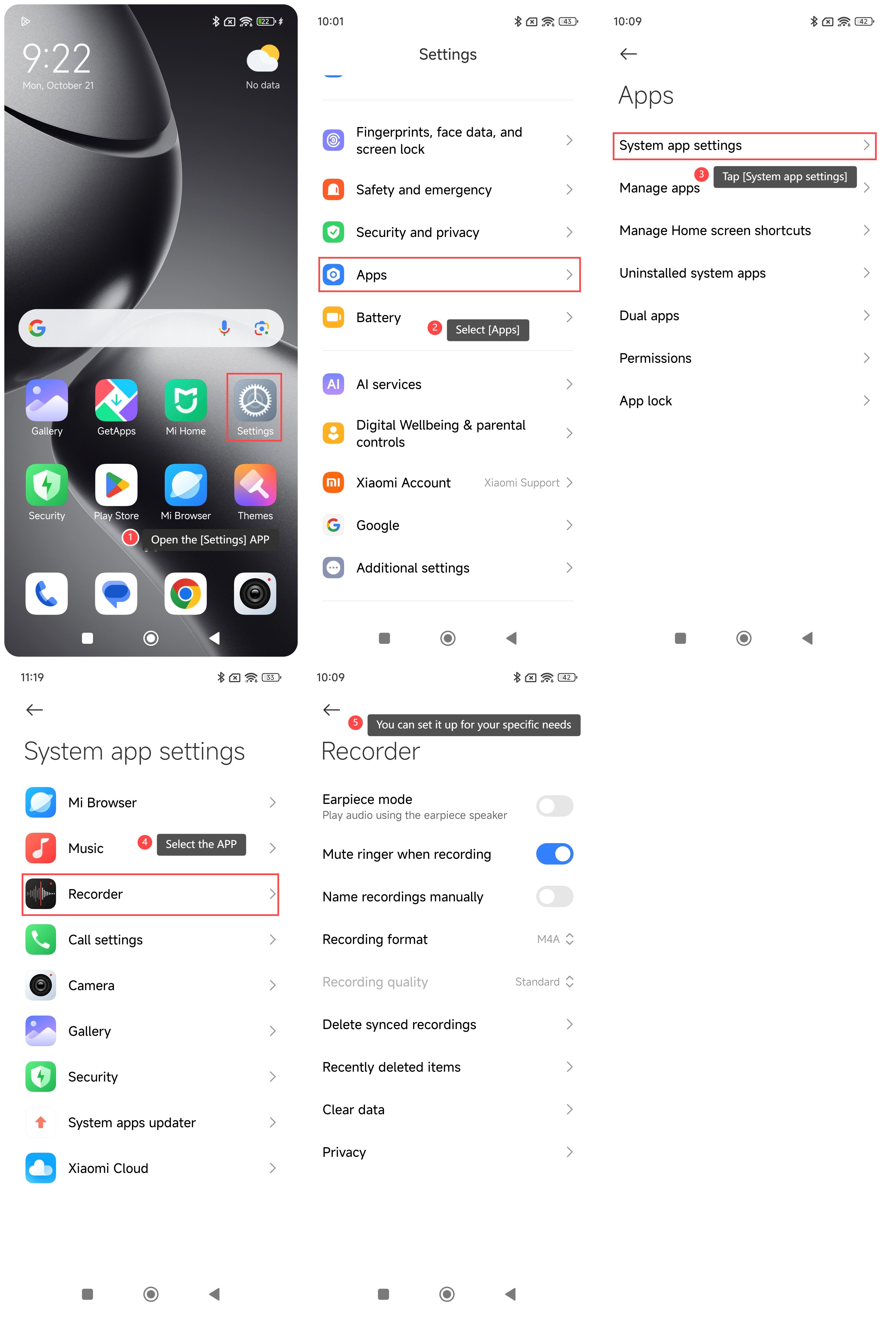
To manage System app settings on your phone, please refer to the following steps:
1. Open the [Settings] APP on your phone;
2. Scroll down and select [Apps];
3. Tap [System app settings]. Then you can see the system APPs of your phone;
4. Select the APP that you want to manage;
5. You can set it up for your specific needs.
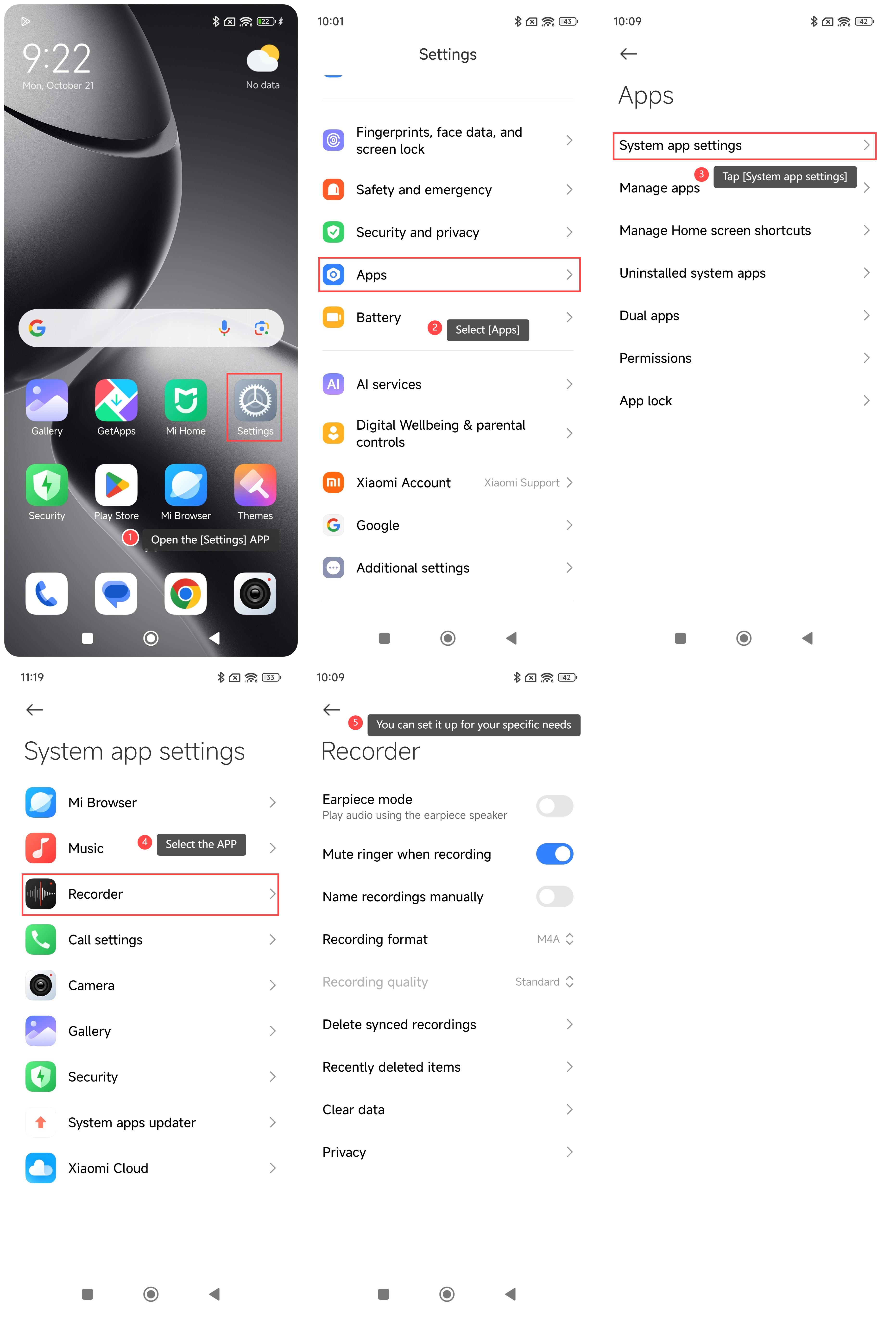
To manage System app settings on your phone, please refer to the following steps:
1. Open the [Settings] APP on your phone;
2. Scroll down and select [Apps];
3. Tap [System app settings]. Then you can see the system APPs of your phone;
4. Select the APP that you want to manage;
5. You can set it up for your specific needs.
Does it help?
Yes
No