

How to submit feedback on the Redmi 13C 5G?
The feedback submission feature on the Redmi 13C 5G allows you to contact Xiaomi officials directly. You can report any issues or bugs you’ve encountered, as well as share suggestions for improving the product.
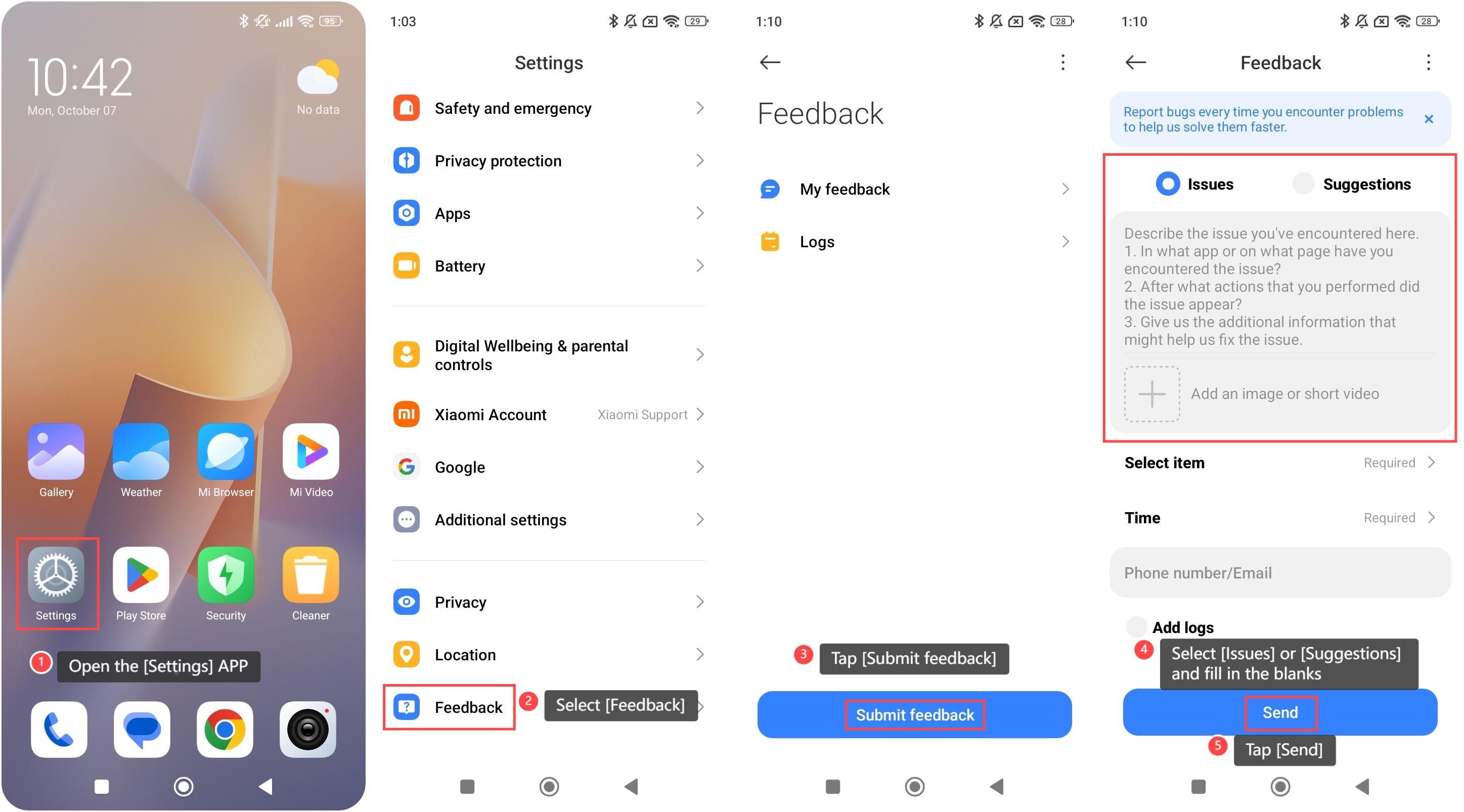
To submit feedback on your device, please refer to the following steps:
1. Open the [Settings] APP on your device. You can find the gear icon on your home screen or in your APP drawer;
2. Scroll down and select [Feedback];
3. Tap [Submit feedback];
4. Select [Issues] or [Suggestions] and fill in the blanks according to the prompts;
5. Tap [Send].
Note:
1. Please describe the issues or suggestions as detailed as possible;
2. After submitting the feedback, please wait for a reply patiently;
3. Report bugs every time you encounter problems, which can help solve them faster.
To submit feedback on your device, please refer to the following steps:
1. Open the [Settings] APP on your device. You can find the gear icon on your home screen or in your APP drawer;
2. Scroll down and select [Feedback];
3. Tap [Submit feedback];
4. Select [Issues] or [Suggestions] and fill in the blanks according to the prompts;
5. Tap [Send].
Note:
1. Please describe the issues or suggestions as detailed as possible;
2. After submitting the feedback, please wait for a reply patiently;
3. Report bugs every time you encounter problems, which can help solve them faster.
Does it help?
Yes
No