

How to use the video toolbox on the Redmi 13C 5G?
The Redmi 13C 5G supports the video toolbox function. It provides a floating menu that can be accessed on the side of the screen while watching videos in APPs like YouTube, Netflix, or local media players. It offers special effects and features for video playback, such as recording, taking screenshots, or casting.
To use the video toolbox on your phone, please refer to the following steps:
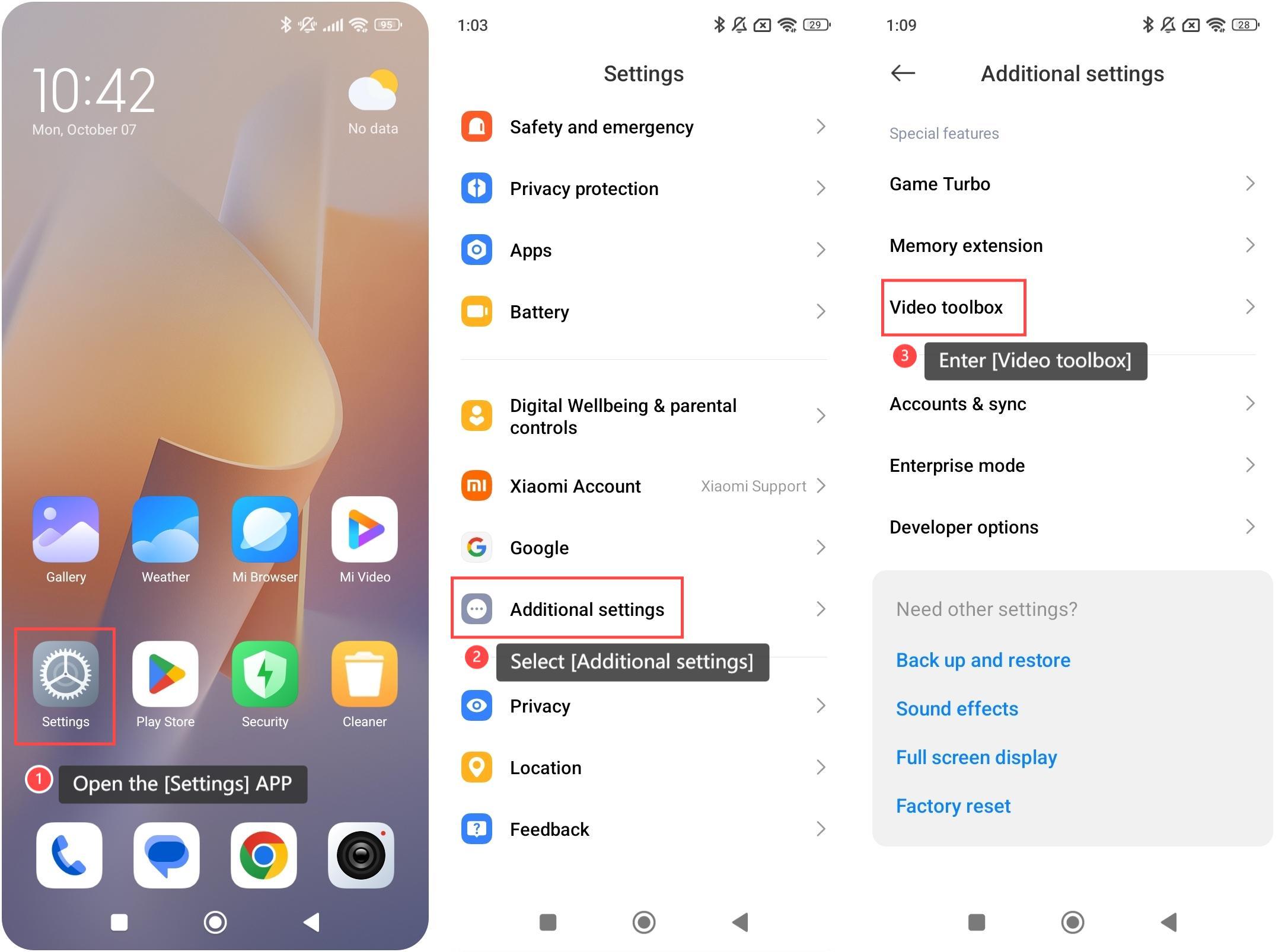
1. Open the [Settings] APP on your phone;
2. Scroll down and select [Additional settings];
3. Enter [Video toolbox];
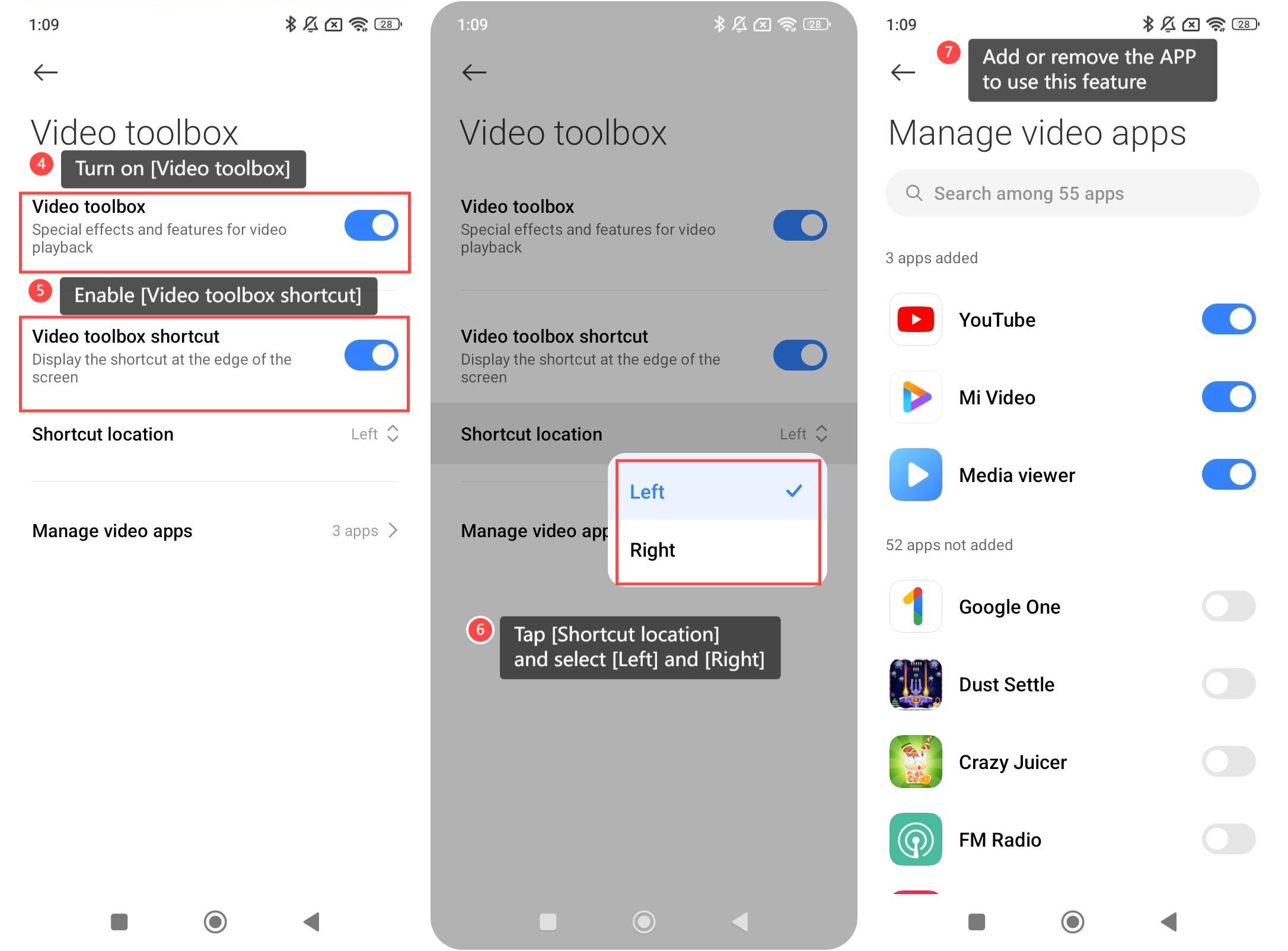
4. Turn on [Video toolbox];
5. Enable [Video toolbox shortcut] and you can view the shortcut at the edge of the screen;
6. Tap [Shortcut location] and select [Left] and [Right] as you prefer;
7. Enter [Manage video apps] and you can add or remove the APP to use this feature.
To use the video toolbox on your phone, please refer to the following steps:
1. Open the [Settings] APP on your phone;
2. Scroll down and select [Additional settings];
3. Enter [Video toolbox];
4. Turn on [Video toolbox];
5. Enable [Video toolbox shortcut] and you can view the shortcut at the edge of the screen;
6. Tap [Shortcut location] and select [Left] and [Right] as you prefer;
7. Enter [Manage video apps] and you can add or remove the APP to use this feature.
Does it help?
Yes
No