

How to set up Bedtime mode on the Redmi 13C?
The Redmi 13C supports Bedtime mode, which can reduce screen brightness and adjust color temperature to minimize blue light exposure, promoting better sleep quality. When you enable the Bedtime mode, your phone will be silenced, wallpaper will be dimmed, and the screen will be changed to black and white.
To set Bedtime mode on your phone, please refer to the following methods:
Method 1:
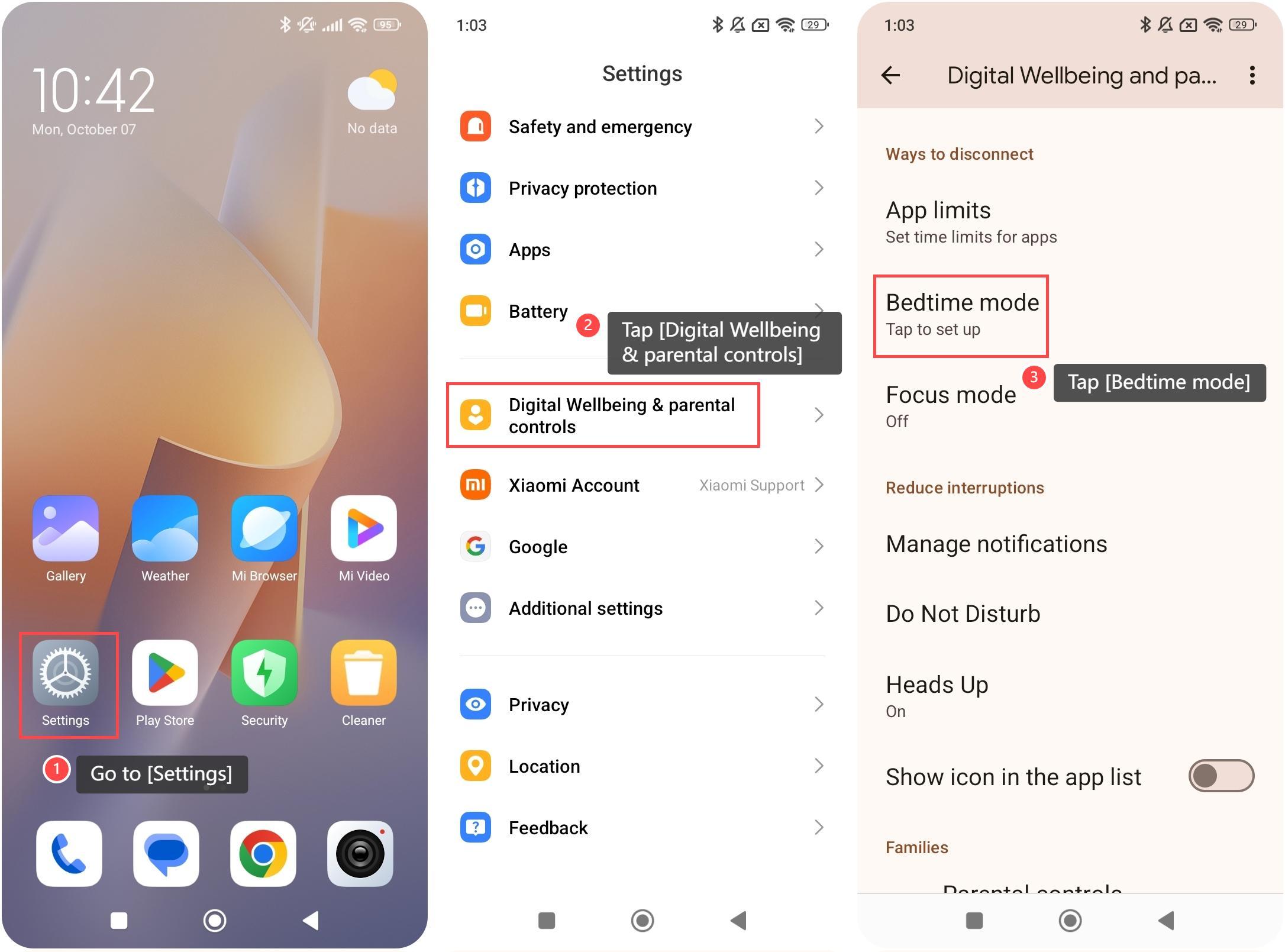
1. Go to [Settings];
2. Tap [Digital Wellbeing & parental controls];
3. If you haven’t used this feature, tap [Bedtime mode] to set up;
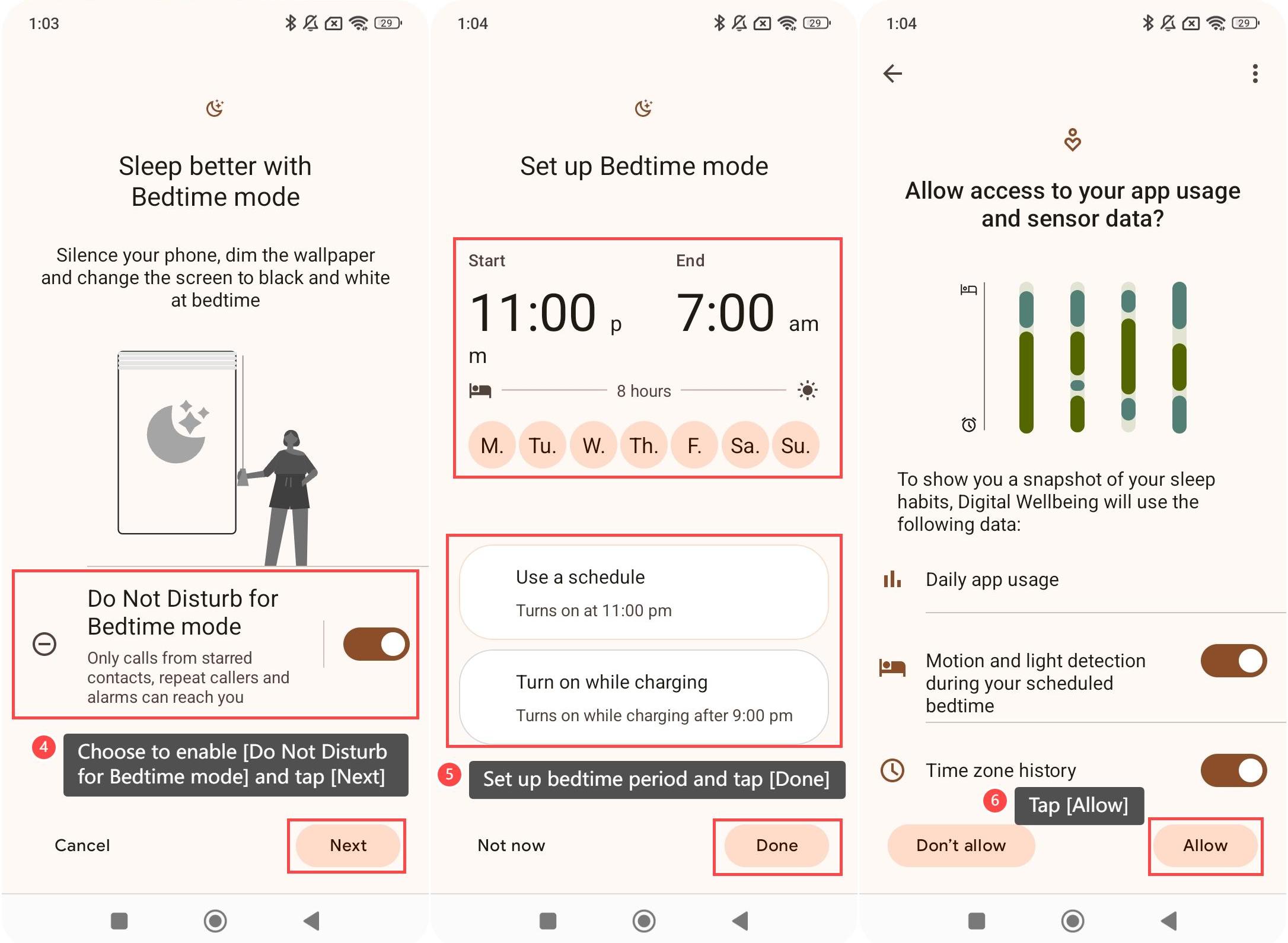
4. You can choose to enable [Do Not Disturb for Bedtime mode]. If you enable it, only allowed notifications and alarms can reach you. Tap [Next] to continue;
5. Set up your bedtime period. You can choose [Use a schedule] or [Turn on while charging]. Tap [Done] to continue;
6. Tap [Allow] to confirm the access of your APP usage and sensor data so that the Digital Wellbeing feature can show you a snapshot of your sleep habits;
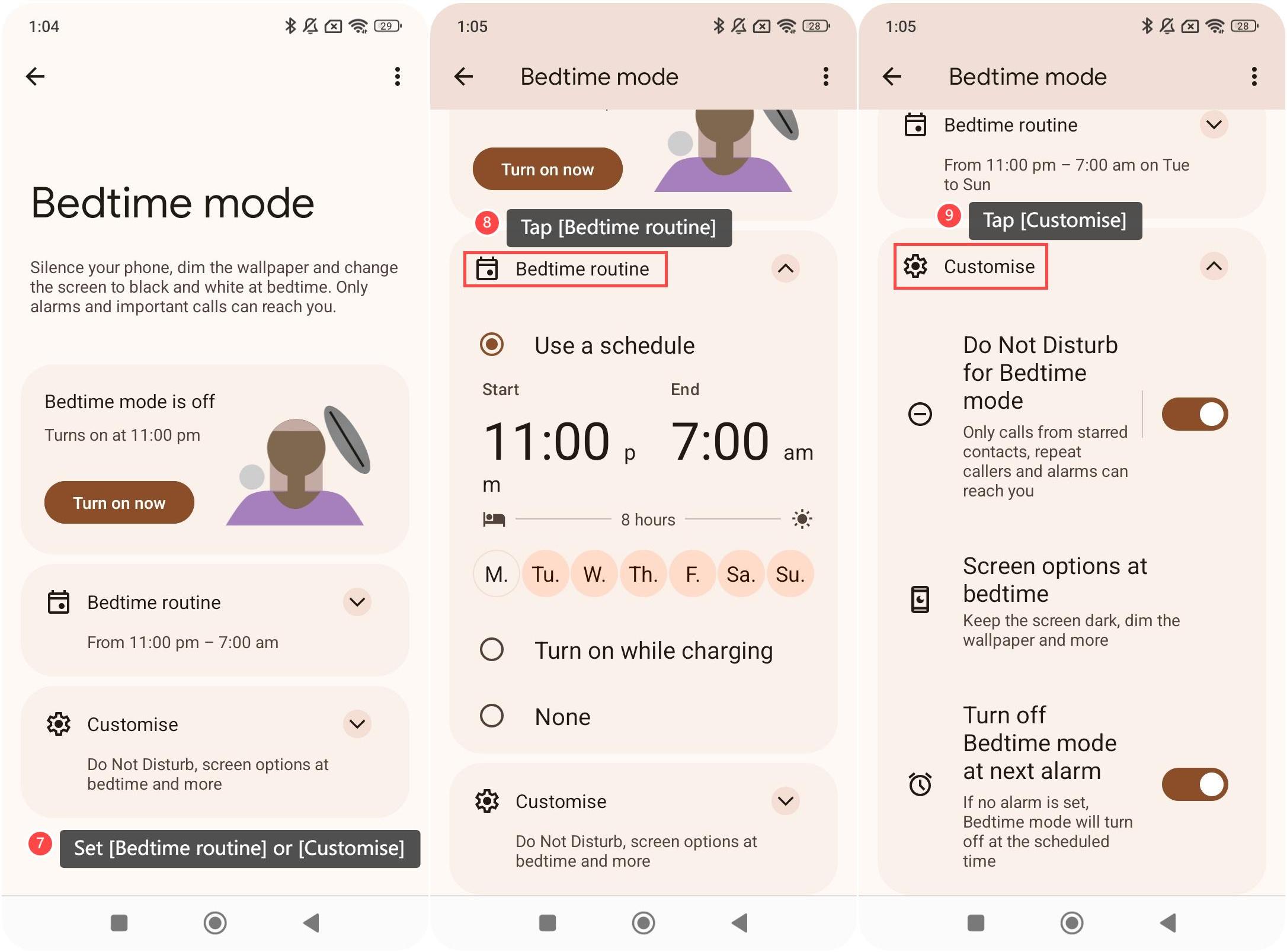
7. After the initial set-up of the Bedtime mode, every time you enter this feature, you can also set [Bedtime routine] or [Customise] in this interface;
8. Tap [Bedtime routine] and you can select [Use a schedule], [Turn on while charging], or [None];
9. Tap [Customise] and you can enable [Do Not Disturb for Bedtime mode], select [Screen options at bedtime], or enable [Turn off Bedtime mode at next alarm].
Method 2:
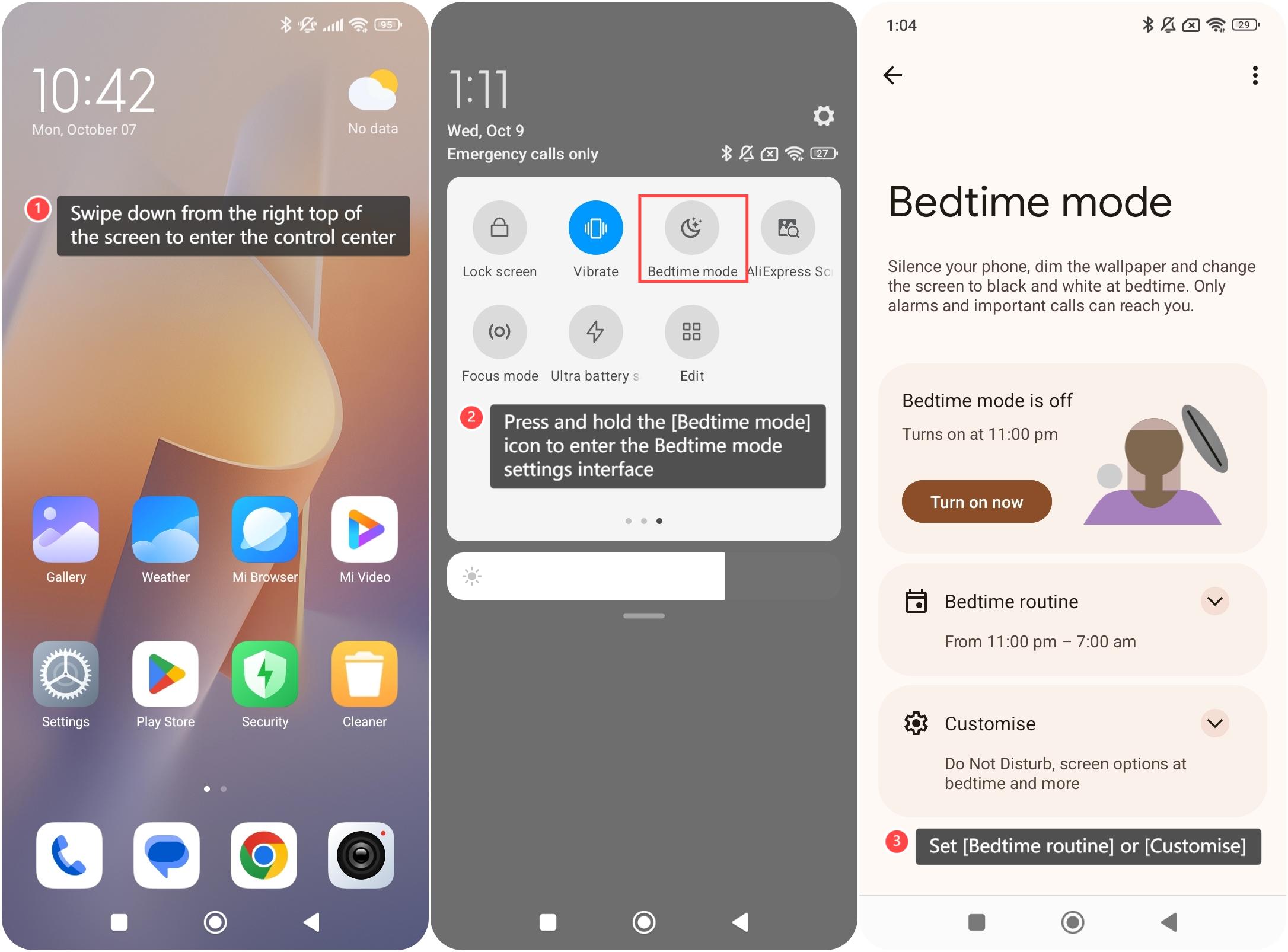
1. Swipe down from the right top of the screen to enter the control center;
2. You can simply turn on/off the Bedtime mode by tapping the [Bedtime mode] icon in the control center. Press and hold the [Bedtime mode] icon to enter the Bedtime mode settings interface;
3. You can set [Bedtime routine] or [Customise] in this interface.
To set Bedtime mode on your phone, please refer to the following methods:
Method 1:
1. Go to [Settings];
2. Tap [Digital Wellbeing & parental controls];
3. If you haven’t used this feature, tap [Bedtime mode] to set up;
4. You can choose to enable [Do Not Disturb for Bedtime mode]. If you enable it, only allowed notifications and alarms can reach you. Tap [Next] to continue;
5. Set up your bedtime period. You can choose [Use a schedule] or [Turn on while charging]. Tap [Done] to continue;
6. Tap [Allow] to confirm the access of your APP usage and sensor data so that the Digital Wellbeing feature can show you a snapshot of your sleep habits;
7. After the initial set-up of the Bedtime mode, every time you enter this feature, you can also set [Bedtime routine] or [Customise] in this interface;
8. Tap [Bedtime routine] and you can select [Use a schedule], [Turn on while charging], or [None];
9. Tap [Customise] and you can enable [Do Not Disturb for Bedtime mode], select [Screen options at bedtime], or enable [Turn off Bedtime mode at next alarm].
Method 2:
1. Swipe down from the right top of the screen to enter the control center;
2. You can simply turn on/off the Bedtime mode by tapping the [Bedtime mode] icon in the control center. Press and hold the [Bedtime mode] icon to enter the Bedtime mode settings interface;
3. You can set [Bedtime routine] or [Customise] in this interface.
Does it help?
Yes
No